Evolution of Web Programming
TCSS 460 — Client/Server Programming
The web has reinvented itself roughly every decade since its creation in 1989. Each reinvention solved real problems — and introduced new ones. Understanding this history is not trivia: the architecture you will build in the second half of this course (a server-rendered Next.js application) exists because of the lessons learned at every stage. This reading traces that arc from static HTML files to modern hybrid rendering, so you can see why the tools you are about to use were designed the way they were.
1 The Static Web (1990s)
1.1 How It All Started
In 1989, Tim Berners-Lee, a physicist at CERN, proposed a system for sharing research documents over the internet. By 1991, the first website was live at http://info.cern.ch. The entire technology stack was remarkably simple:
- HTML (HyperText Markup Language) — a document format with links
- HTTP (HyperText Transfer Protocol) — a protocol to request and deliver those documents
- A web server — software that listens for HTTP requests and responds with files
That was it. No databases, no programming languages running on the server, no JavaScript. A "web application" was a folder of .html files on a computer connected to the internet.
1.2 How Static Serving Works
The request-response cycle was direct. The browser asked for a file, the server found it on disk, and sent it back:
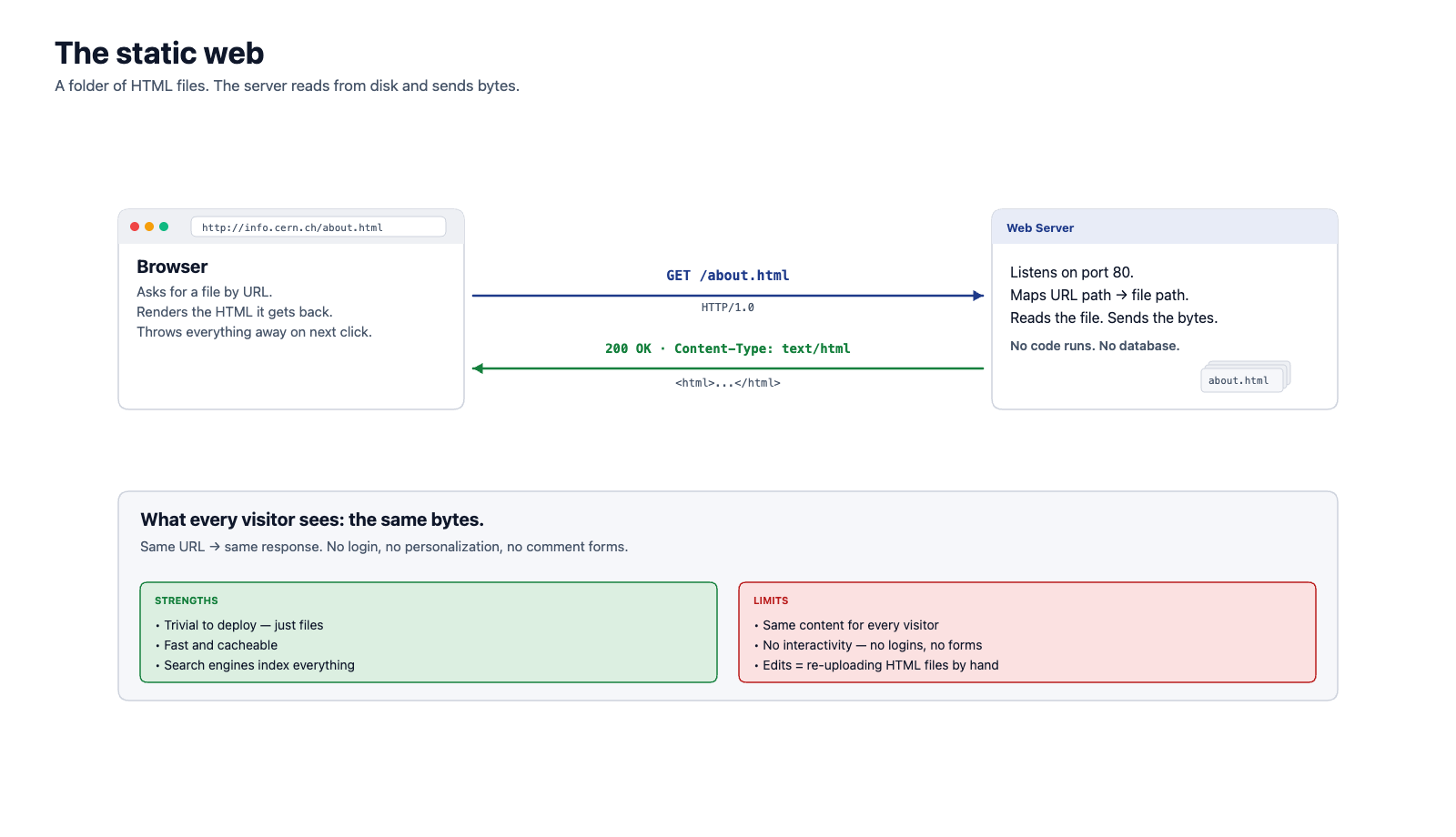
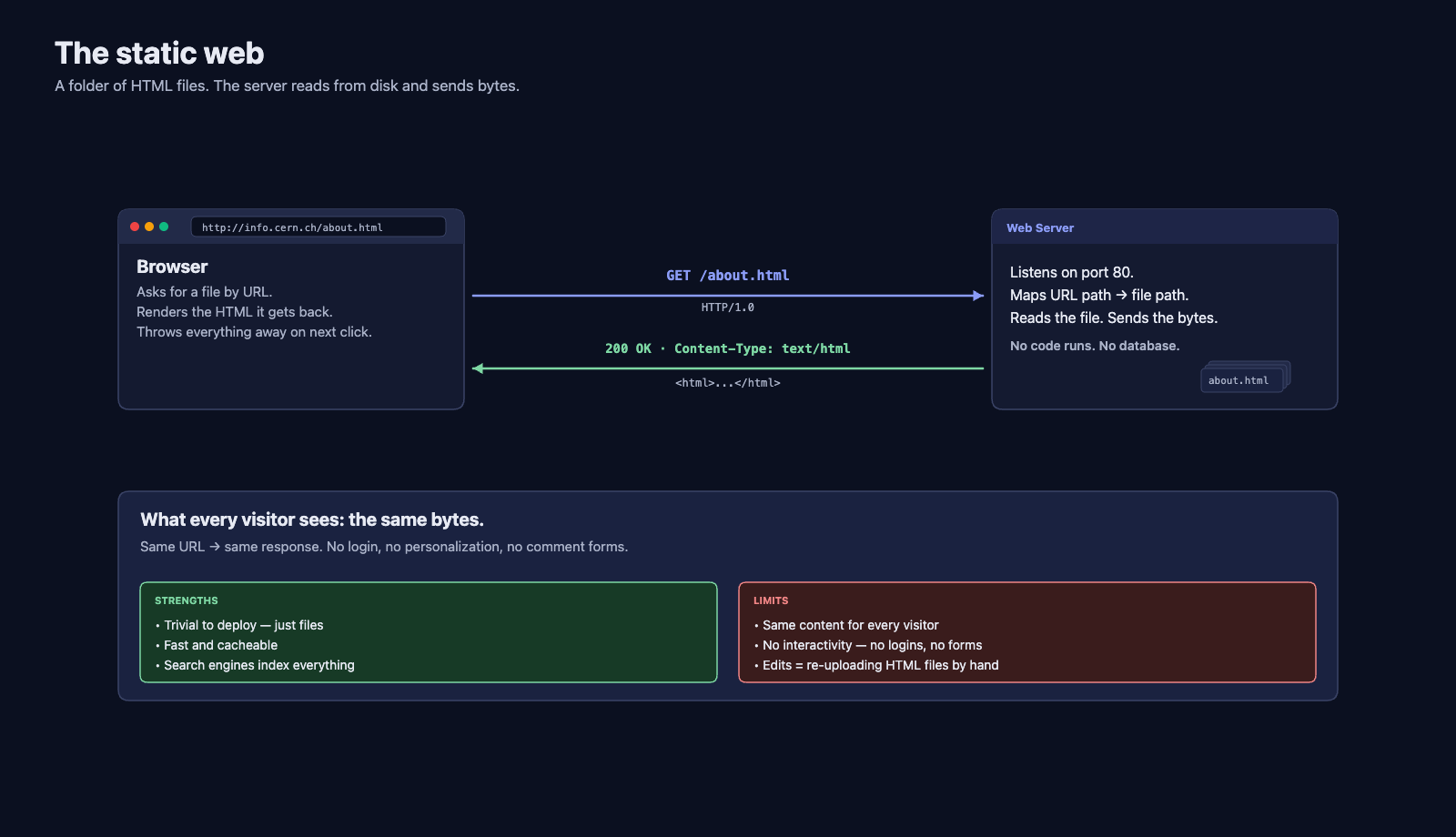
Every page was a separate file. Clicking a link fetched a completely new HTML document. The browser threw away the current page and rendered the new one from scratch.
1.3 What Worked and What Did Not
Strengths:
- Incredibly simple to build and deploy
- Fast — the server just reads a file and sends it
- Easy to cache — the same URL always produces the same response
- Search engines can index every page trivially
Limitations:
- No personalization — every visitor sees the same content
- No interactivity — you cannot log in, post a comment, or search
- Content updates require editing HTML files by hand and re-uploading them
- No way to connect to a database
By the mid-1990s, the web's popularity had outgrown what static files could support. Businesses wanted to sell products online. Universities wanted students to check grades. These use cases required pages that could change based on who was requesting them and what data was in a database.
2 Server-Side Rendering (SSR): CGI, PHP, and JSP (late 1990s)
2.1 The Key Idea: Generate HTML on the Fly
The solution was straightforward: instead of serving pre-written HTML files, let the server run a program that generates HTML dynamically for each request.
The first standard mechanism for this was the Common Gateway Interface (CGI), introduced in 1993. CGI allowed a web server to execute a script (written in Perl, C, Python, or any language) and return its output as the HTTP response. The web server did not care what language the script was in — it only cared that the script wrote valid HTML to standard output.
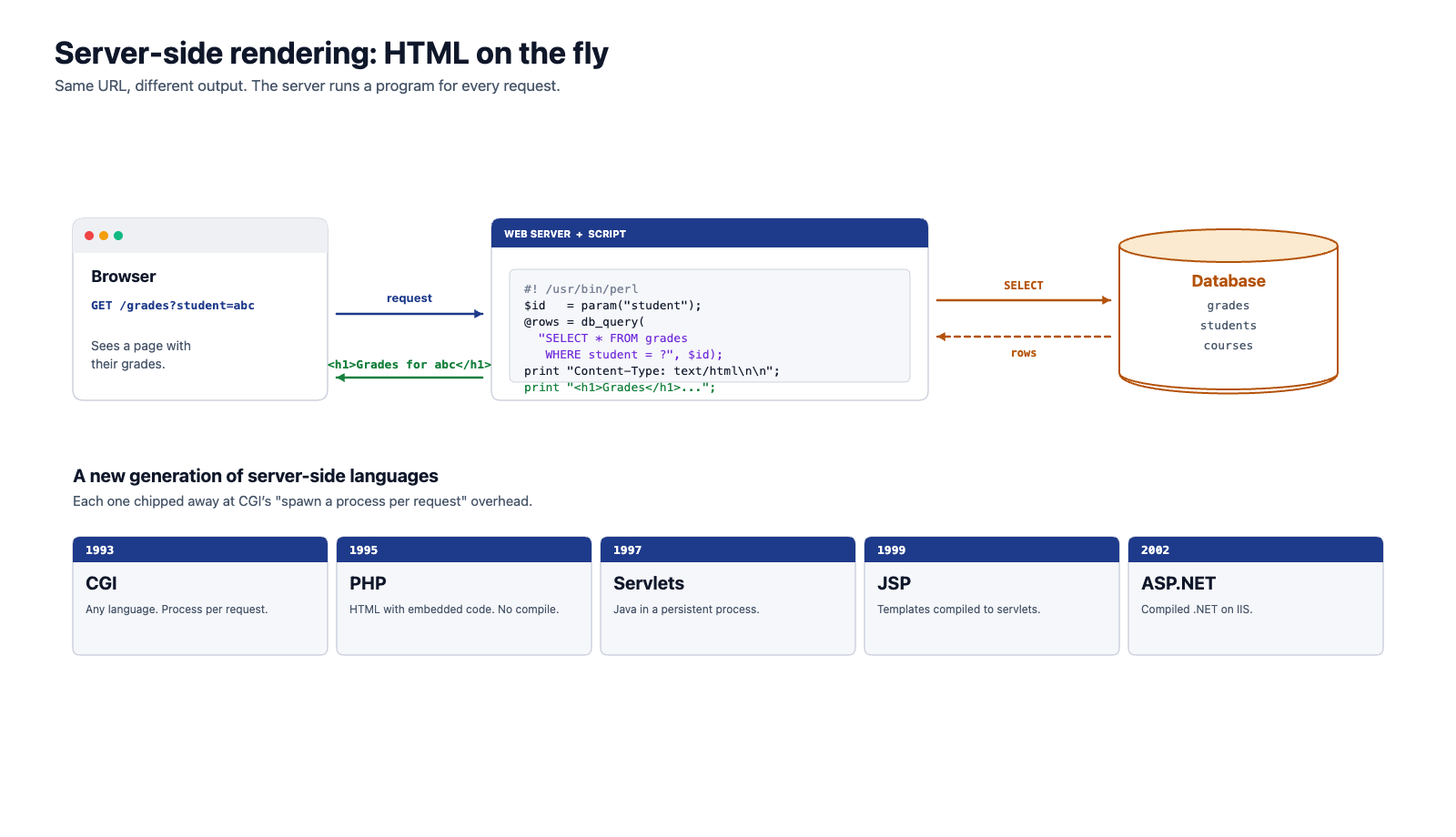
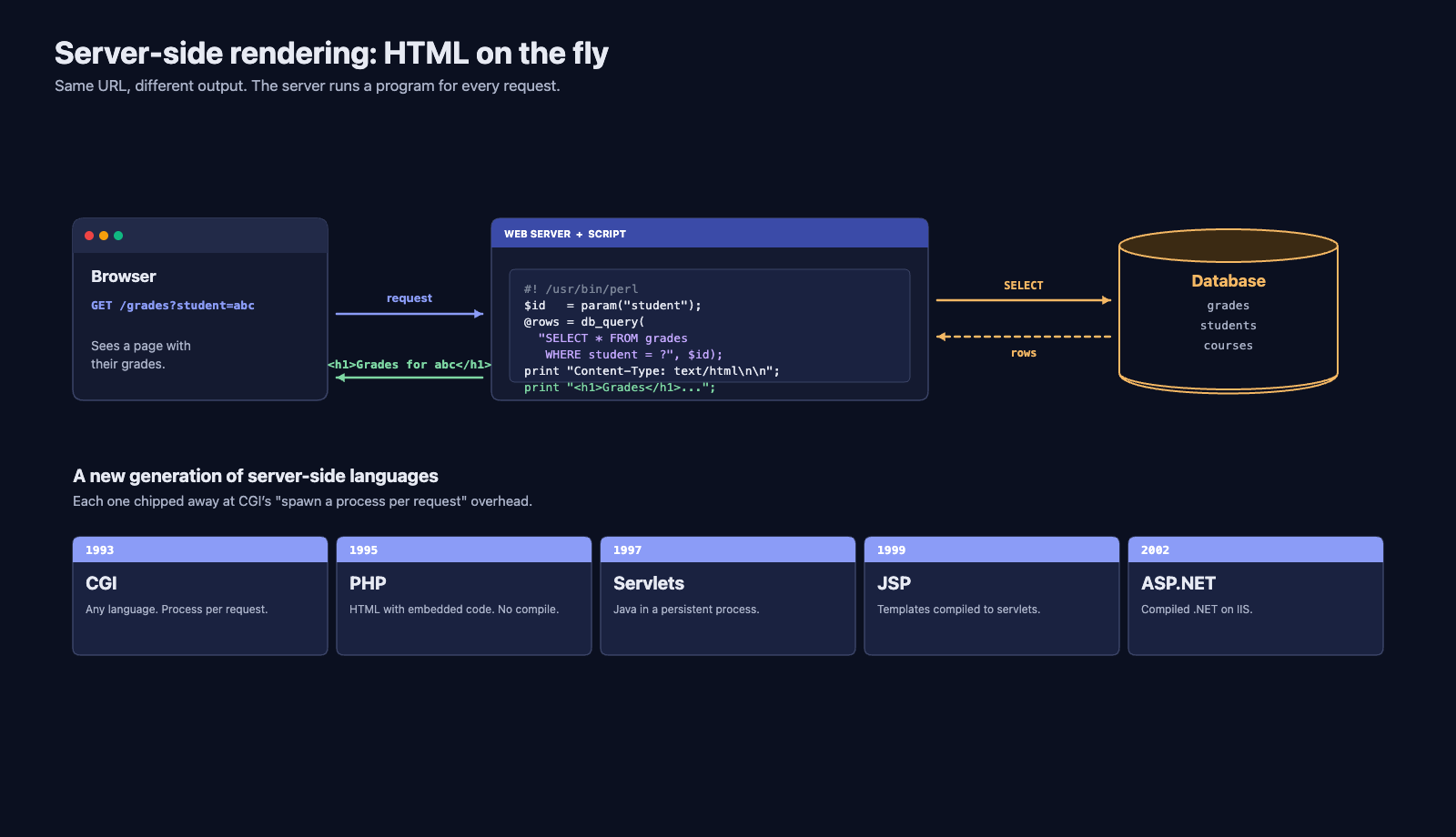
This was a watershed moment. For the first time, the same URL could return different content depending on the request. A page at /grades could show your grades when you visited and my grades when I visited.
2.2 The Rise of Server-Side Languages
CGI scripts worked, but they were cumbersome. Each request spawned a new operating system process, which was slow and resource-intensive. Dedicated server-side languages and runtimes emerged to solve this:
| Technology | Year | Key Innovation |
|---|---|---|
| CGI | 1993 | First standard for dynamic content; any language |
| PHP | 1995 | HTML templates with embedded server-side code; no separate compilation step |
| ASP | 1996 | Microsoft's server-side scripting for IIS |
| Java Servlets | 1997 | Java programs that run inside a persistent server process (no per-request process spawn) |
| JSP | 1999 | Java Server Pages — HTML templates with embedded Java, compiled to servlets |
| ASP.NET | 2002 | Microsoft's next-generation framework with compiled .NET languages |
PHP deserves special mention because its approach was radically simple. A PHP file was just an HTML file with special <?php ... ?> tags. The server would execute the PHP code, replace those tags with the output, and send the resulting HTML to the browser. This lowered the barrier to entry enormously — anyone who could write HTML could start adding dynamic behavior.
2.3 The Full Page Reload Problem
Server-side rendering (SSR) solved the personalization and database problems, but it introduced a significant user experience limitation: every interaction required a full page reload.
Consider a simple scenario: you are reading a long article and want to "like" it. In a server-rendered application:
- You click the "Like" button
- The browser sends a POST request to the server
- The server processes the like, updates the database
- The server generates an entirely new HTML page (the same article, now with the like count incremented)
- The browser throws away the current page and renders the new one
- You lose your scroll position
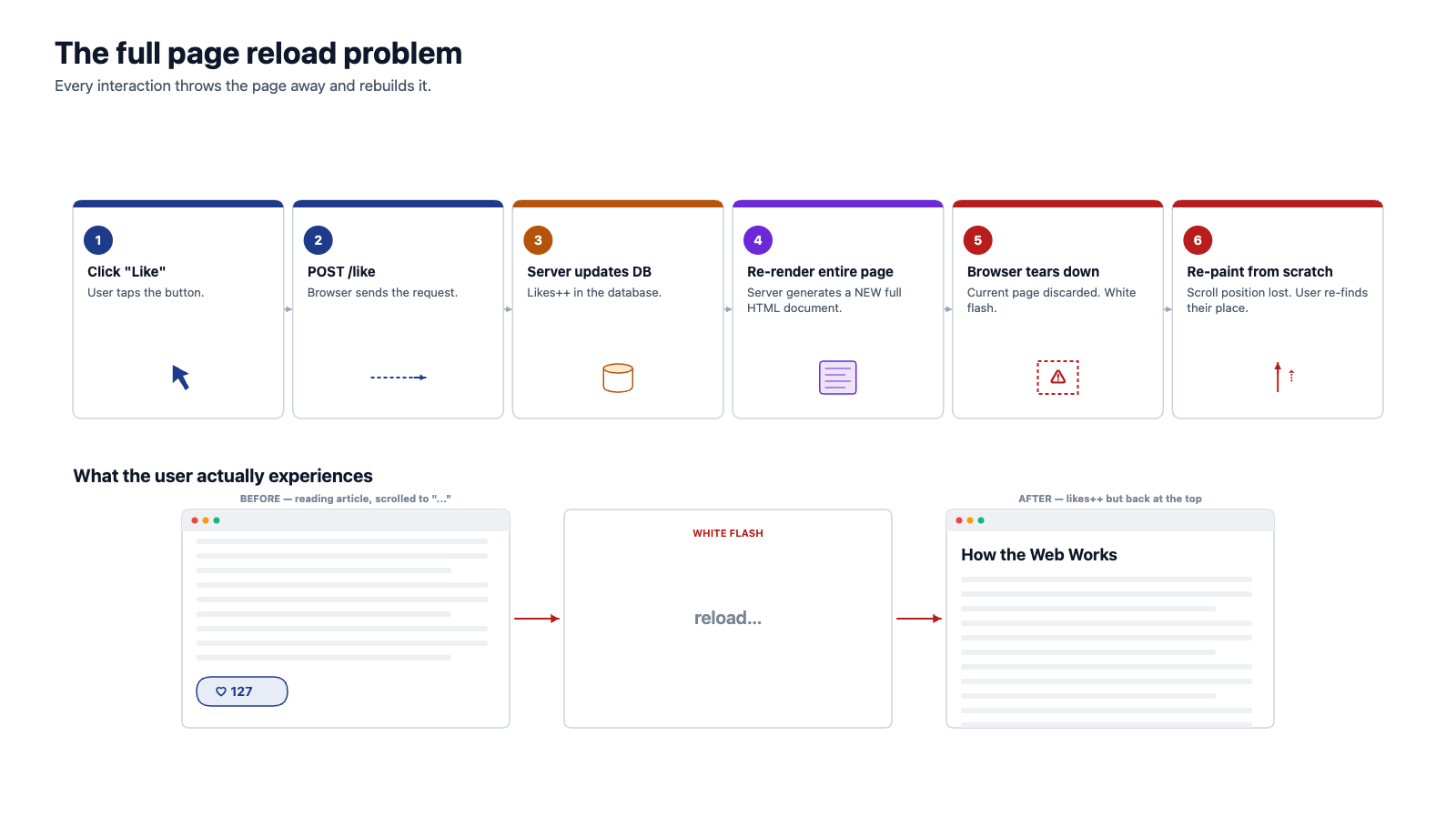
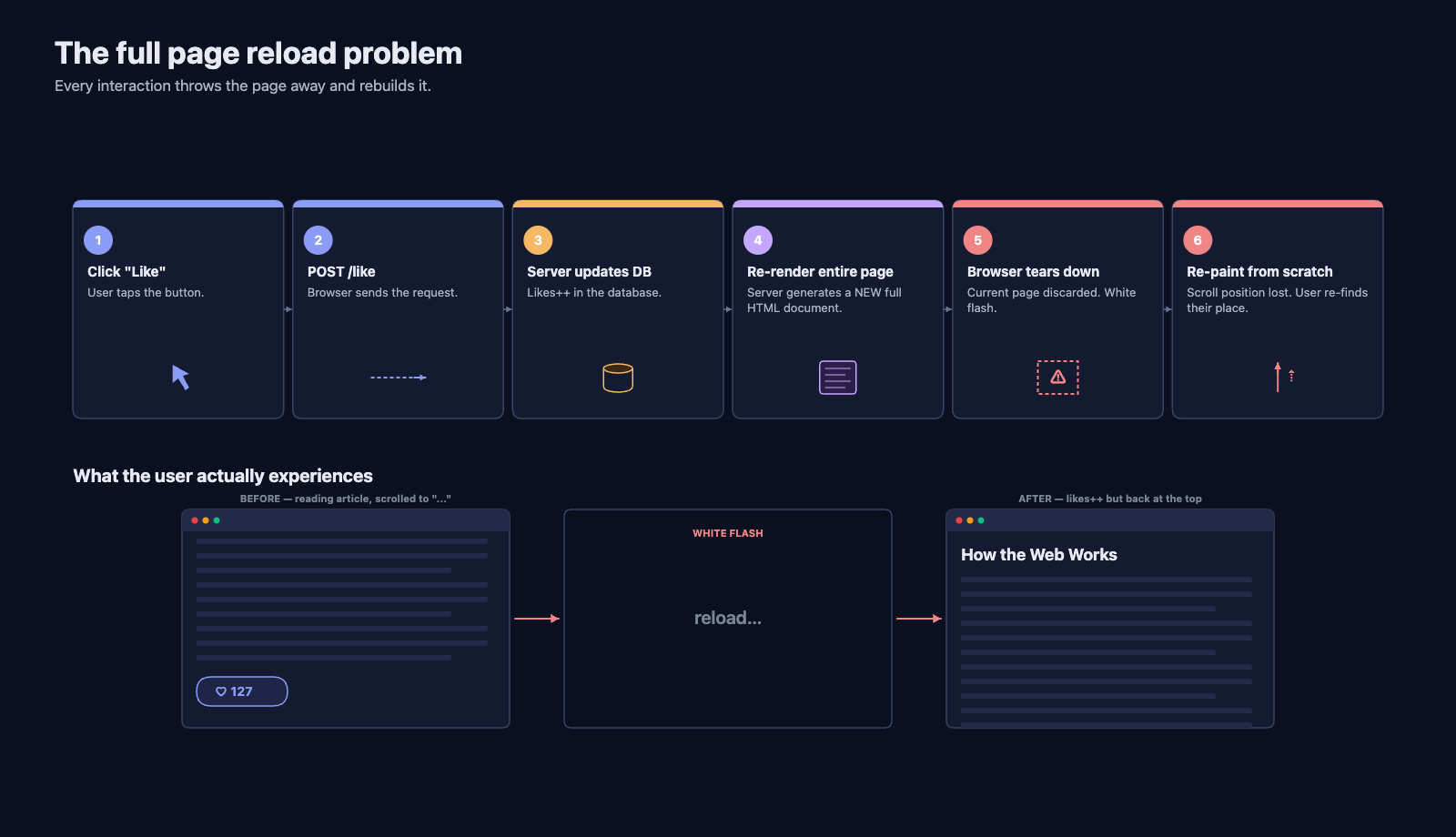
The user saw a white flash as the page reloaded. For simple pages this was tolerable. But as web applications grew more complex — webmail, mapping applications, spreadsheets — the constant full-page reloads made the experience feel sluggish compared to desktop software.
2.4 Connection to What You Already Know
If you have taken TCSS 305, you have written Java applications that respond to user events (button clicks, key presses) and update just the part of the UI that changed. Imagine if every button click in your Java Swing application caused the entire window to close and re-open with the updated state. That is what using a server-rendered web application felt like in 2003.
3 The AJAX Revolution (mid-2000s)
3.1 The Breakthrough: Partial Page Updates
The idea that changed everything was deceptively simple: what if the browser could request data from the server without reloading the page?
The technology that made this possible was XMLHttpRequest, a JavaScript API originally developed by Microsoft for Outlook Web Access in 1999. It allowed JavaScript running in the browser to make HTTP requests in the background and use the response to update just part of the page.
The term AJAX — Asynchronous JavaScript and XML — was coined by Jesse James Garrett in a 2005 essay titled "Ajax: A New Approach to Web Applications." Despite the name, AJAX was not a single technology but a combination of existing ones used in a new way:
- HTML and CSS for presentation
- The DOM (Document Object Model) for dynamic display and interaction
- XMLHttpRequest for asynchronous data retrieval
- JavaScript to tie it all together
3.2 How AJAX Changed the User Experience
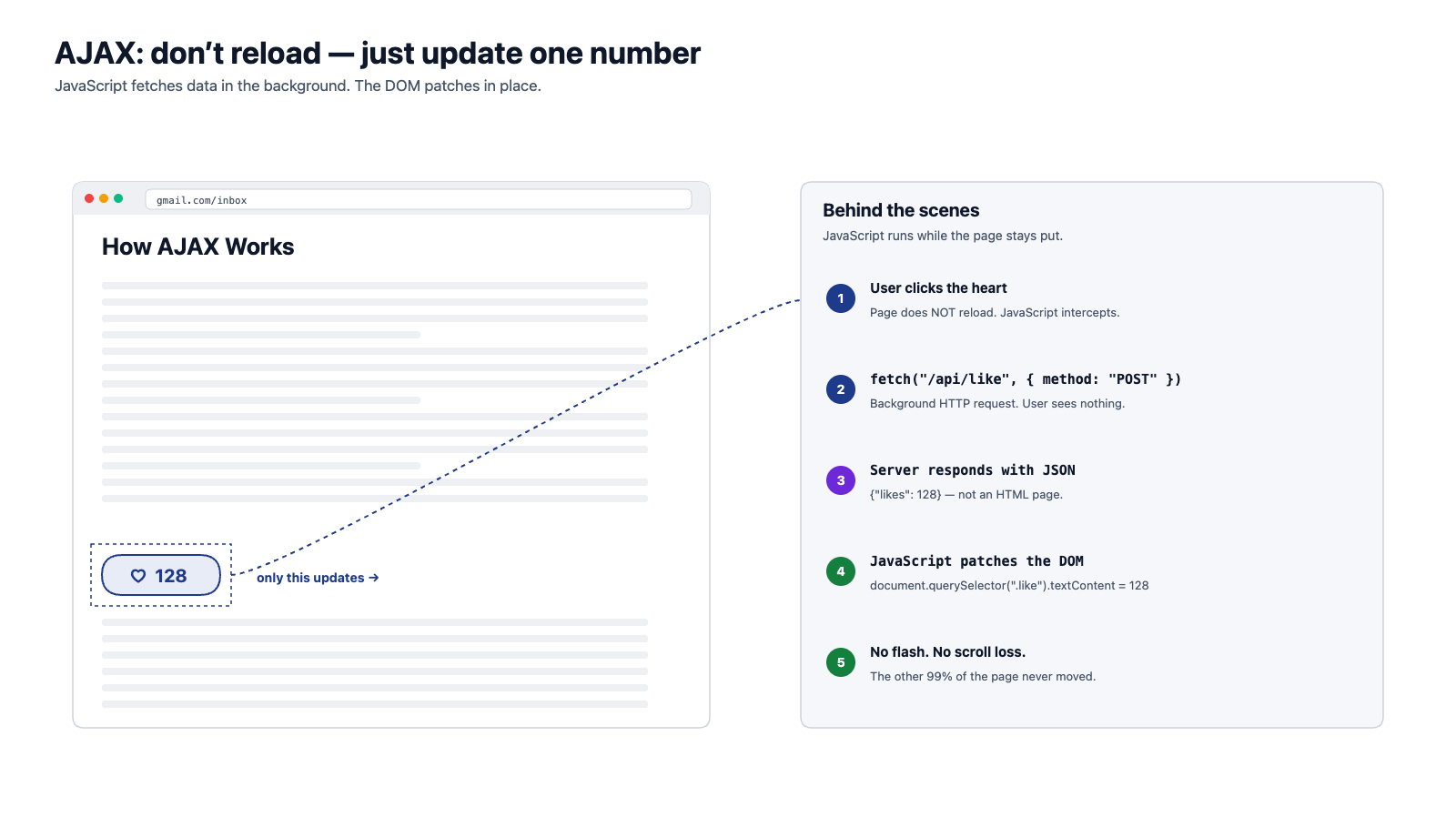
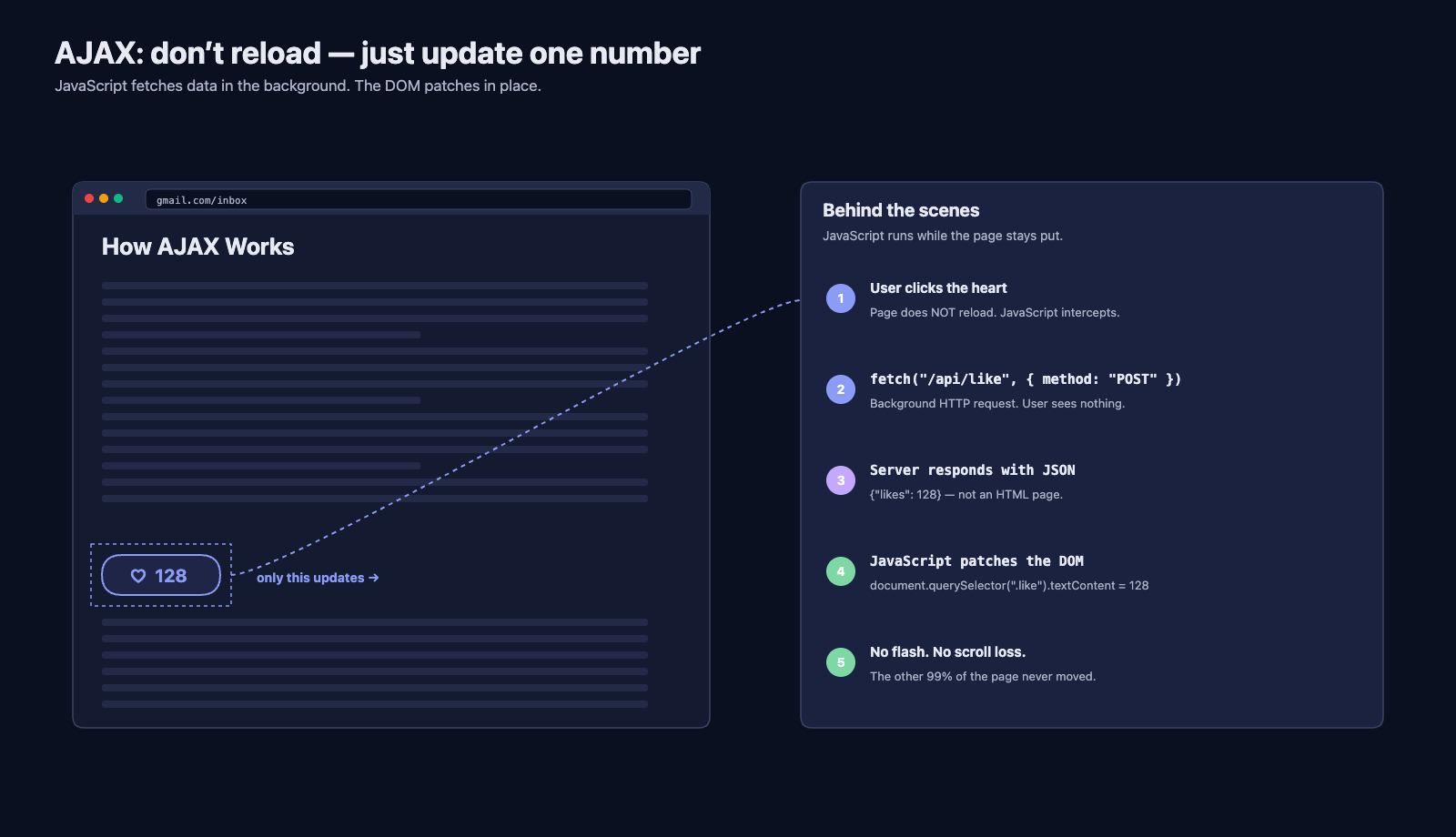
With AJAX, the "like" scenario from the previous section became:
- You click the "Like" button
- JavaScript sends an HTTP request to the server in the background
- The server processes the like and responds with just the new like count (not an entire HTML page)
- JavaScript updates the like count on the page
- You never lose your scroll position; the page never reloads
3.3 Gmail: The Application That Proved It
Google launched Gmail in April 2004, and it was a revelation. Gmail loaded once and then fetched email data in the background as you navigated between your inbox, individual messages, and compose windows. There was no page reload when you opened an email — it felt like a desktop application running in the browser.
Gmail demonstrated that web applications could rival desktop software in responsiveness. It was not the first application to use the AJAX pattern, but it was the most visible. It changed user expectations permanently: after Gmail, full-page reloads felt broken.
Other landmark AJAX applications followed: Google Maps (2005), which let you drag a map and load new tiles dynamically, and Facebook's News Feed (2006), which loaded new posts as you scrolled.
3.4 Limitations of the AJAX Approach
AJAX solved the page-reload problem but created new challenges:
- "Spaghetti" JavaScript — As applications grew, managing which parts of the page needed updating in response to which data changes became extremely complex. There was no standard architecture for organizing client-side code.
- State management — The server still rendered the initial HTML, but JavaScript was now responsible for keeping parts of the page in sync with data. Two sources of truth (server-rendered HTML and client-side JavaScript state) often conflicted.
- Back button and bookmarking — Since the URL did not change when AJAX updated the page, the browser's back button and bookmarks stopped working as expected.
- Accessibility — Screen readers and other assistive technologies could not detect when JavaScript dynamically changed part of the page.
3.5 The Fetch API: AJAX Modernized
XMLHttpRequest worked, but its API was awkward and callback-heavy. In 2015, browsers introduced the Fetch API, a cleaner, Promise-based replacement. Today, fetch() is the standard way to make HTTP requests from browser JavaScript.
The conceptual model is the same — make an HTTP request from JavaScript, get data back, update the page — but the code is far more readable. You will use fetch extensively when you build your front-end application later in the quarter. But fetch only modernized the mechanism — it did not solve the deeper architectural problems above. As applications grew larger and more interactive, developers began asking a more radical question: if AJAX can update parts of the page, why send any HTML from the server at all?
4 Single-Page Applications (2010s)
4.1 Taking AJAX to Its Logical Conclusion
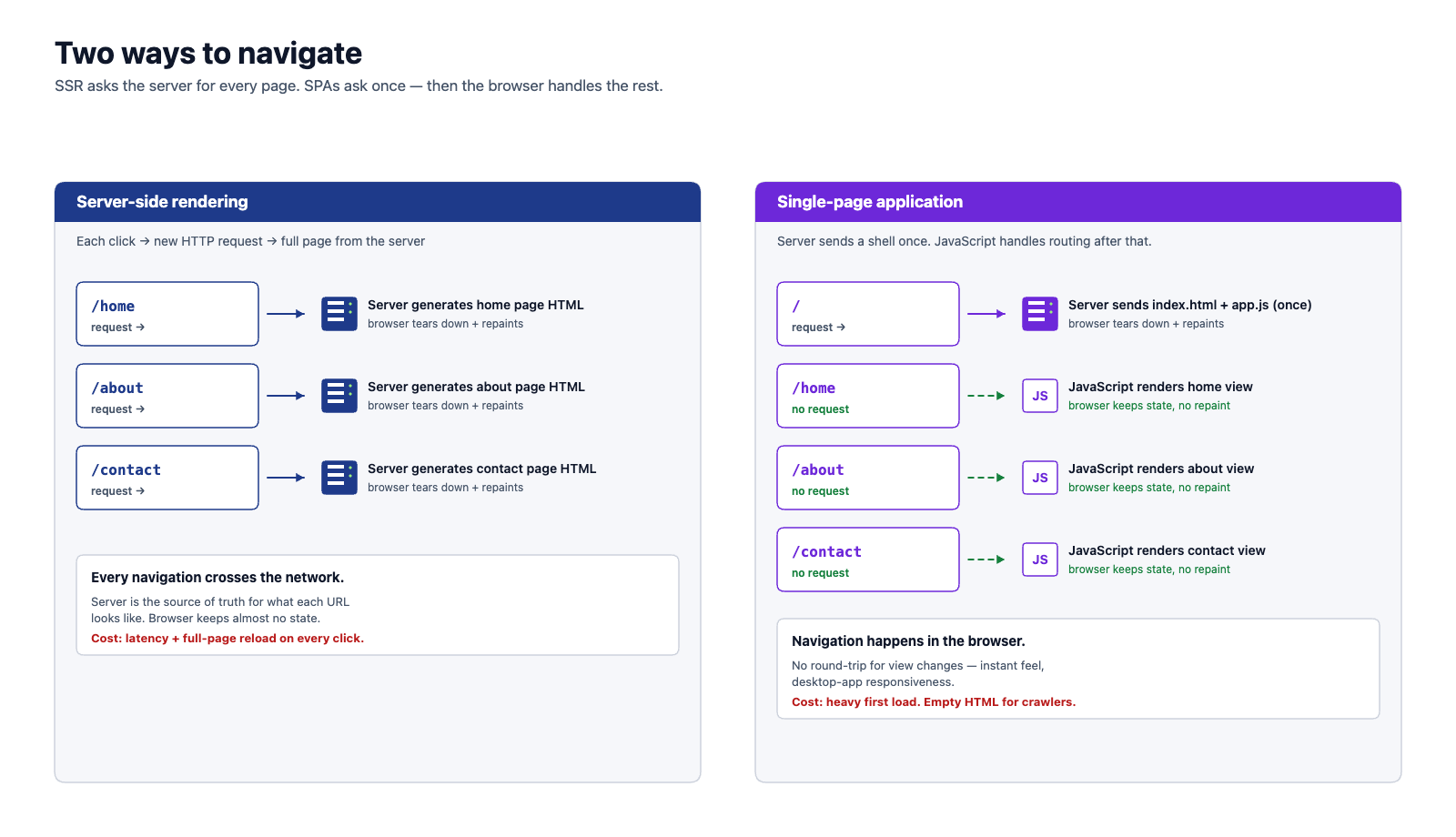
If AJAX allows you to update parts of a page without reloading, why not update everything without reloading? What if the server just sent a minimal HTML shell and a large JavaScript bundle, and JavaScript handled all the rendering, routing, and state management?
This is the Single-Page Application (SPA) model. The server serves one HTML page (hence "single-page"), and JavaScript takes over from there:
4.2 The Library and Framework Era
Building a SPA from scratch is extremely difficult. You need routing, state management, DOM manipulation, data fetching, and more. This complexity gave rise to a generation of front-end tools — some opinionated frameworks that own the application's structure, others smaller libraries that you compose with other tools as needed.
The distinction is about inversion of control:
- A library is code you call. You import what you need and stay in control of the application's flow. React's own tagline is "A JavaScript library for building user interfaces."
- A framework is code that calls you. It owns the lifecycle, routing, dependency injection, and structure; your code fills in the slots it defines. Angular is the canonical example.
- Vue sits between the two — its own docs describe it as a "progressive framework," meaning the core feels library-like, but adopting the official ecosystem (Vue Router, Pinia) makes it framework-like.
These distinctions matter when you choose tools, but the three projects below all share the same goal: provide enough structure to make SPAs maintainable.
| Tool | Type | Released | Created By | Key Idea |
|---|---|---|---|---|
| AngularJS | Framework | 2010 | Two-way data binding; HTML templates extended with directives | |
| React | Library | 2013 | UI as a function of state; virtual DOM for efficient updates; component model | |
| Vue.js | Progressive framework | 2014 | Evan You | Progressive framework; combines the best ideas from Angular and React; gentle learning curve |
Despite their library-vs-framework differences, Angular (the complete rewrite of AngularJS, released in 2016), React, and Vue share core principles:
- Component-based architecture — Build the UI from reusable, self-contained pieces
- Declarative rendering — Describe what the UI should look like for a given state, and the framework figures out how to update the DOM
- Client-side routing — Handle URL changes in JavaScript, not on the server
4.3 What SPAs Made Possible
SPAs enabled web applications that were indistinguishable from native desktop or mobile apps. Consider what became possible:
- Google Docs — Real-time collaborative document editing in the browser
- Spotify Web Player — Music streaming with seamless playback across page navigation
- Figma — A full design tool running entirely in the browser
- Slack — Real-time messaging with instant updates
The user experience was transformative. Navigation was instant (no server round-trip), transitions were smooth, and the application could maintain complex state (like an unsaved document or a playing song) across page changes. But by the late 2010s, the same model that powered these landmark applications was being applied to every kind of website, and the cracks began to show.
4.4 What SPAs Got Wrong
As SPAs became the default approach for everything, developers began asking pointed questions. Does a blog really need a 3 MB JavaScript framework? Does a restaurant menu page need client-side routing? The answer was clearly no, but by then the SPA model had become the default for the entire industry. Four problems emerged most sharply:
4.4.1 Slow Initial Load
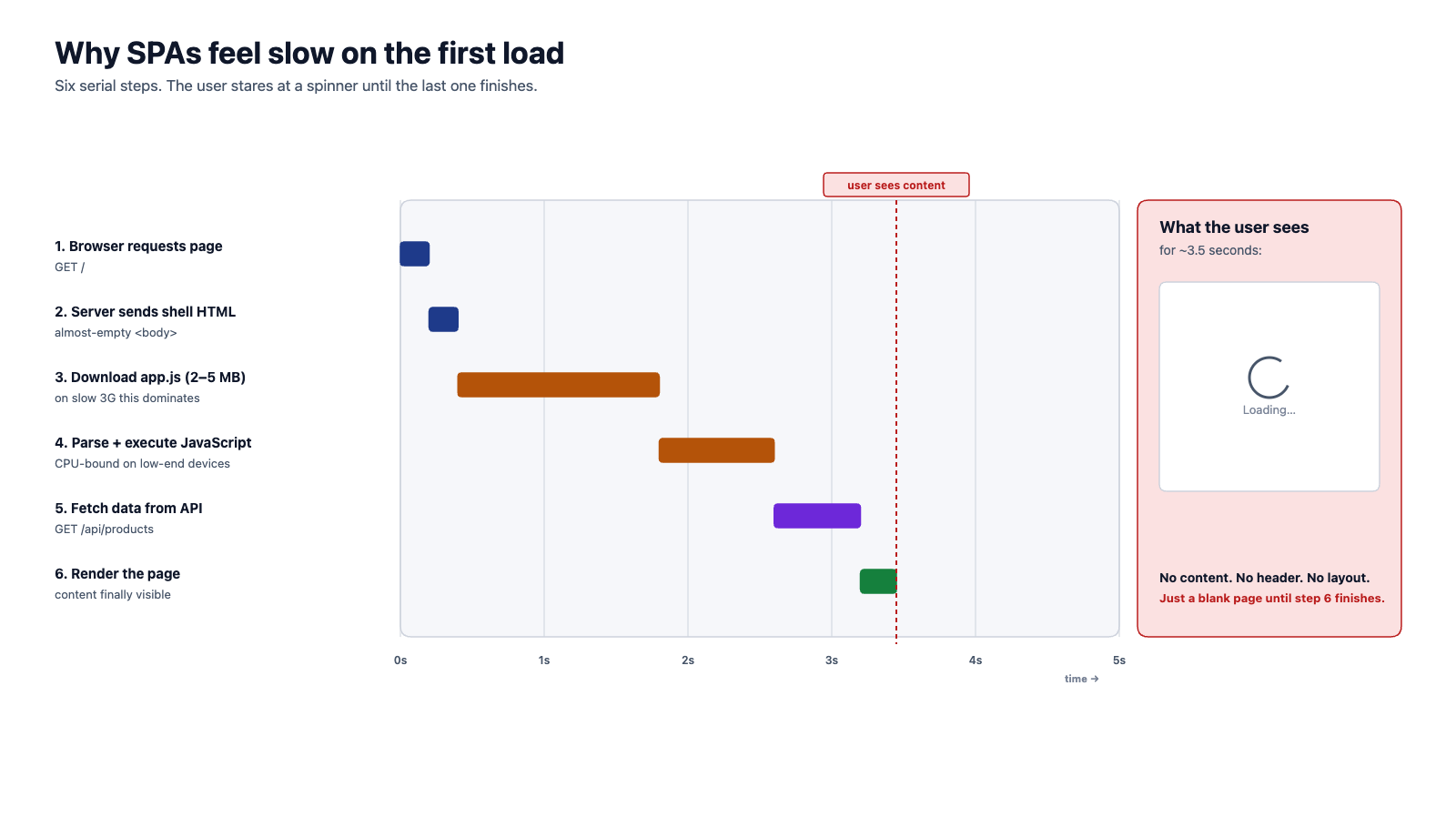
A SPA must download, parse, and execute its entire JavaScript bundle before the user sees anything meaningful. For a complex application, this bundle can be several megabytes. On a slow connection or a low-powered device, users stare at a blank white screen (or a loading spinner) for seconds.
4.4.2 SEO Challenges
Search engines work by fetching a page and reading its HTML. When a search engine crawler requests a SPA, it gets an empty HTML shell — all the content is generated by JavaScript. While Google eventually improved its ability to execute JavaScript during crawling, many search engines and social media link previews could not. This meant SPA content was often invisible to search engines.
4.4.3 JavaScript Dependency
If JavaScript fails to load (network error, browser extension conflict, very old browser), a SPA shows nothing. A server-rendered page at least shows the content even if JavaScript is broken.
4.4.4 Complexity
SPAs moved enormous complexity to the client. State management alone spawned an entire ecosystem of libraries (Redux, MobX, Vuex, Zustand) because keeping client-side state consistent proved to be one of the hardest problems in front-end engineering.
5 Server-Side Rendering Returns (late 2010s)
5.1 The Pendulum Swings Back
The web development community recognized that the SPA model, while powerful for truly interactive applications, was overkill for most websites. The solution was not to abandon client-side frameworks entirely, but to combine them with server-side rendering — getting the benefits of both approaches.
A new generation of meta-frameworks emerged — frameworks built on top of existing UI libraries:
| Meta-Framework | Built On | Released | Created By |
|---|---|---|---|
| Next.js | React | 2016 | Vercel |
| Nuxt | Vue.js | 2016 | Nuxt Team |
| SvelteKit | Svelte | 2020 | Rich Harris / Vercel |
| Remix | React | 2021 | Ryan Florence, Michael Jackson |
These frameworks share a common approach: render the initial page on the server, then let the client-side framework take over for subsequent interactions.
5.2 How Modern SSR Works
The process combines server and client rendering in a carefully orchestrated sequence:
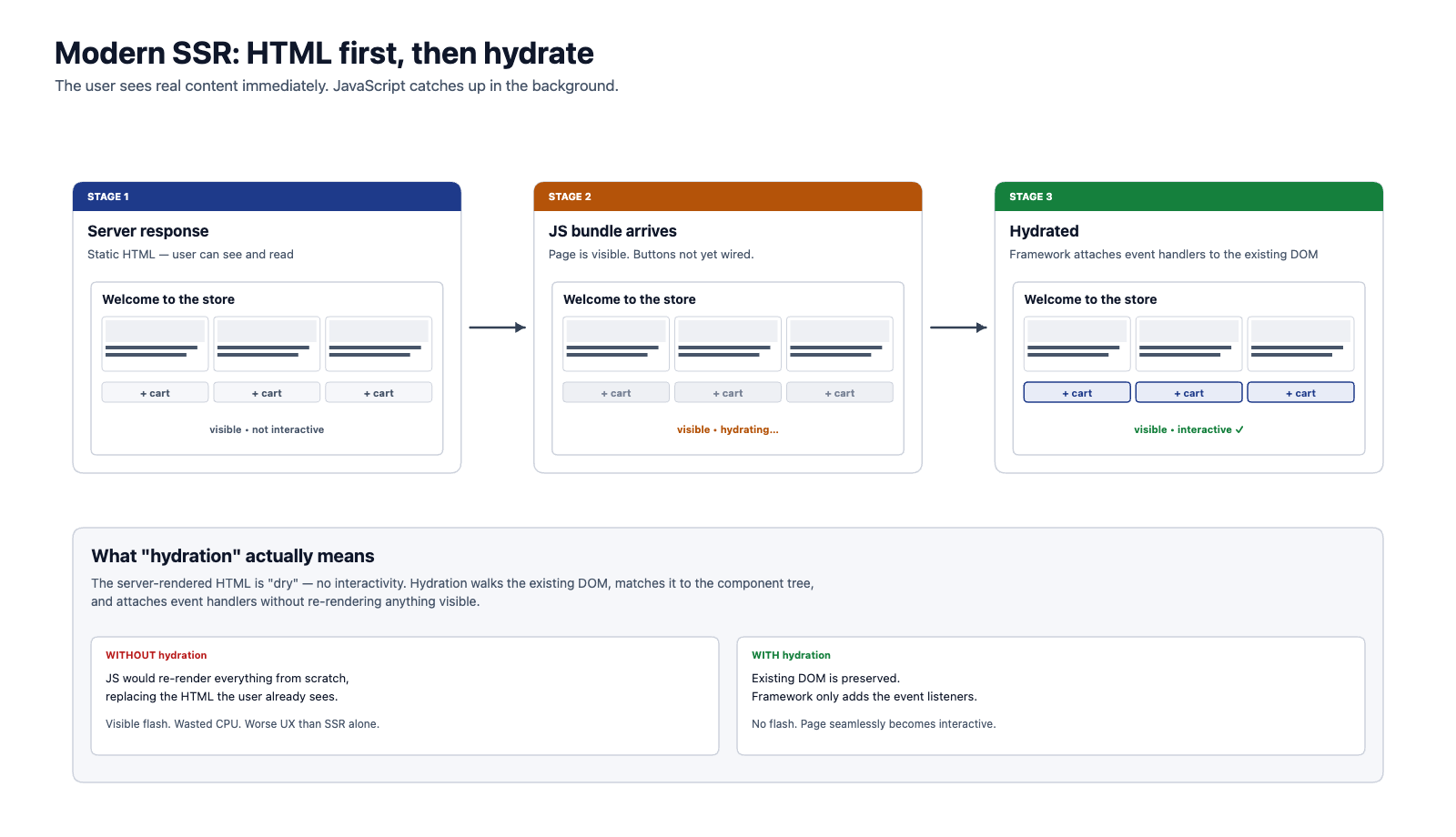
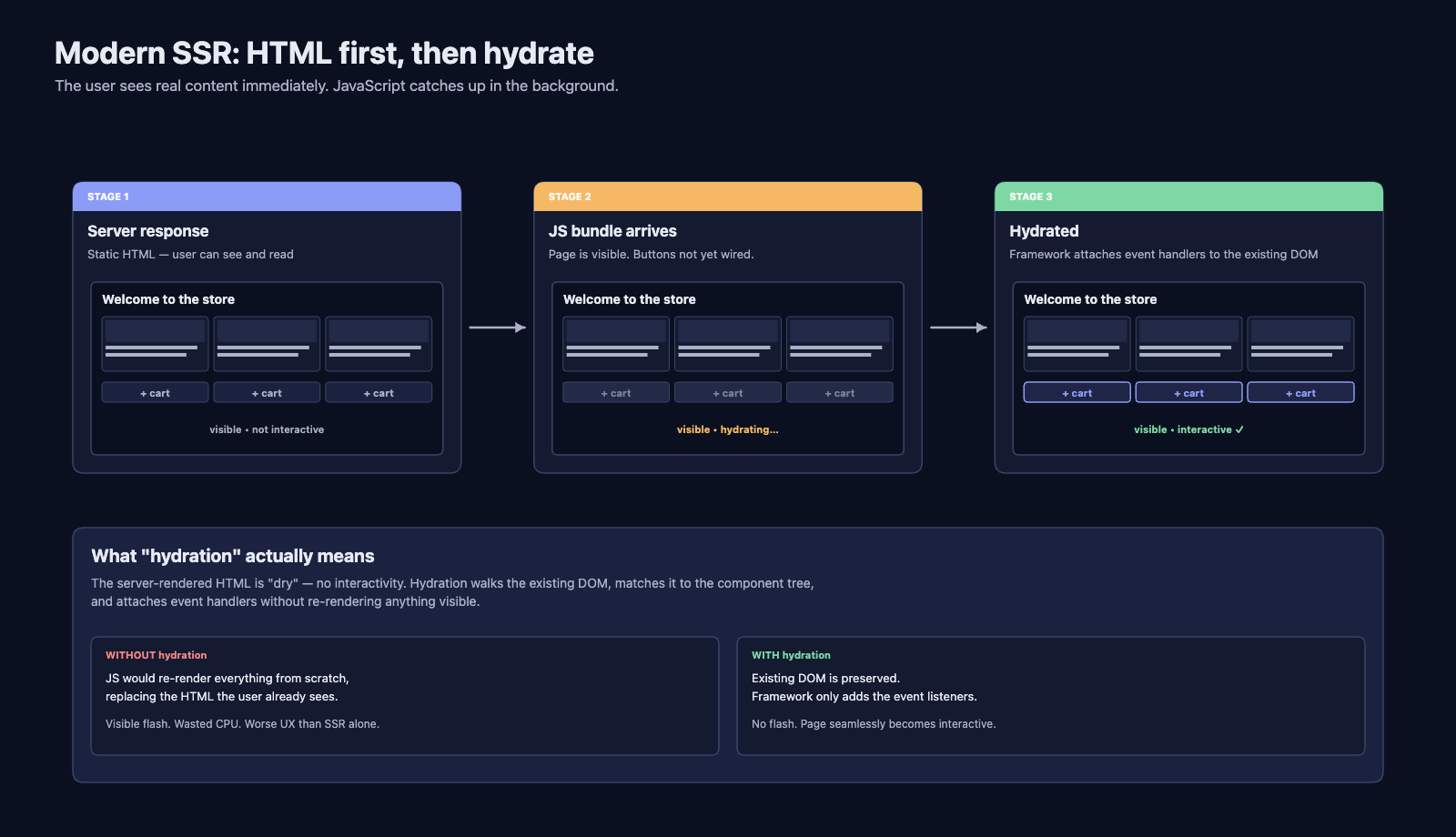
Compare this to the pure SPA approach where steps 4 through 7 are collapsed — the user sees nothing until all the JavaScript has loaded and executed.
5.3 Hydration: The Bridge Between Server and Client
Hydration is the process that makes modern SSR work. The term refers to taking the "dry" server-rendered HTML and "hydrating" it with interactivity by attaching JavaScript event handlers.
Here is what happens conceptually:
- The server renders the component tree to HTML (static, no event handlers)
- The server sends that HTML to the browser
- The browser displays it immediately — the user can see and read the content
- The JavaScript bundle loads in the background
- The framework walks through the existing DOM, matches it to its component tree, and attaches event handlers
- The page becomes interactive
The key insight is that the user perceives a fast load because they see content at step 3, even though full interactivity does not arrive until step 6. This perceived performance is often more important than actual performance.
5.4 Rendering Strategies
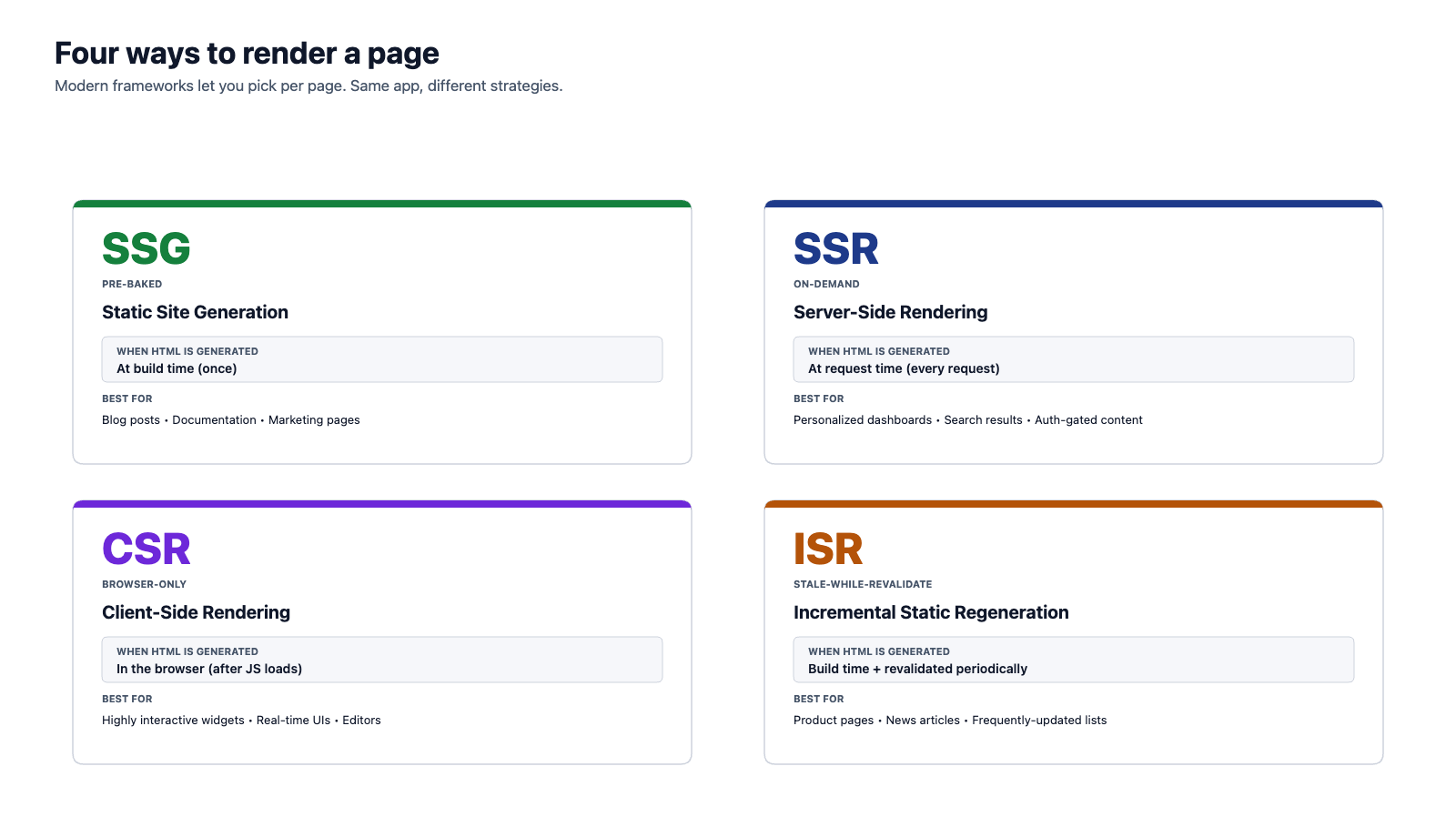
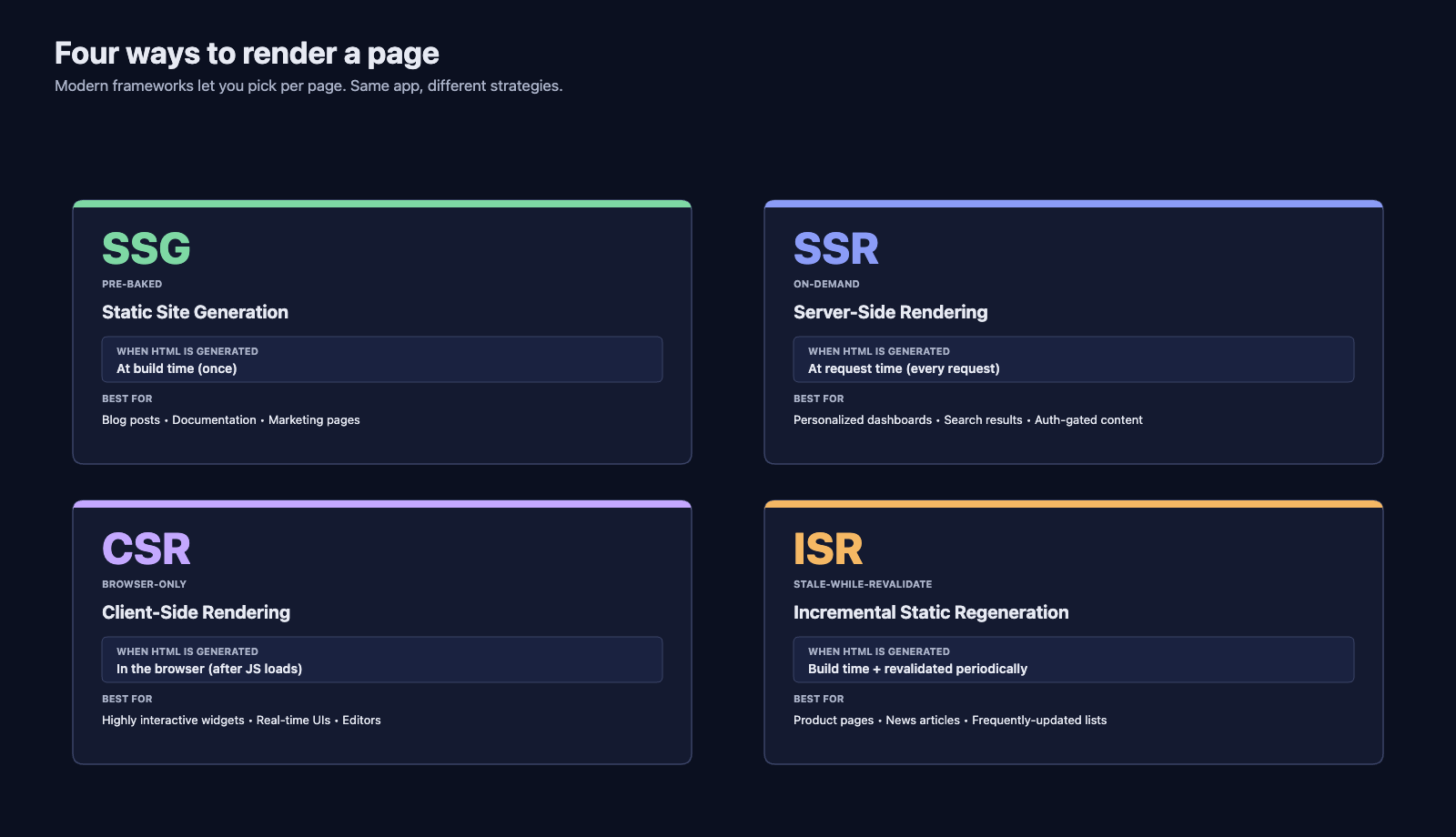
Modern meta-frameworks do not force a single rendering approach. They let developers choose the right strategy for each page:
| Strategy | When HTML is Generated | Best For |
|---|---|---|
| Static Site Generation (SSG) | At build time (once) | Blog posts, documentation, marketing pages |
| Server-Side Rendering (SSR) | At request time (every request) | Personalized content, dashboards, search results |
| Client-Side Rendering (CSR) | In the browser (after JS loads) | Highly interactive widgets, real-time features |
| Incremental Static Regeneration (ISR) | At build time, then revalidated periodically | Product pages, frequently updated content |
A single application can mix strategies. Your home page might be statically generated, your user dashboard server-rendered, and your chat widget client-rendered — all within the same framework.
6 Where We Are Now
6.1 React Server Components
The latest evolution in this story is React Server Components (RSC), introduced by the React team in 2020 and shipped in Next.js starting in 2023. Server Components challenge a fundamental assumption that has held since the SPA era: that components are units of client-side code.
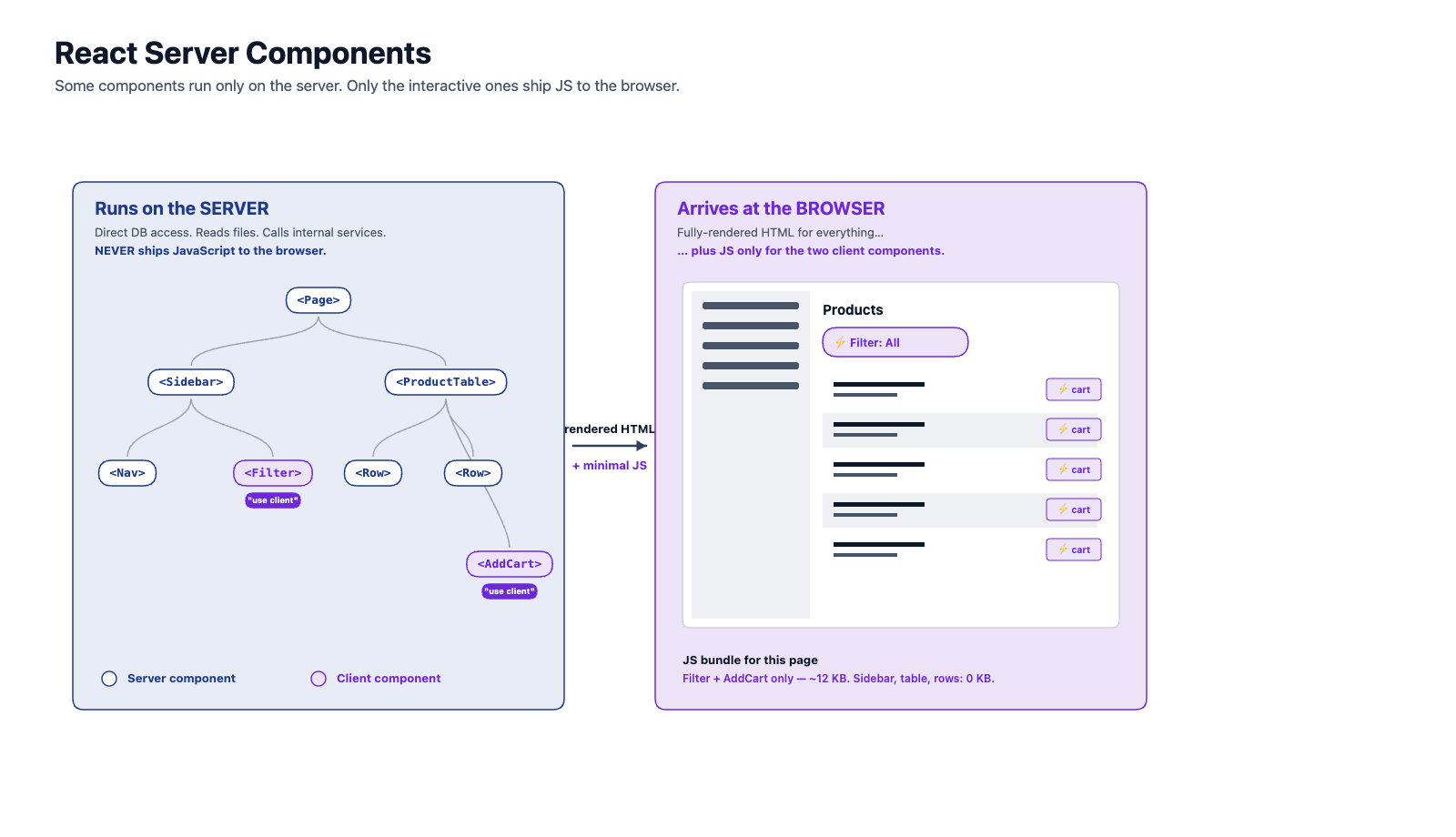
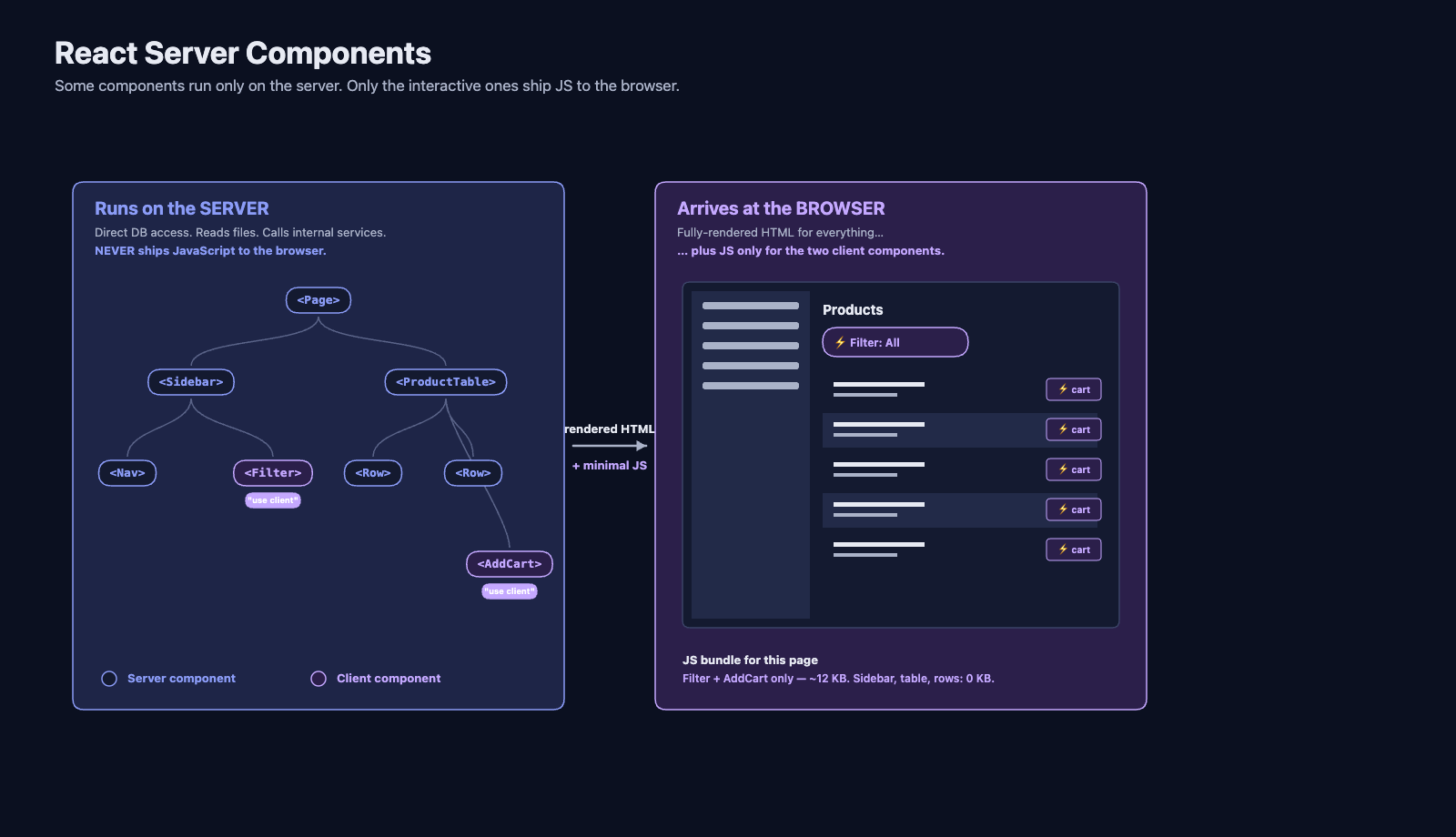
With Server Components, some components run only on the server. They can directly access databases, read files, and call internal services — things that were never possible in browser-side JavaScript. The server renders them to HTML, and their JavaScript is never sent to the browser. Only components that need interactivity (click handlers, form state, animations) are sent as client-side JavaScript.
This dramatically reduces the amount of JavaScript shipped to the browser. A page with a complex data table, sidebar navigation, and a small interactive filter might send only the filter's JavaScript to the client. The data table and sidebar were rendered on the server and arrive as plain HTML.
6.2 Streaming and Suspense
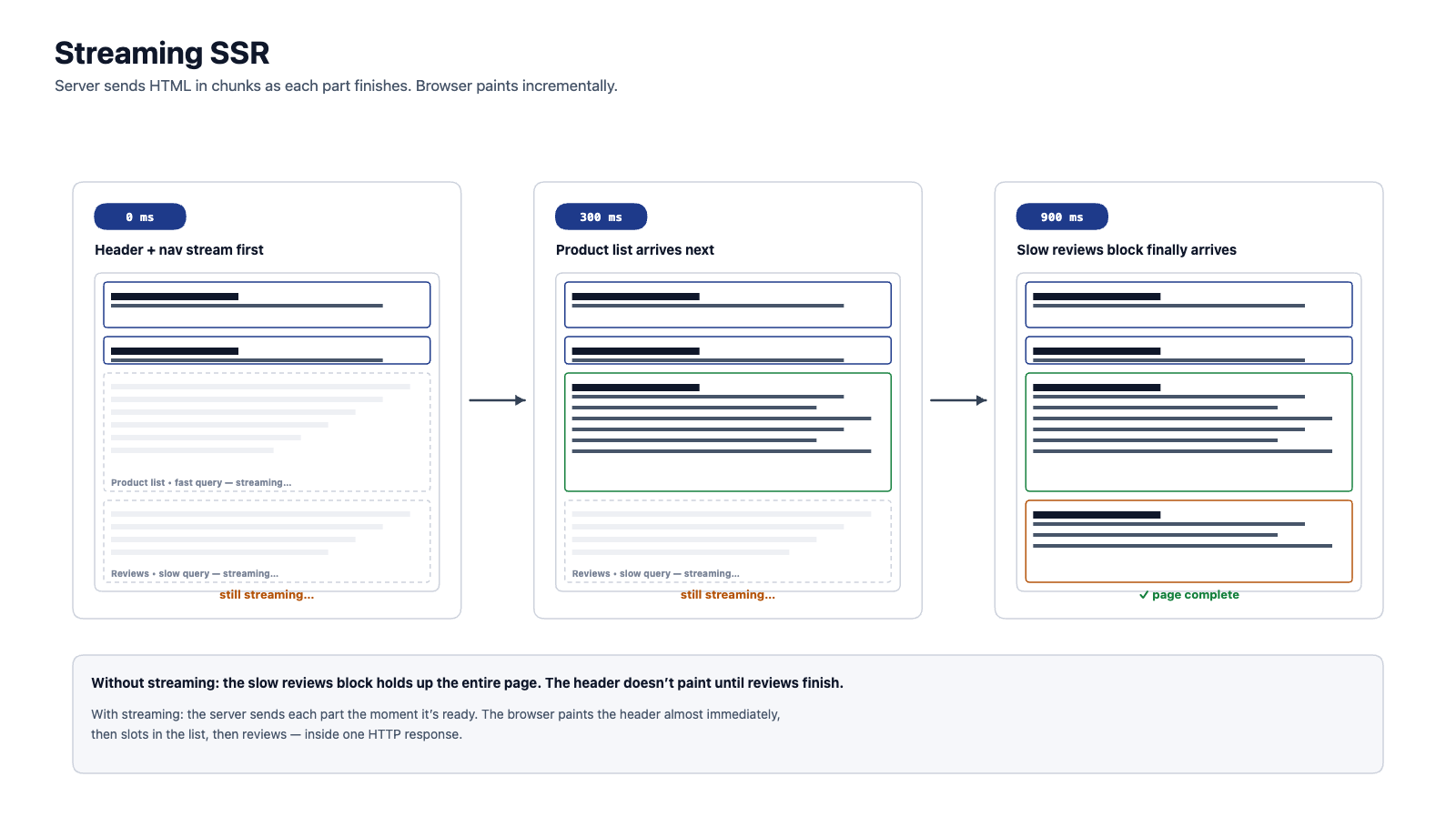
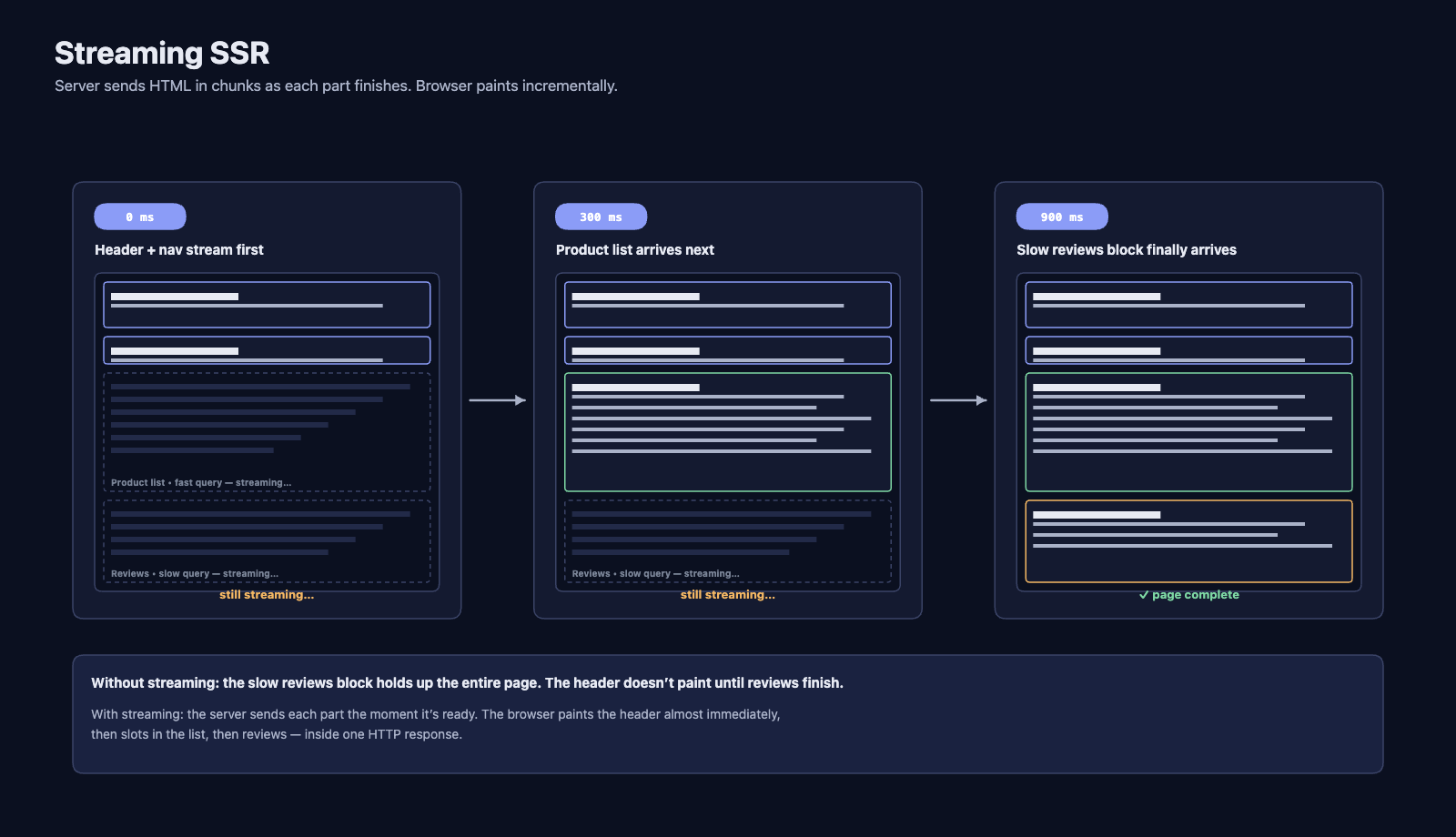
Traditional SSR has a bottleneck: the server must finish generating the entire page before it can send anything to the browser. If one part of the page requires a slow database query, the entire page is delayed.
Streaming SSR solves this by sending HTML to the browser in chunks as each part becomes ready. The browser can start rendering the header and navigation while the server is still fetching data for the main content area. When the data arrives, the server streams the remaining HTML, and the browser inserts it into the correct place.
This creates a perception of near-instant page loads even when some data is slow to fetch.
6.3 Edge Computing
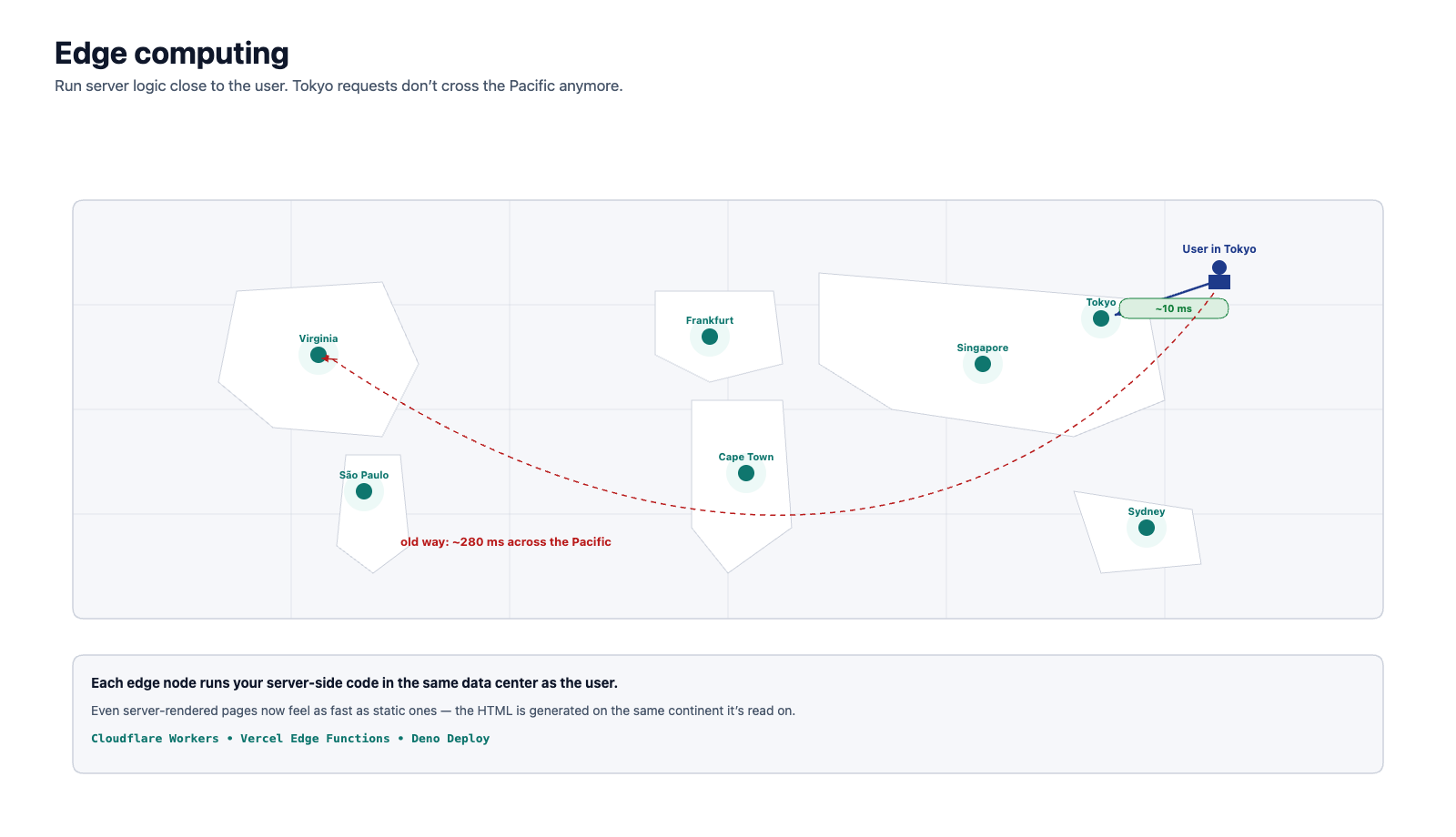
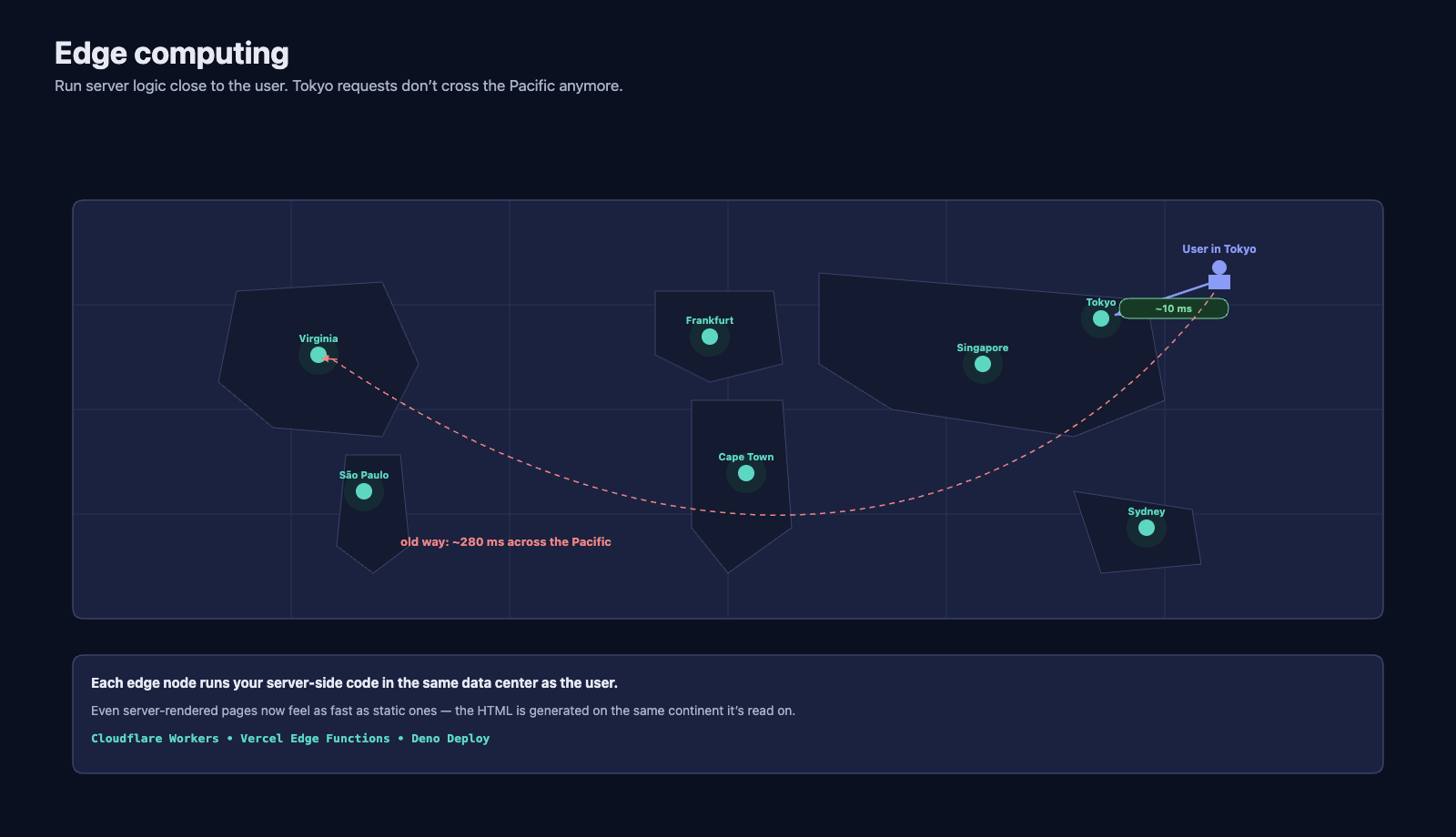
Traditionally, servers run in a data center in a specific geographic region. If your server is in Virginia and your user is in Tokyo, every request travels across the Pacific Ocean and back — adding hundreds of milliseconds of latency.
Edge computing moves server-side logic closer to the user. Platforms like Cloudflare Workers, Vercel Edge Functions, and Deno Deploy run your code in data centers distributed around the world. When a user in Tokyo makes a request, it is handled by a server in Tokyo (or nearby), dramatically reducing latency.
Edge computing is particularly powerful for SSR because the HTML generation happens close to the user, making server-rendered pages feel as fast as static ones.
6.4 The Pendulum Metaphor
Looking at this history as a whole, a clear pattern emerges:
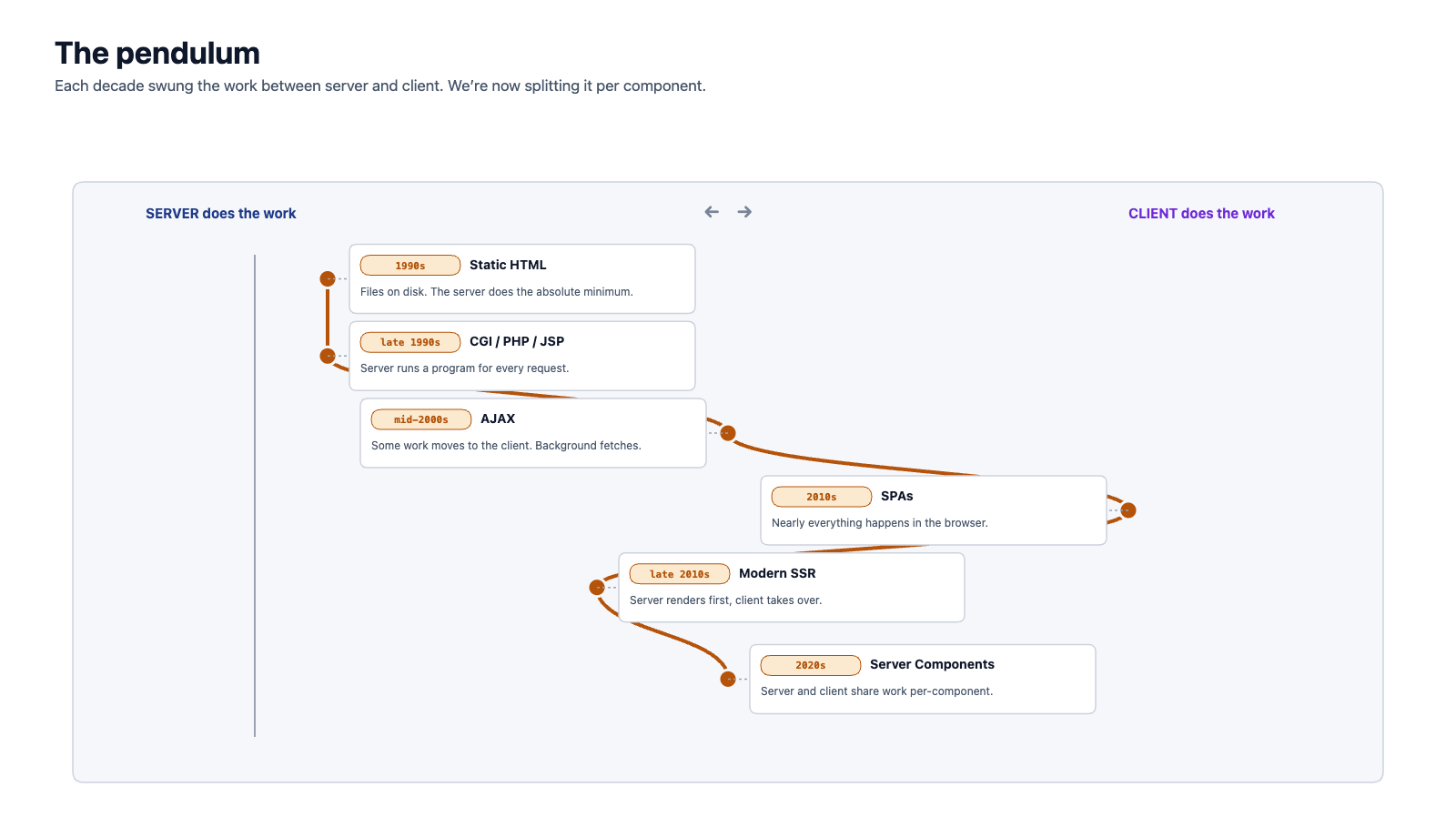
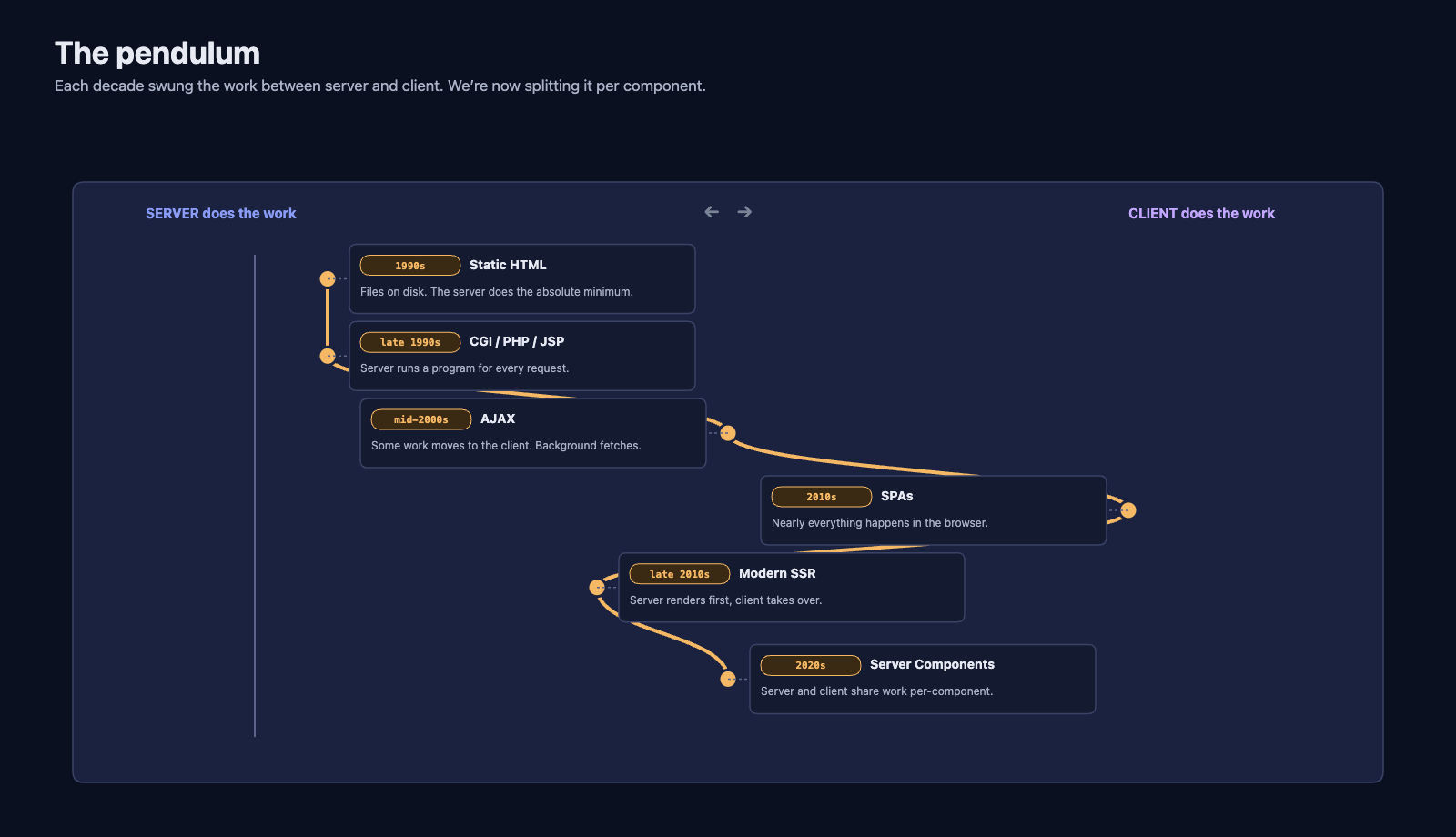
The web has oscillated between server-heavy and client-heavy architectures. Each swing was a reaction to the limitations of the previous approach. We are currently in a phase where the boundary between server and client is becoming per-component rather than per-application — the most granular division yet.
7 Why This History Matters for You
7.1 Your Course Project in Context
In the second half of this quarter, you will build a front-end application using Next.js, which is a React-based meta-framework. Understanding the history above helps you see exactly where Next.js fits and why it makes the architectural choices it does:
- Pages are server-rendered by default — because SSR solves the initial load and SEO problems that plagued SPAs
- Components can be server or client — because Server Components reduce the JavaScript sent to the browser
- Client-side navigation after the first load — because SPAs proved that client-side routing creates a better user experience
- Multiple rendering strategies — because not every page has the same requirements
You are not just learning a framework. You are learning the current answer to thirty years of accumulated wisdom about how to build web applications.
7.2 Understanding Trade-offs
Every architectural decision in web development is a trade-off. The history in this reading shows the same trade-offs recurring in different forms:
| Trade-off | Server-Heavy | Client-Heavy |
|---|---|---|
| Initial load speed | Fast (HTML ready immediately) | Slow (must download + execute JS first) |
| Interactivity | Slow (every action = server round-trip) | Fast (instant response, no network) |
| SEO | Easy (HTML is already there) | Hard (search engines may not execute JS) |
| Complexity | Simpler client, complex server | Complex client, simpler server (API only) |
| Offline capability | None | Possible (cached JS + data) |
| Infrastructure cost | Higher server load | Lower server load, higher client requirements |
Modern frameworks like Next.js do not eliminate these trade-offs — they give you tools to make them per-page or per-component instead of for the entire application.
7.3 Connecting Back End and Front End
You spent the first five weeks of this course building a back-end web API. That API returns JSON data, not HTML. This design is a direct consequence of the SPA/AJAX revolution: the front end and back end became separate applications that communicate over HTTP.
Your Next.js front end will call your Express API (and potentially other groups' APIs) to fetch data and render it for users. The server-side rendering in Next.js will call your API during the server render phase, meaning the HTML sent to the browser already contains the data — combining the performance benefits of SSR with the clean separation of a dedicated API.
This is the full stack in action: PostgreSQL database, Express API, Next.js front end. Each layer exists because of the historical forces described in this reading.
8 Summary
| Era | Key Innovation | Trade-off |
|---|---|---|
| Static Web (1990s) | HTML files served directly | Fast and simple, but no dynamic content or personalization |
| Server-Side Rendering (late 1990s) | Server generates HTML per request (CGI, PHP, JSP) | Dynamic content possible, but every interaction requires a full page reload |
| AJAX (mid-2000s) | Background HTTP requests update parts of the page | Richer interactions without reload, but complex state management and "spaghetti" code |
| SPAs (2010s) | Client-side frameworks handle all rendering and routing | Desktop-like experience, but slow initial load, poor SEO, high complexity |
| Modern SSR (late 2010s) | Meta-frameworks combine server rendering with client interactivity | Best of both worlds, but adds hydration overhead and framework complexity |
| Server Components (2020s) | Per-component server/client split; streaming | Minimal client JS, fast loads, but newest paradigm with evolving best practices |
The web's evolution is not a story of each approach replacing the last — it is a story of the industry learning what works where. Static sites are still the best choice for documentation. SPAs are still the best choice for complex interactive tools. Server-rendered applications are the best choice when you need fast initial loads, good SEO, and rich interactivity. The skill is knowing which approach fits which problem.
9 References
This reading draws from the following sources:
Historical Sources:
- Berners-Lee, T. (1989). Information Management: A Proposal. CERN. Retrieved from https://www.w3.org/History/1989/proposal.html
- Garrett, J. J. (2005). Ajax: A New Approach to Web Applications. Adaptive Path. Retrieved from https://web.archive.org/web/20050218232500/http://www.adaptivepath.com/publications/essays/archives/000385.php
- NCSA. (1993). The Common Gateway Interface. Retrieved from https://web.archive.org/web/19970128191131/http://hoohoo.ncsa.uiuc.edu/cgi/
- CERN. (1991). The World's First Website — First web page, created by Tim Berners-Lee.
- Google. (2004). Gmail launch announcement.
- Google. (2005). Google Maps launch.
- AngularJS. (2010). AngularJS GitHub Repository — Originally released by Google.
- Evan You. (2014). Vue.js GitHub Repository — First release.
Technical Documentation:
Framework Announcements and Documentation:
- Facebook Engineering. (2013). React: A JavaScript library for building user interfaces. Retrieved from https://legacy.reactjs.org/blog/2013/06/05/why-react.html
- Vercel. (2016). Next.js: The React Framework. Retrieved from https://nextjs.org/blog/next
- React Team. (2020). Introducing Zero-Bundle-Size React Server Components. Retrieved from https://react.dev/blog/2020/12/21/data-fetching-with-react-server-components
10 Further Reading
External Resources
- A Brief History of the Web — The W3C's own account of the web's origins
- The History of the URL — Cloudflare's detailed history of URL standards and their evolution
- MDN Web Docs — Introduction to the DOM — Understanding the DOM is essential for understanding how AJAX and SPAs manipulate the page
- Next.js Documentation — Rendering — How Next.js implements the modern hybrid rendering approach you will use in this course
- Patterns.dev — Rendering Patterns — Visual explanations of SSR, SSG, CSR, ISR, and streaming
This reading is part of TCSS 460 — Client/Server Programming, School of Engineering and Technology, University of Washington Tacoma.